
miriamdd
Participant
March 16, 2021
Answered

Exporting layers from InDesign to PDF

  • March 16, 2021
  • 3 replies
  • 15740 views

I've tried to export an InDesign file with two layers, the art and the template. I need to send it to the printer for a custom box. I don't see layers in my PDF. What am I doing wrong? I'm using the latest versions of each program. I'm attaching the InDesign file before I make text into outlines, in case there are changes and the PDF I got.
Correct answer jmlevy

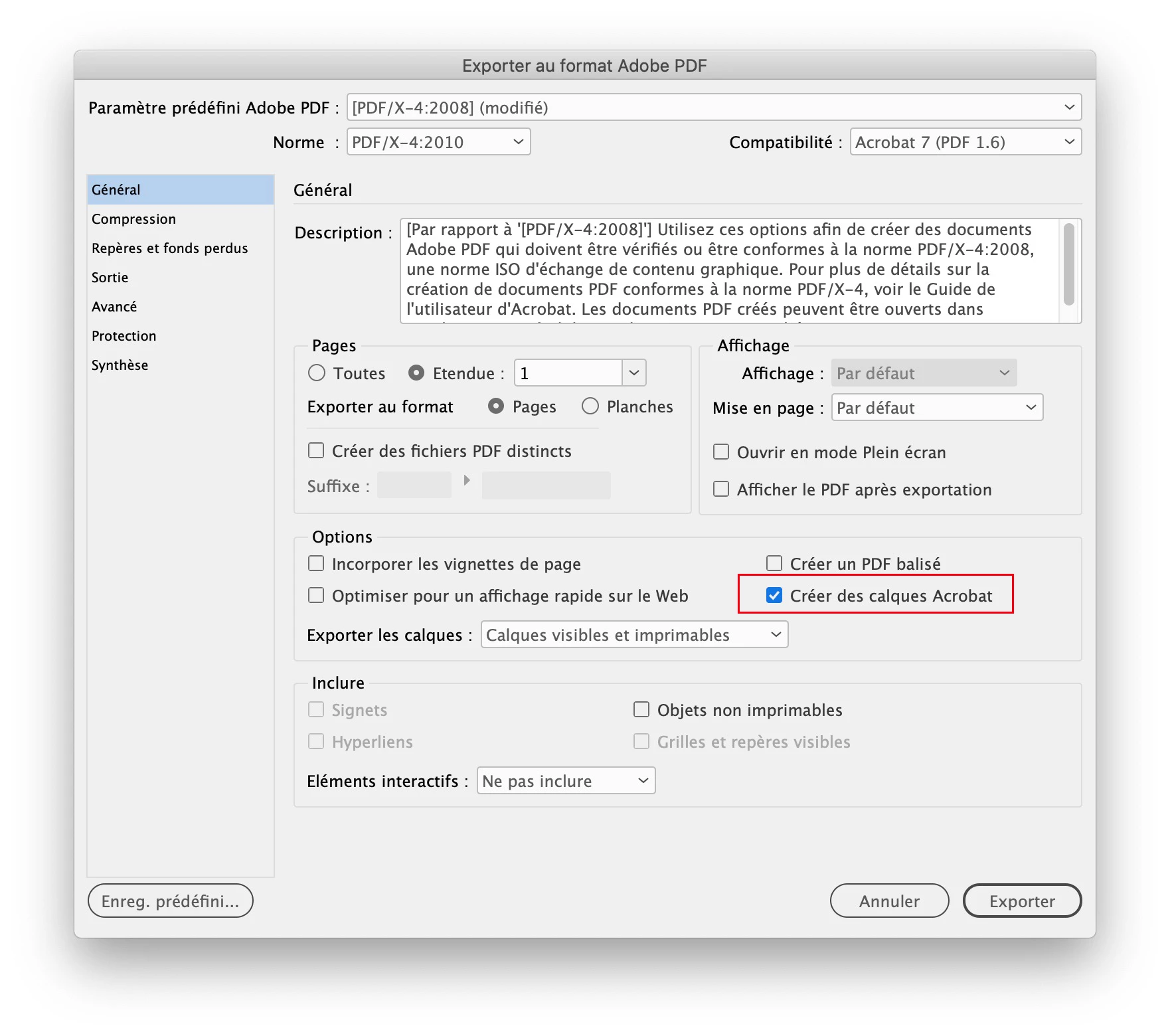
Did you tick the “create layers” check box?

3 replies

Luke Jennings3
Community Expert
Community Expert
March 16, 2021

I see your background image is set to 80% opacity, if this was done to show the box template, this is not necessary. The template (or dieline) is typically on the topmost layer and set to overprint.

miriamdd
miriamddAuthor
Participant
March 17, 2021

WOW! All these wonderful suggestions1 I appreciate them all. I'm actually waiting for the supplier to indicate how they want the file. I just wanted to figure out how to make a layered PDF in case that's what we want. The template isn't just a die line, but I need the supplier to see how I want the art to be positioned. I will keep all these suggestions in mind once I get the go-ahead from my client and instructions from the supplier how they want the file. Maybe I can just give them the packaged InDesign file. I have great respect for this process. I've mostly worked alone for 30+ years. Each project gives me an opportunity to learn something new. It keeps me young!

Brad @ Roaring Mouse
Community Expert
Community Expert
March 16, 2021

I agree on the don't outline comment. Unless your printer is specifically asking you to do so, don't. What you sacrifice, especially on smaller type, is the hinting that the typeface has built in to make smaller sizes look better. When converted to outline, there's a good chance your type will look chunkier than you expect or want.

Also, from a printer's perspective (I've worked in prepress) we'd much rather see you send us two separate files... one for the artwork and one for the dieline... But this is something you should discuss with your printer. It's quite possible their RIP doesn't know what to do with layered PDFs.

Derek Cross
Community Expert
Community Expert
March 16, 2021

It's not normally recommneded to convert text to outlines.

What kind of PDF did you produce, PDF/X-4 is the normal one, but it depends on your printer.

miriamdd
miriamddAuthor
Participant
March 16, 2021

Thanks! Changed the Output to X-4 and still don't see layers. What am I doing wrong?

jmlevy
Community Expert
jmlevyCommunity ExpertCorrect answer
Community Expert
March 16, 2021

Did you tick the “create layers” check box?