Inspiring
January 18, 2026
Question

exporting with a transparancy!?

  • January 18, 2026
  • 3 replies
  • 69 views

hendy_5450_0-1768733439897.png

hendy_5450_1-1768733452016.png

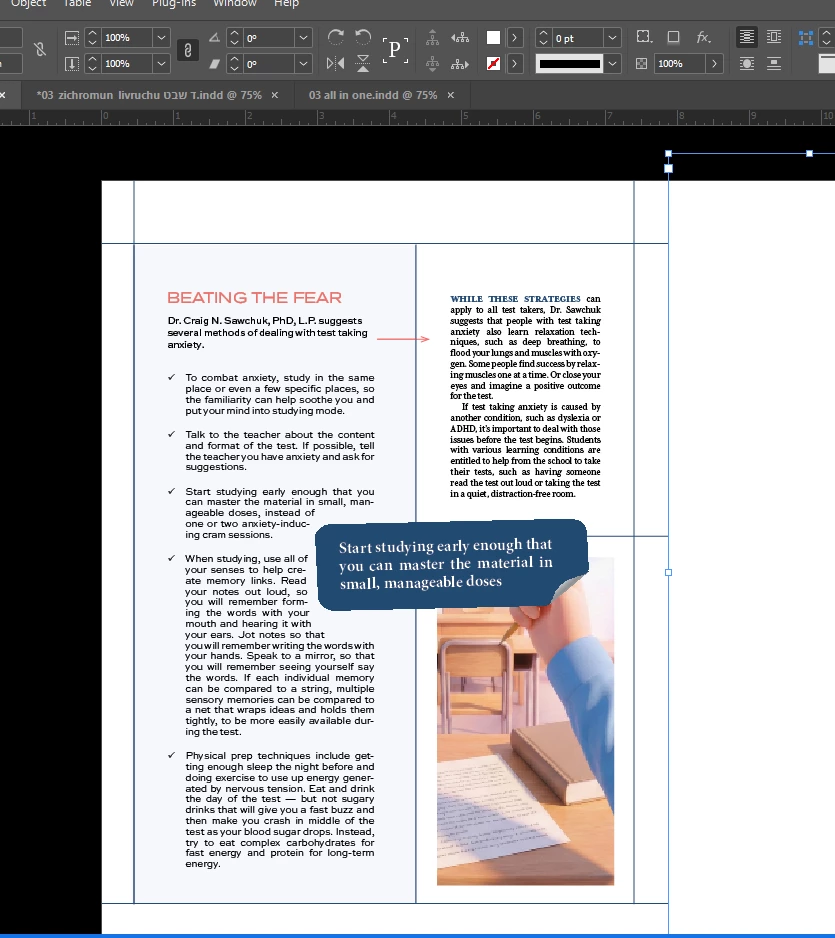
why is this exorting with a transparancy (pic 1) if in the doc (pic 2) it doesn't have any of it!?

 

3 replies

rob day
Community Expert
Community Expert
January 18, 2026

Also, check if the Swatches Color Type is set to Spot. A Process color that uses all 4 CMYK inks like yours wouldn’t be affected by the Overprint Fill attribute. Here the top color is Spot, bottom is Process:


Screen Shot.png

BobLevine
Community Expert
Community Expert
January 18, 2026

Looks like overprint, not transparency.

Community Expert
January 18, 2026

Check your indesign file in Overprint Preview mode - that will show the transparency in InDesign. Go to View>Overprint Preview


And then open  your Effects panel - my guess is it's set to Multiply.


And if it's grouped it might not show any effects or transparency, if you ungroup it and select them individually - in short groups can have effects separate to individual parts of groups - not sure if that's the case here it's just FYI.