Participant
June 27, 2023
Question

Exports pdf as low res images!

  • June 27, 2023
  • 3 replies
  • 360 views

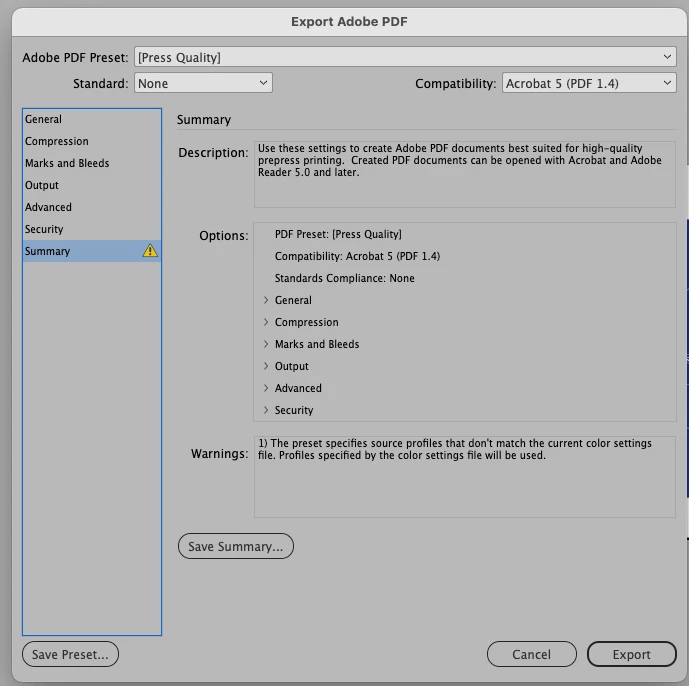
Files are high res, adobe PDF preset: press quality, but the result is close to smallest file size. What's wrong?

This topic has been closed for replies.

3 replies

rob day
Community Expert
Community Expert
June 27, 2023

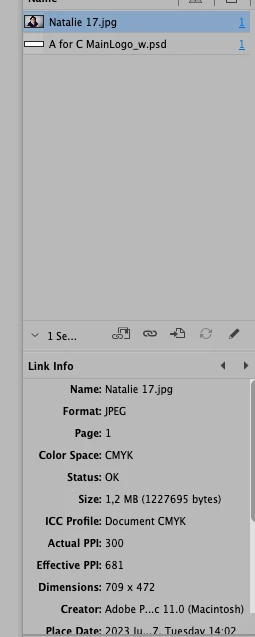
Hi @defaulthrdl8txfv2ng , The default Press Quality preset Compression setting downsamples any images that are over 450ppi to 300ppi. Looking at your Links panel capture, your placed image has an Effective Resolution of 681ppi (scaled to 1.041" x .693" on the page), so it would be downsampled to 300ppi on the export—what started as a 709 x 472 pixel image would be reduced to 312 x 208 pixels in the PDF.


Your first capture is zoomed in to a high magnification (800%+?), which reveals the downsample effect. The 300ppi image may or may not be a problem in print, but the 300ppi bitmapped text would—rasterized text and line art typically needs 1000ppi+ to be fully resolved.

Peter Spier
Community Expert
Community Expert
June 27, 2023

First screen shot looks like missing links, second seems fine.

Robert at ID-Tasker
Legend
June 27, 2023

Why do you think anything is wrong? 


Overall size of the PDF doesn't mean that images inside are low quality. 


What do you have set in compression section?


Participant
June 27, 2023

It's not about the size. the quality of jpg and psd in final PDF is low. Files are good - here's the screenshot. Pitstop inspector shows these images as 300 dpi. Exporting with Press Quality preset.

Robert at ID-Tasker
Legend
June 27, 2023

I'm sorry but I don't understand? If PitStop is telling you that everything is OK - why do you think it isn't? 


What is the resolution / quality of the source material? 


Your screenshot looks good to me.