
Inspiring
March 15, 2024
Answered

Extend script not auto refreshing the missing link.

  • March 15, 2024
  • 6 replies
  • 3127 views

I made a script that takes the selected image in indesign, sends it to photoshop, uses the select subject command, masks it and saves it as a tiff with transparancy. This is just for rough cut outs and it speed up my workflow quite a bit but I'm running into one snag. Indesign isn't updating the link. I tried onResult with a delay but thats not working. I end up having to refresh the link manually which isn't the end of the world but it would be nice to not have to do that. Any one know how to get that working?


if (app.documents.length > 0 && app.selection.length > 0 && app.selection[0].constructor.name == "Rectangle") {
    var selectedFrame = app.selection[0];

    if (selectedFrame.images.length > 0) {
        var imageFile = new File(selectedFrame.images[0].itemLink.filePath);

        if (imageFile.exists) {
            app.scriptPreferences.userInteractionLevel = UserInteractionLevels.INTERACT_WITH_ALL;

            var photoshop = BridgeTalk.getSpecifier("photoshop");
            if (photoshop) {

                var openScript = "var openFile = new File(\"" + imageFile.fsName + "\");\r";
                openScript += "app.open(openFile);\r";

                var photoshopScript = "if (app.documents.length > 0) {\r";
                photoshopScript += "    var docRef = app.activeDocument;\r";

                // Select Subject
                photoshopScript += "    try {\r";
                photoshopScript += "        var desc = new ActionDescriptor();\r";
                photoshopScript += "        executeAction(stringIDToTypeID('autoCutout'), desc, DialogModes.NO);\r";
                photoshopScript += "    } catch (e) {\r";
                photoshopScript += "        alert(\"Error during autoCutout: \" + e.message);\r";
                photoshopScript += "    }\r";

                // Mask
                photoshopScript += "maskSelection(\"revealSelection\");\r\n";
                photoshopScript += "function maskSelection(maskParameter) {\r";
                photoshopScript += "    var s2t = function (s) { return app.stringIDToTypeID(s); };\r";
                photoshopScript += "    var descriptor = new ActionDescriptor();\r";
                photoshopScript += "    var reference = new ActionReference();\r";
                photoshopScript += "    descriptor.putClass( s2t( \"new\" ), s2t( \"channel\" ));\r";
                photoshopScript += "    reference.putEnumerated( s2t( \"channel\" ), s2t( \"channel\" ), s2t( \"mask\" ));\r";
                photoshopScript += "    descriptor.putReference( s2t( \"at\" ), reference );\r";
                photoshopScript += "    descriptor.putEnumerated( s2t( \"using\" ), s2t( \"userMaskEnabled\" ), s2t( maskParameter ));\r";
                photoshopScript += "    executeAction( s2t( \"make\" ), descriptor, DialogModes.NO );\r";
                photoshopScript += "}\r\n";

                // Save
                photoshopScript += "    var saveOptions = new TiffSaveOptions();\r";
                photoshopScript += "    saveOptions.transparency = true;\r";
                photoshopScript += "    saveOptions.layers = true;\r";
                photoshopScript += "    saveOptions.alphaChannels = true;\r";
                photoshopScript += "    saveOptions.embedColorProfile = true;\r";
                photoshopScript += "    saveOptions.imageCompression = TIFFEncoding.NONE;\r";
                photoshopScript += "    try {\r";
                photoshopScript += "        docRef.saveAs(docRef.fullName, saveOptions, true, Extension.LOWERCASE);\r";
                photoshopScript += "    } catch (e) {\r";
                photoshopScript += "        alert(\"Failed to save the file. Error: \" + e.message);\r";
                photoshopScript += "    }\r";
                photoshopScript += "}\r";

                photoshopScript += "app.activeDocument.close(SaveOptions.DONOTSAVECHANGES);\r";

                // Bridgetalk
                var bt = new BridgeTalk();
                bt.target = photoshop;
                bt.body = openScript + photoshopScript;

                // Refresh selection
                bt.onResult = function(res) {
                    setTimeout(function() {
                        var link = selectedFrame.images[0].itemLink;
                        link.relink(new File(imageFile.fsName));
                        link.update();
                    }, 2000); // Delay of 2 seconds
                };

                bt.send();

            } else {
                alert("Photoshop is not available.");
            }

        } else {
            alert("The image file associated with the selected frame does not exist.");
        }

    } else {
        alert("The selected frame does not contain an image.");
    }

} else {
    alert("Please select a frame that contains an image in an InDesign document.");
}
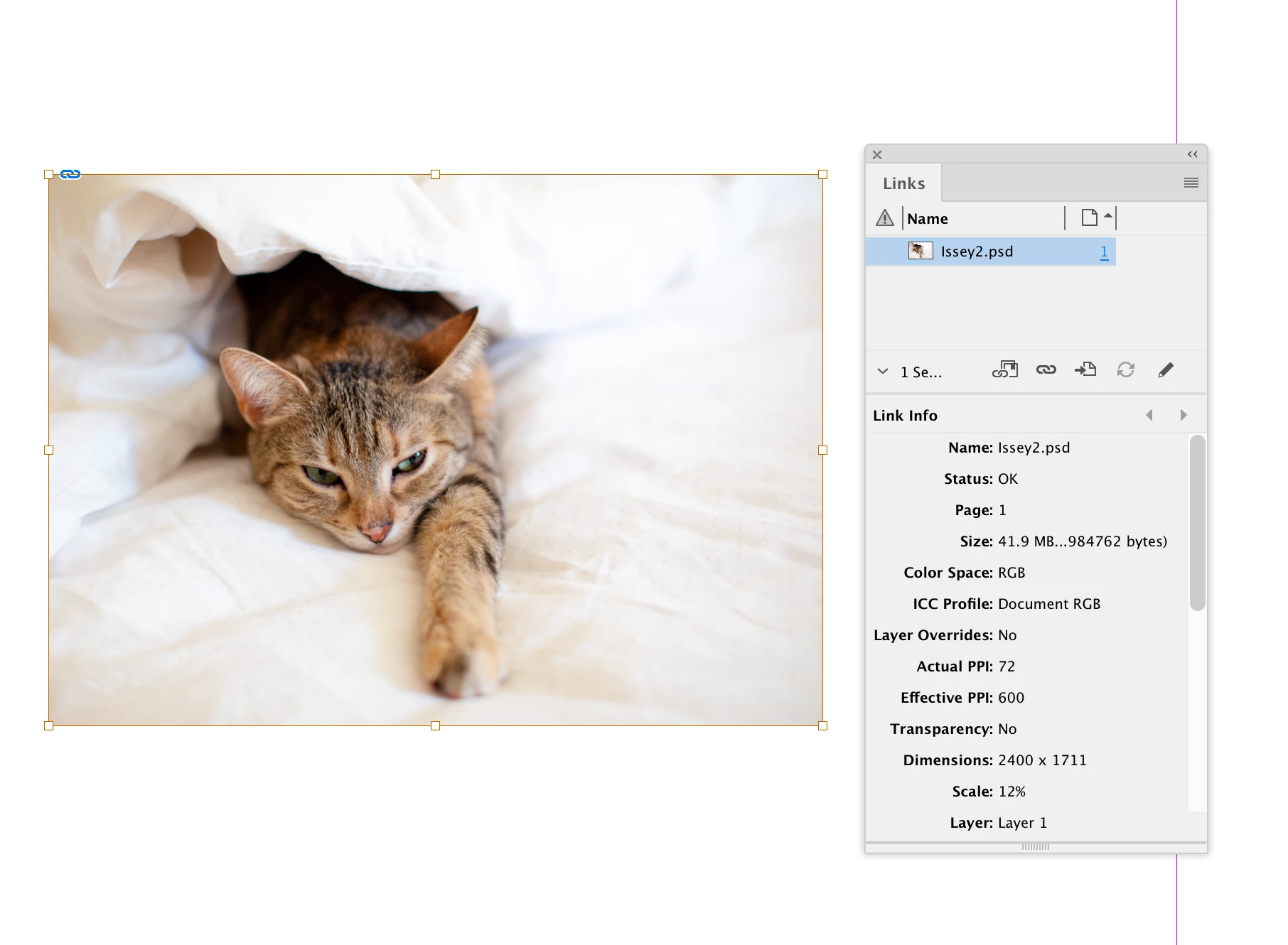
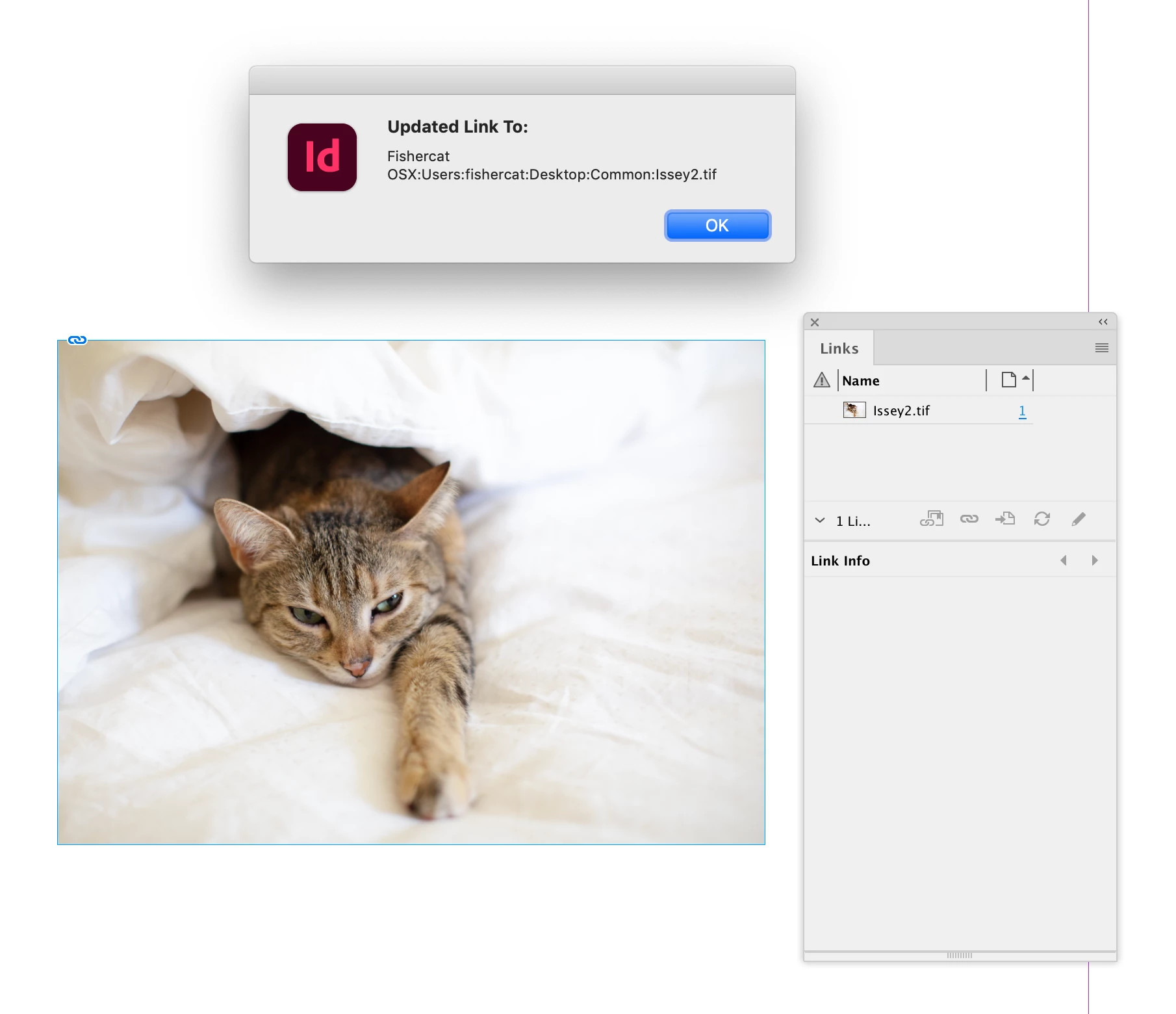
Correct answer rob day

I tried onResult with a delay but thats not working.


Hi @davidn5918184 , Bridgetalk can be difficult. Rather than editing your code, here is a example of template I use where I write a regular Photoshop function and retrieve it as a string for the BridgeTalk body object—I find it’s a lot easier to debug the Photoshop function doing it this way.


I don’t think a delay will help—you have to return the new tif file path via resObject.body to InDesign after the Photoshop code is complete. In this example the image to open is a .psd, and I’m saving it as a tif and replacing it with the Photoshop function’s returned file path. I’m not including your action descriptor code for the mask:


maskImage()

//a variable for the new .tif file path
var np;

/**
* An InDesign function to run 
* creates a Bridgetalk instance and opens a selected image
* @ return void 
*/

function maskImage(){
    if (app.selection.length > 0) {
        var s = app.selection[0]
        if (s.constructor.name == "Image") {
            var img = s.itemLink;
            var b = new BridgeTalk();  
            openImage(img.filePath, b);
            img.relink(File(np))
            alert("Updated Link To:\r" + np)
        } 
    } else {
        alert("Select an Image")
        return
    }
}


/**
* Open the selected link in Photoshop 
* @ param the image file path 
* @ param A single BridgeTalk instance created in InDesign
* @ return void 
* 
*/
function openImage(fp, bt){
    bt.target = "photoshop";  

    //Get the body from the psScript function below Note a string parameter is '"+fp+"'
    bt.body = psScript.toString() + "\rpsScript('"+fp+"');";

    //This is missing from your code resObj.body is
    //the returned value of the Photoshop function 
    //sent back to InDesign
    //the new file path in this case
    bt.onResult = function(resObj) { 
        np = resObj.body;
    }  
    bt.onError = function( inBT ) { alert(inBT.body); };  
    bt.send(8); 
    
    /**
    * A Photoshop function to run 
    * @ param a  
    * @ return value 
    */
    function psScript(fp) {  

        var of = open (File(fp));   
        //get the opened file’s name
        var n = fp.split( "." )
        if ( n.length > 1 ) {
            n.length--;
        }
        n = n.join(".");

        //add your Photoshop actions and code here...


        //TIFF save options
        var so = new TiffSaveOptions();
        so.transparency = true;
        so.layers = true;
        so.alphaChannels = true;
        so.embedColorProfile = true;
        so.imageCompression = TIFFEncoding.NONE;
        
        of.saveAs(new File(n + ".tif"), so, true);
        of.close(SaveOptions.DONOTSAVECHANGES);  

        //return the file path of the new tif back to InDesign
        return n + ".tif"
    }  
}


Before and after:


6 replies

dublove
Legend
June 21, 2025

@davidn5918184 

I'm guessing that InDesign is conditioning the judgment update on triggering the ID window as the current window again.
You could try using the traditional way of double-clicking on the image by pressing Alt in ID, then modifying it in PS and saving it.
When you return to ID within a certain amount of time, the moment the ID window opens, the image is updated.

Robert at ID-Tasker
Legend
March 18, 2024

Just as a general comment - not to any particular reply of anybody - and I don't know if JS is the same or not ...


... but in VBA - when you update link - it "ceases to exists" - so you need to do relink via a reference to parent...


Call myImgContainer.AllGraphics.Item(1).ItemLink.Relink(myPath & myNewFileName)


Community Expert
May 27, 2025

@Robert at ID-Tasker said: "… .. but in VBA - when you update link - it "ceases to exists" - so you need to do relink via a reference to parent..."


Hi @Robert at ID-Tasker ,

do you see that with all kinds of placed file types or perhaps only with placed Illustrator files and PDF files where layers' visibility of the placed objects have been changed?


Regards,
Uwe Laubender
( Adobe Community Expert )

m1b
Community Expert
Community Expert
March 17, 2024

Okay, thanks very much @rob day you have taught me quite a bit about BridgeTalk. I've incorporated your information into a new version of the script, so now it doesn't need the hacky while loop, uses the synchronous call to BridgeTalk.send(), and I've also made it work with multiple graphics selected. This should be the one to use rather than the other, but I'll leave the other one there for the sake of comparison.

- Mark

/**
 * Auto Cutout Selected Images Using Photoshop
 * @authors davidn5918184, m1b, rob day
 * @discussion https://community.adobe.com/t5/indesign-discussions/extend-script-not-auto-refreshing-the-missing-link/m-p/14492836
 */
function main() {

    if (
        0 === app.documents.length
        || 0 === app.selection.length
    )
        return alert("Please select one or more frames that contains a images and try again.");

    var doc = app.activeDocument;
    var counter = {};

    cutOutImages(doc, doc.selection, counter);

    var successes = counter.successCount;

    alert('Cut out ' + (0 === successes ? 'no' : successes) + ' image' + (1 === successes ? '' : 's') + '.');

};

app.doScript(main, ScriptLanguage.JAVASCRIPT, undefined, UndoModes.ENTIRE_SCRIPT, 'Auto Cutout');


/**
 * Talks to Photoshop to do a quick "cut out" of selected images.
 * Cut out images will be saved in same location, with .tif extension.
 * @param {Document} doc - an Indesign Document.
 * @param {PageItem|Array<PageItem>|collection} item - a page item containing a graphic, or array or collection of.
 * @param {Object} [counter] - a counter object { successCount: 0 } used only for counting the number of successful cut-outs performed.
 * @param {Object} [success] - internal success flag.
 */
function cutOutImages(doc, item, counter, success) {

    // not sure what
    const timer = 2000;

    if (undefined != counter)
        counter.successCount = 0;

    if (item.hasOwnProperty('0')) {

        // handle collections of items
        for (var i = 0; i < item.length; i++) {

            // used for counting
            success = {};

            // do cutout on this one item
            cutOutImages(doc, item[i], undefined, success);

            if (
                undefined != counter
                && success.value
            )
                counter.successCount++;

        }

        return;

    }

    if (
        !item.hasOwnProperty('images')
        || 0 === item.images.length
    )
        // does not contain an image
        return;

    var imageFile = new File(item.images[0].itemLink.filePath);

    if (!imageFile.exists)
        return alert("The image file associated with the selected frame does not exist.");

    app.scriptPreferences.userInteractionLevel = UserInteractionLevels.INTERACT_WITH_ALL;

    var photoshop = BridgeTalk.getSpecifier("photoshop");

    if (!photoshop)
        alert("Photoshop is not available.");

    // Bridgetalk
    var bt = new BridgeTalk();
    bt.target = photoshop;

    // arrange the function as an IIFE string, and put the file path in it
    bt.body = '(X)();'
        .replace('X', autoCutoutForPhotoshop)
        .replace('#IMAGE_FILE_PATH#', imageFile.fsName);

    // callback
    bt.onResult = function (obj) {

        var f = File(obj.body);

        if (!f.exists)
            return;

        var link = item.images[0].itemLink;

        try {

            link.relink(f);

            if (LinkStatus.NORMAL === link.status)
                success.value = true;

        } catch (error) { }

    };

    bt.send(timer);

};


/**
 * Performs an auto cutout in Photoshop and saves
 * with added suffix as .tif file in same location.
 * Notes:
 *   - This function is designed to be coerced to
 *     a String for sending to BridgeTalk.
 *   - The placeholder #IMAGE_FILE_PATH# must be
 *     replaced with the image's path.
 * @returns {String} - the path to the saved .tif file.
 */
function autoCutoutForPhotoshop() {

    var suffix = '_cutout';

    var openFile = new File('#IMAGE_FILE_PATH#');
    app.open(openFile);

    if (0 === app.documents.length)
        return;

    var docRef = app.activeDocument;

    try {
        var desc = new ActionDescriptor();
        executeAction(stringIDToTypeID('autoCutout'), desc, DialogModes.NO);
    } catch (e) {
        alert("Error during autoCutout: " + e.message);
    }

    maskSelection("revealSelection");

    function maskSelection(maskParameter) {
        var s2t = function (s) { return app.stringIDToTypeID(s); };
        var descriptor = new ActionDescriptor();
        var reference = new ActionReference();
        descriptor.putClass(s2t("new"), s2t("channel"));
        reference.putEnumerated(s2t("channel"), s2t("channel"), s2t("mask"));
        descriptor.putReference(s2t("at"), reference);
        descriptor.putEnumerated(s2t("using"), s2t("userMaskEnabled"), s2t(maskParameter));
        executeAction(s2t("make"), descriptor, DialogModes.NO);
    };

    // note: easiest to use RegExp constructor form in BT because of backslashes not being escaped properly
    var cutoutFilePath = docRef.fullName.fsName.replace(RegExp('(' + suffix + ')?\.[^\.]+$'), suffix + '.tif');

    var saveOptions = new TiffSaveOptions();
    saveOptions.transparency = true;
    saveOptions.layers = true;
    saveOptions.alphaChannels = true;
    saveOptions.embedColorProfile = true;
    saveOptions.imageCompression = TIFFEncoding.NONE;

    try {
        docRef.saveAs(File(cutoutFilePath), saveOptions, true, Extension.LOWERCASE);
    }
    catch (e) {
        alert("Failed to save the file. Error: " + e.message);
    }
    finally {
        app.activeDocument.close(SaveOptions.DONOTSAVECHANGES);
    }

    return cutoutFilePath;

};
Inspiring
March 17, 2024

I was thinking of adding a loop to handle multiple images at once, so thanks for the suggestion. This might use more resources, but it shouldn't be a problem for just a few images. To overwrite the original file, I changed the line to: var cutoutFilePath = docRef.fullName.fsName; This achieves what I want, but now when the image updates in InDesign, it shows transparency so it is reloading correctly and then indicates the link was modified, needing a refresh. It's interesting that this issue only occurs when overwriting the file, not with the original code you wrote. Any idea why this is?

Inspiring
March 18, 2024

I just force it by adding link.update(); to the bt.onResult function. Thanks again for all the help! 

    bt.onResult = function (obj) {

        var f = File(obj.body);

        if (!f.exists)
            return;

        var link = item.images[0].itemLink;

        try {

            link.relink(f);

            if (LinkStatus.NORMAL === link.status)
                success.value = true;

                link.update();

        } catch (error) { }

    };

    bt.send(timer);
rob day
Community Expert
rob dayCommunity ExpertCorrect answer
Community Expert
March 16, 2024

I tried onResult with a delay but thats not working.


Hi @davidn5918184 , Bridgetalk can be difficult. Rather than editing your code, here is a example of template I use where I write a regular Photoshop function and retrieve it as a string for the BridgeTalk body object—I find it’s a lot easier to debug the Photoshop function doing it this way.


I don’t think a delay will help—you have to return the new tif file path via resObject.body to InDesign after the Photoshop code is complete. In this example the image to open is a .psd, and I’m saving it as a tif and replacing it with the Photoshop function’s returned file path. I’m not including your action descriptor code for the mask:


maskImage()

//a variable for the new .tif file path
var np;

/**
* An InDesign function to run 
* creates a Bridgetalk instance and opens a selected image
* @ return void 
*/

function maskImage(){
    if (app.selection.length > 0) {
        var s = app.selection[0]
        if (s.constructor.name == "Image") {
            var img = s.itemLink;
            var b = new BridgeTalk();  
            openImage(img.filePath, b);
            img.relink(File(np))
            alert("Updated Link To:\r" + np)
        } 
    } else {
        alert("Select an Image")
        return
    }
}


/**
* Open the selected link in Photoshop 
* @ param the image file path 
* @ param A single BridgeTalk instance created in InDesign
* @ return void 
* 
*/
function openImage(fp, bt){
    bt.target = "photoshop";  

    //Get the body from the psScript function below Note a string parameter is '"+fp+"'
    bt.body = psScript.toString() + "\rpsScript('"+fp+"');";

    //This is missing from your code resObj.body is
    //the returned value of the Photoshop function 
    //sent back to InDesign
    //the new file path in this case
    bt.onResult = function(resObj) { 
        np = resObj.body;
    }  
    bt.onError = function( inBT ) { alert(inBT.body); };  
    bt.send(8); 
    
    /**
    * A Photoshop function to run 
    * @ param a  
    * @ return value 
    */
    function psScript(fp) {  

        var of = open (File(fp));   
        //get the opened file’s name
        var n = fp.split( "." )
        if ( n.length > 1 ) {
            n.length--;
        }
        n = n.join(".");

        //add your Photoshop actions and code here...


        //TIFF save options
        var so = new TiffSaveOptions();
        so.transparency = true;
        so.layers = true;
        so.alphaChannels = true;
        so.embedColorProfile = true;
        so.imageCompression = TIFFEncoding.NONE;
        
        of.saveAs(new File(n + ".tif"), so, true);
        of.close(SaveOptions.DONOTSAVECHANGES);  

        //return the file path of the new tif back to InDesign
        return n + ".tif"
    }  
}


Before and after:


m1b
Community Expert
Community Expert
March 16, 2024

Thanks @rob day, are you saying that the onResult callback is only called when the bt.body returns a value?

- Mark

rob day
Community Expert
Community Expert
March 16, 2024

Right, your Photoshop function’s returned value gets saved as the resObj.body and sent back to InDesign—it can be a string or any other object.

m1b
Community Expert
Community Expert
March 16, 2024

Hi @davidn5918184 (and @Eugene Tyson) I actually couldn't get the bt.onResult function to execute at all. Is that a known thing? I've hardly done any BridgeTalk so I have no idea. I'm on MacOS, so maybe on Windows onResult works?


@davidn5918184 I've made some adjustments to your code, mostly for your interest, and my learning, and I've got it working. It's not super pretty, but has improved a bit I hope.


Some notes:

1. You don't have to write the bridgeTalk body out as strings. It's more convenient to write it as a normal function, and then coerce that to a string, but you have to then execute the function code in that string, so I wrapped it in an IIFE (again as a string).


2. I've used the principal of "returning early" so that we don't have that hierarchy of massive blocks wrapping everything. This helps to keep the code more straightforward and readable especially because the predicate and the error message are together.


3. I've used a method of Link called "reinit" which changes the linked item's file but—critically—it doesn't matter if that file exists. This is perfect for this case, because we can set it without really caring much if Photoshop has finished.


4. I've used a bit of a clumsy while loop at the end to do the link.update()—if you want a neater approach, then maybe use an idleTask? Or better yet... UXP?


Anyway, here's my adjusted version. See what you think.

- Mark


UPDATE: please see my other variation on this script, which incorporates @rob day's knowledge and is much better.


/**
 * @discussion https://community.adobe.com/t5/indesign-discussions/extend-script-not-auto-refreshing-the-missing-link/m-p/14492836
 */
function main() {

    if (
        0 === app.documents.length
        || 0 === app.selection.length
        || 'Rentangle' === app.selection[0].constructor.name
    )
        return alert("Please select a frame that contains an image in an InDesign document.");

    var selectedFrame = app.selection[0];

    if (0 === selectedFrame.images.length)
        return alert("The selected frame does not contain an image.");

    var imageFile = new File(selectedFrame.images[0].itemLink.filePath);

    if (!imageFile.exists)
        return alert("The image file associated with the selected frame does not exist.");

    app.scriptPreferences.userInteractionLevel = UserInteractionLevels.INTERACT_WITH_ALL;

    var photoshop = BridgeTalk.getSpecifier("photoshop");

    if (!photoshop)
        alert("Photoshop is not available.");

    // Bridgetalk
    var bt = new BridgeTalk();
    bt.target = photoshop;

    // arrange the function as an IIFE string, and put the file path in it
    bt.body = '(X)();'
        .replace('X', autoCutoutForPhotoshop + '\r')
        .replace('/*IMAGE_FILE_PATH*/', imageFile.fsName);

    // does this work for anyone? it doesn't for me
    bt.onResult = function () { alert('Do you see this?') };

    bt.send();

    var link = selectedFrame.images[0].itemLink;

    // this must match what we did to the filename in photoshop!
    var linkURI = link.linkResourceURI.replace(/\.[^\.]+$/, '.tif');

    // reinit the link, pointing to the .tif file
    // you can do this even if the file doesn't exist yet!
    link.reinitLink(linkURI);

    var done = false,
        counter = 0;

    // try to update link a bunch of times!
    // timing out after 10 tries
    while (!done && counter++ < 10) {
        try {
            $.sleep(1000);
            if (LinkStatus.LINK_OUT_OF_DATE === link.status) {
                link.update();
                done = true;
            };
        } catch (error) { }
    }

    alert(done ? 'Succeeded!' : 'Failed');

};

app.doScript(main, ScriptLanguage.JAVASCRIPT, undefined, UndoModes.ENTIRE_SCRIPT, 'Auto Cutout');


function autoCutoutForPhotoshop() {

    var openFile = new File('/*IMAGE_FILE_PATH*/');
    app.open(openFile);

    if (0 === app.documents.length)
        return;

    var docRef = app.activeDocument;

    try {
        var desc = new ActionDescriptor();
        executeAction(stringIDToTypeID('autoCutout'), desc, DialogModes.NO);
    } catch (e) {
        alert("Error during autoCutout: " + e.message);
    }

    maskSelection("revealSelection");

    function maskSelection(maskParameter) {
        var s2t = function (s) { return app.stringIDToTypeID(s); };
        var descriptor = new ActionDescriptor();
        var reference = new ActionReference();
        descriptor.putClass(s2t("new"), s2t("channel"));
        reference.putEnumerated(s2t("channel"), s2t("channel"), s2t("mask"));
        descriptor.putReference(s2t("at"), reference);
        descriptor.putEnumerated(s2t("using"), s2t("userMaskEnabled"), s2t(maskParameter));
        executeAction(s2t("make"), descriptor, DialogModes.NO);
    };

    var saveOptions = new TiffSaveOptions();
    saveOptions.transparency = true;
    saveOptions.layers = true;
    saveOptions.alphaChannels = true;
    saveOptions.embedColorProfile = true;
    saveOptions.imageCompression = TIFFEncoding.NONE;

    try {
        docRef.saveAs(docRef.fullName, saveOptions, true, Extension.LOWERCASE);
    } catch (e) {
        alert("Failed to save the file. Error: " + e.message);
    }

    app.activeDocument.close(SaveOptions.DONOTSAVECHANGES);

};


Community Expert
March 16, 2024

I'm not sure - I've seen it elsewhere - like here 
https://community.adobe.com/t5/photoshop-ecosystem-discussions/how-to-get-result-from-bridgetalk-message/m-p/1157514#:~:text=body%20%3D%20%22app.colorSettings%3B%22-,bt.onResult%20%3D%20function(resObj)%20%7B,-var%20myResult1%20%3D%20resObj


I didn't actually get a chance to test it - I just thought the idea at least was to add a wait time before trying to update the link. 


It was just an idea.


m1b
Community Expert
Community Expert
March 16, 2024

You are totally right that that's where the code *should* go, as you say. But it simply didn't execute for me. Something I don't understand—maybe even a bug.

Community Expert
March 16, 2024

You could try something like this

// Refresh link in InDesign
bt.onResult = function(res) {
    // Wait for a short delay to ensure Photoshop has finished processing
    $.sleep(1000); // Adjust delay time as needed
    // Relink and update the link in InDesign
    var link = selectedFrame.images[0].itemLink;
    link.relink(new File(imageFile.fsName));
    link.update();
};