October 19, 2018
Answered

Extra space after pressing tab in indesign

  • October 19, 2018
  • 3 replies
  • 468 views

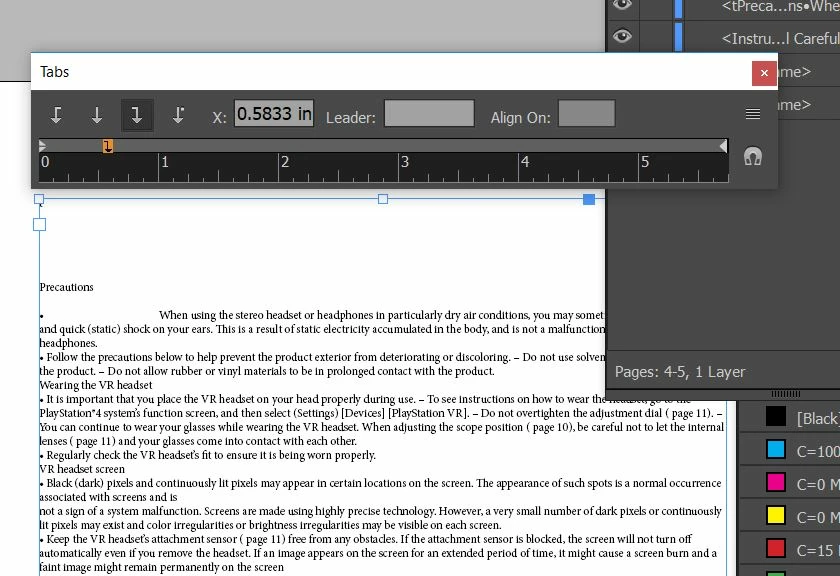
even after assigning a specific distance to the tab there is a automatic extra space after pressing the tab button
    This topic has been closed for replies.
    Correct answer Barb Binder

    Hi dohb47415299:

    You have defined a right-align tab. For this situation, you will want to set a left-align tab.
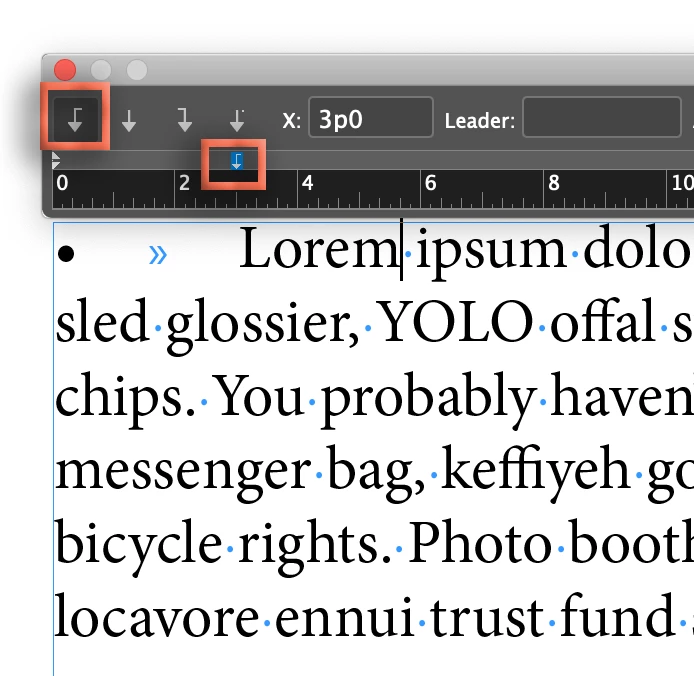
    And if you want a hanging indent, Shift+drag the lower triangle to the same position.
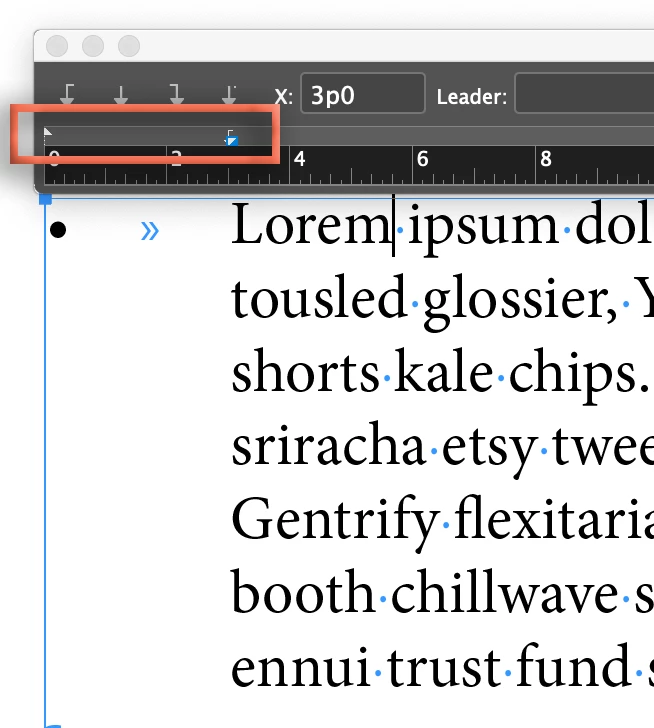
    And then yes, save it as a paragraph style (or redefine your existing style).

    ~Barb

    3 replies

    Barb Binder
    Community Expert
    Barb BinderCommunity ExpertCorrect answer
    Community Expert
    October 20, 2018

    Hi dohb47415299:

    You have defined a right-align tab. For this situation, you will want to set a left-align tab.

    And if you want a hanging indent, Shift+drag the lower triangle to the same position.

    And then yes, save it as a paragraph style (or redefine your existing style).

    ~Barb

    ~Barb at Rocky Mountain Training
    Willi Adelberger
    Community Expert
    Community Expert
    October 19, 2018

    Did you turn on the bullets? With bullets normally an automatic tab is included, so you are adding another one.

    But I would strongly recommend that you work with Paragraph Styles, what you are not doing now.

    Mike Witherell
    Community Expert
    Community Expert
    October 19, 2018

    Shouldn't you have the Type tool actively selecting text before the adjustments to the Tab panel take effect? The screenshot doesn't appear to have selected any text.

    Better still, are you constructing this into a Paragraph Style?

    Mike Witherell