Eyedropper bug
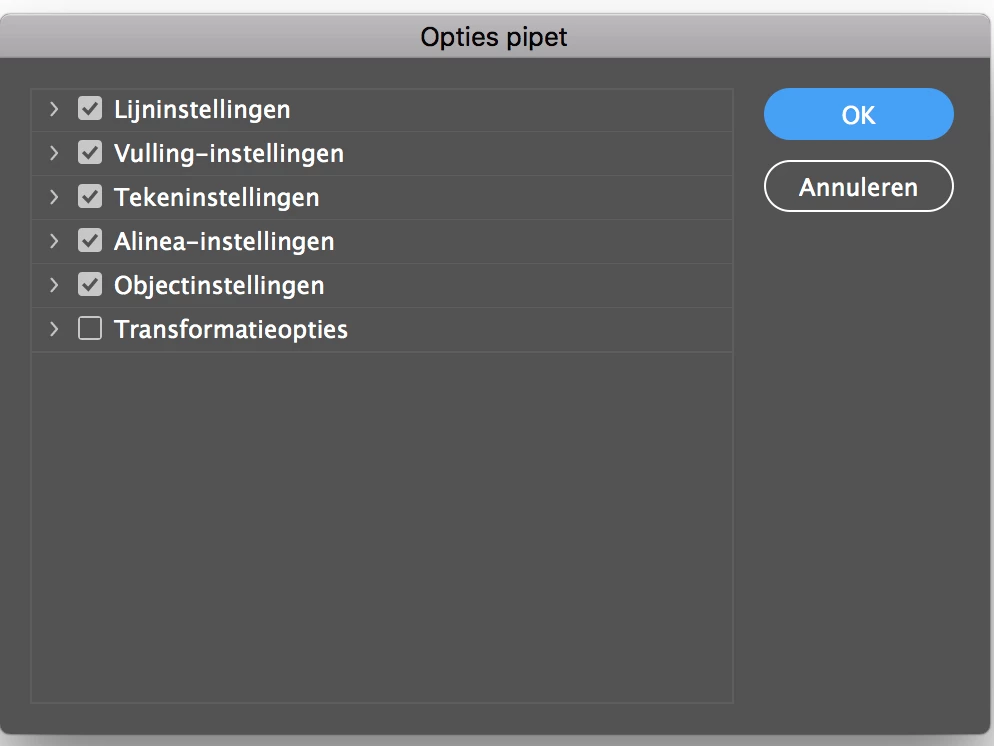
Every once in a while, when me or my colleague use the eyedropper tool, instead of getting the desired change, the eyedropper option screen pops up (instead of changing the appearance of whatever we were trying to change). That screen can't be canceled by the ok or cancel button and is stuck on top of everything, meaning the only option left is force quitting. The problem has been around for almost a year so before and after several updates to our systems, iMacs with a Wacom Intuos tablet.
So far we trashed the prefs, reinstalled everything and used a mouse instead of a wacom to try and click on the OK/cancel but nothing worked. A similar problem can be found here: Eyedropper Options Freezes InDesign CC 2017 Hasn't been solved though.
Anyone have any ideas how to fix this?
 AdChoices