
Known Participant
October 7, 2022
Answered

Facing pages - content skipping left-facing pages

  • October 7, 2022
  • 2 replies
  • 1537 views

Hi. I am new to InDesign. I am using facing pages. I set up the parent spread with a simple single text box that threads from one page to the next. I verified that the text box is set up as the primary text flow. Once I set up the parent pages, I pasted in multiple pages worth of content.  For some reason, no content was put on the second page.
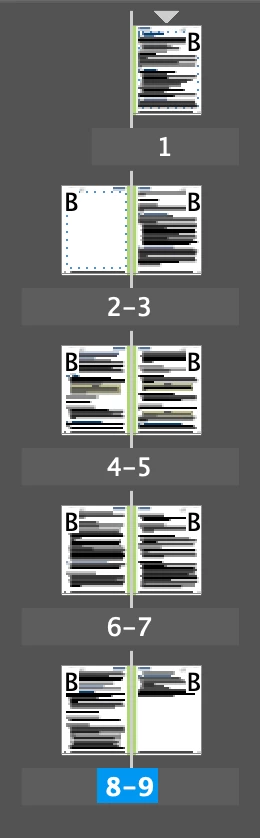
If I double-click on that blank page, my insertion point goes to the end of the previous page. Pressing the right arrow then moves the insertion point to the start of the following page, so I cannot apparently put anything on that blank page.

To further complicate matters, I am trying to set up a book. When I added this file to the book, there are now even more "skipped" left-facing pages.
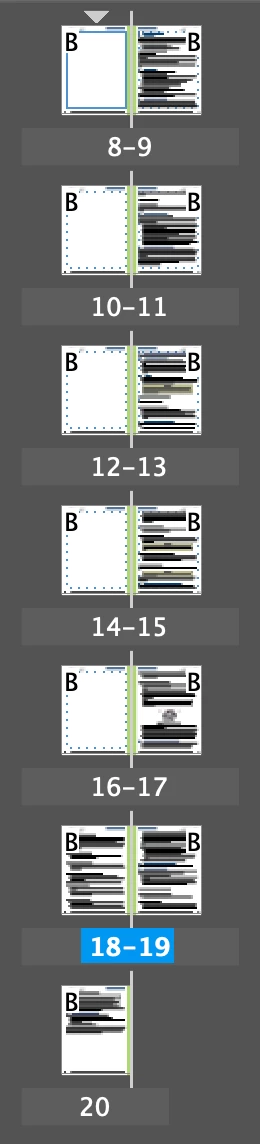
Any ideas what might be going on?  Thanks.

This topic has been closed for replies.
Correct answer Scott Falkner

Here is a file, with most of the text replaced with giberish. It still exhibits the same problem. Thanks for your help.


Well, I don’t know what the issue was, but I think I fixed it. I just clicked the outport of the text frame on page 1 then clicked the frame on page 2 to force the text to reflow.

2 replies

Peter Spier
Community Expert
Community Expert
October 7, 2022

Anther possibility is that there is no text frame on the left side of the B Parent/Master page.

Known Participant
October 7, 2022

Good idea, but I did verify that there is a text frame on the left side. What puzzles me the most is that sometimes text does go on the left, but not always.

Peter Spier
Community Expert
Community Expert
October 7, 2022

Is it threaded to the one on the right? They need to be threaded together on B

Scott Falkner
Community Expert
Community Expert
October 7, 2022

Perhaps the first paragraph on page 3 (which you expect to appear on page 2) is formatted to start on an odd numbered page. Check the Keep Options (Command+Option+K or Control+Alt+K).

Known Participant
October 7, 2022

Good idea, but I verified that Keep Options is set to "Anywhere". Also, sometimes that skipped page happens in the middle of a paragraph.

Scott Falkner
Community Expert
Community Expert
October 7, 2022

Look at other keep options. WHen text flow appears unintuitive it is usually a combination of keep options applied to multiple paragraphs. If you are willing to sahre the file (remove sensitive images and text or replace sensitive text with giberish) we can look at the file. It's much easier to evaluate aa file I can look at than a file you are looking at by proxy. George Kennedy can keep Karen Black in the air but it takes Charlton Heston to land the plane.