
Figure caption appears to be in different flow
I apparently have created a figure caption that is in a frame other than my body copy... How to fix?
(using ID 15.1.1 win10 v1909)
In the process of refreshing last year's document with this year's screen shots, I created a revised image and put it into an anchored frame. The figure caption correctly autonumbered as Figure 2. It appears in the correct place in the WYSIWYG layout. However, in the generated Table of Figures, Figure 2 appears after Figure 5 and before Figure 6 (there are about 30 captioned images). The document mixes grouped images in anchored frames and images placed into tables, and I understand this may affect order. However, there are other anchored frames that I've revised in this doc, but none of the others is out of order.
Here is why I think the caption is in the wrong text flow.
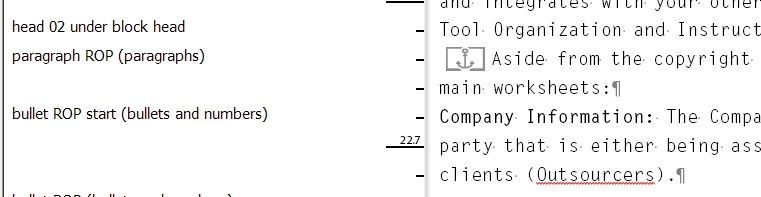
When I look at the text in the Story Editor, I see the anchor for the frame right where I expect to find it, but I don't see the Figure number and caption. Here is the anchor:
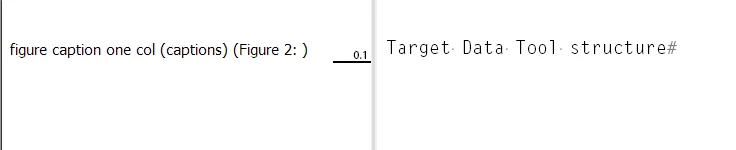
A search for the text of the caption doesn't find the caption in the Story Editor, but when I highlight the text of the numbered figure and press Control-Y (to display that specific text), up it comes all by its lonesome in the Story Editor:
As a test, I looked for another anchored frame (with figure) that worked correctly, and found this:
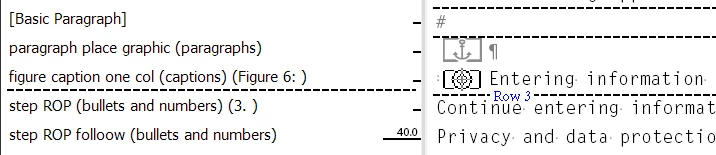
That happens to be in a table -- but it's still an anchored frame.
So... What did I do wrong (so that I can prevent it from happening in the future) and how do I fix it?
As always, thanks to the community for any help.
-j
 AdChoices