elisabethd64374840
Participant
February 2, 2026
Question

File Corruption Issue in InDesign 21.2 on Windows 11

  • February 2, 2026
  • 13 replies
  • 706 views

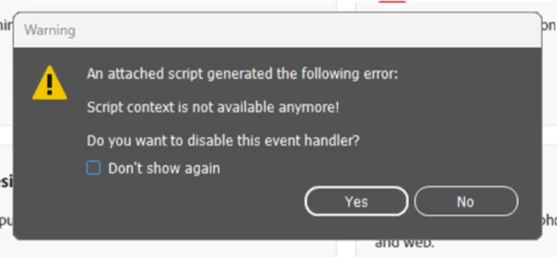
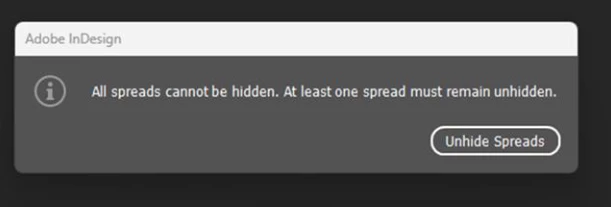
There is a bug in InDesign 21.2 (and Windows 11 Enterprise): our latest files were corrupted and unavailable when we opened them this morning. (Error message and warning sign.).

No actions were possible, screen freezes

We were all completely blocked, because the previous versions are unable to open our latest files.

Thank’s


    13 replies

    Participating Frequently
    February 2, 2026

    I have the exact same problem since last week! Every file I open will damage and after that it only gives errors and closes down. With the exact same screens as you show. I can't find the sollution either. I need to get some things done, but it turns out to be impossable.

    I have tried everything…..Got even rid of the old files, past the design in a complete new file, save it, and whoppa the same error comes around. 

    Community Expert
    February 2, 2026

    The screenshots you show don’t seem to point to a bug. The first thing about spread does make sense. The second things is popped by a script error. Have you any 3rd party scripts installed? If so remove it, the code is not right. The script has to be run in a persistent engine which it is not and hence the error

    -Manan
    Phil the Mack
    Participating Frequently
    February 4, 2026

    I can’t speak for others, but no 3rd party scripts here.  Same .indd files I’ve been using, editing for months, now can not export, can’t save changes.

    BobLevine
    Community Expert
    Community Expert
    February 2, 2026

    Is Windows fully updated including the latest optional updates?

    elisabethd64374840
    Participant
    February 3, 2026

    of course