Participating Frequently
October 27, 2023
Answered

Filename scripting InDesign

  • October 27, 2023
  • 2 replies
  • 1819 views

Hello everyone,


After reading every single post on the coummnity and everywhere in the internet, I can't find what I need to achieve my goal.


My problem is that we save files with very specific naming, which it gets used on the slug afterwards for production purposes.


I am trying to simplify this process and avoid errors as when typing manually.


Our format at present is as follows:

Client_Size_ClientNumber_ClientCategory


I would like to use the file data to fill information in the production data sheet but I am not certain on how to extract that data and utilise it a number of times accross the sheet.


My mind thinks to extract it as below:
Info1_Info2_Info3_Info4


And then in InDesign allocate this as a text variable so the info can be extracted as many times as required.

Hopefully I make sense on what I am talking about 🙂


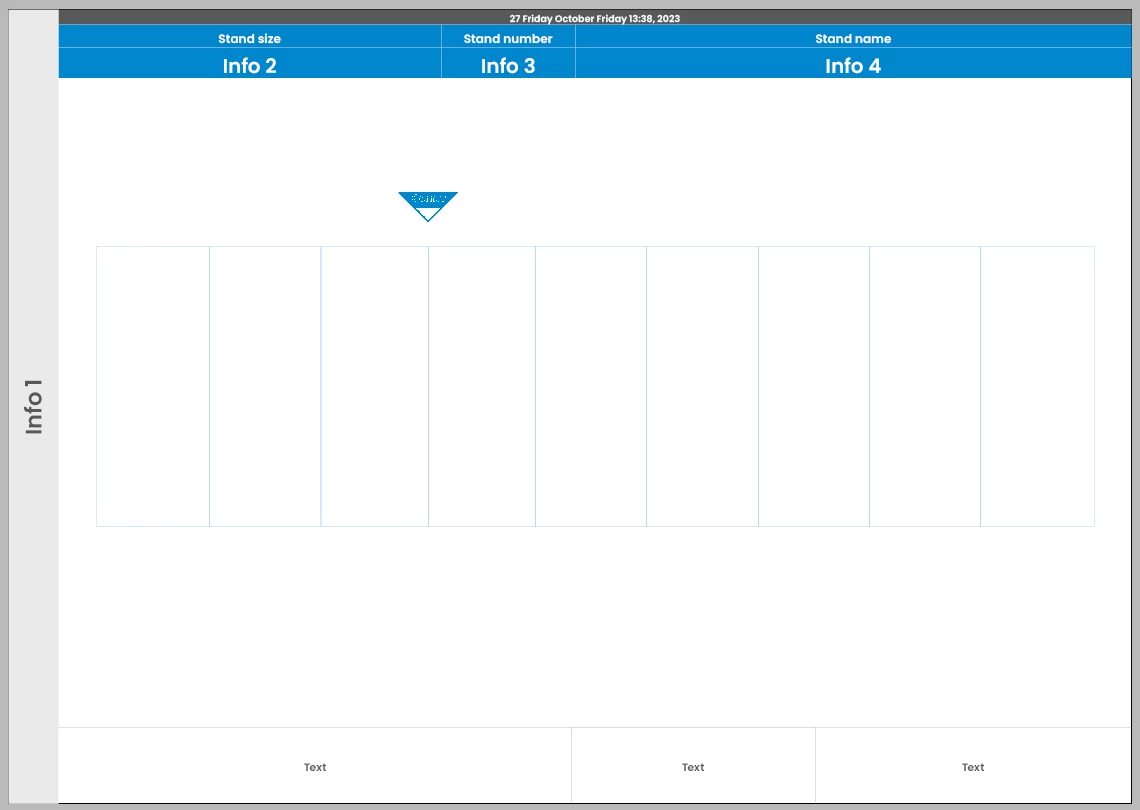
Info boxes that I am referring to:


This topic has been closed for replies.
Correct answer Manan Joshi

Thank you Manan, I think this could the best approach.


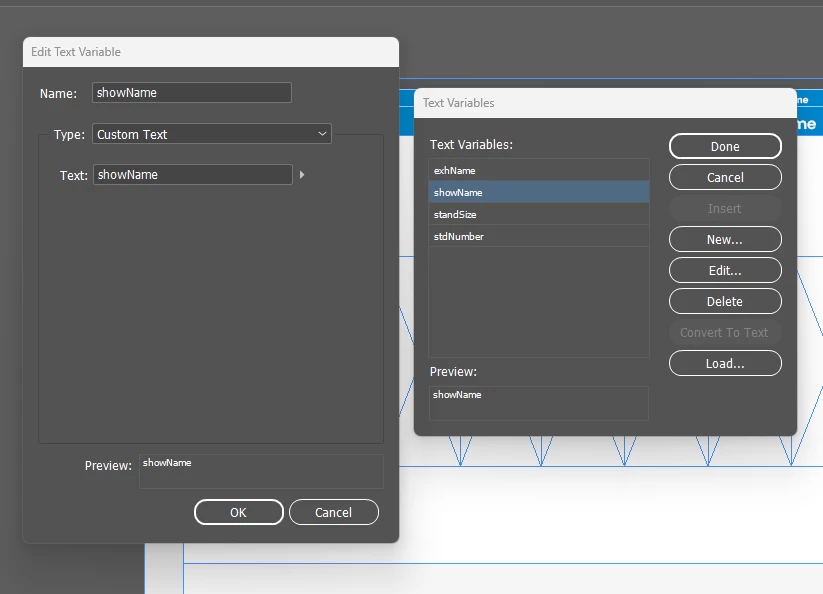
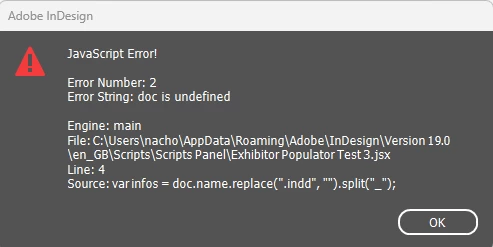
However, I have created Custom text as Variables for each (Show name, std number...) but I am getting an error on Line 4, see below:


Variables created as Custom text and applied accross the document:


Error from script:


Script used:


var infos = doc.name.replace(".indd", "").split("_");
app.documents[0].textVariables.itemByName("showName").variableOptions.contents = infos[0]
app.documents[0].textVariables.itemByName("standSize").variableOptions.contents = infos[1]
app.documents[0].textVariables.itemByName("stdNumber").variableOptions.contents = infos[2]
app.documents[0].textVariables.itemByName("exhName").variableOptions.contents = infos[3]

My apologies @IC2023, I picked some lines from the previous script but did not copy it fully. I have edited the code in my original post, please give it a try now.

-Manan

2 replies

GNDGN
Inspiring
October 27, 2023

Instead of Info 1, Info 2 etc, I would put the wildcards in square brackets inside the template like this:


With the following code you achieve the described intention.

var infos = app.activeDocument.name.replace(".indd", "").split("_");

var varsToReplace = ["[client]", "[size]", "[clientNumber]", "[clientCategory]"];

var tfs = app.activeDocument.textFrames;

for(i=0; i<tfs.length; i++) {
	for(j=0; j<varsToReplace.length; j++) {
		if(tfs[i].contents.indexOf(varsToReplace[j]) > -1){
			tfs[i].contents = tfs[i].contents.replace(varsToReplace[j], infos[j]);
		}
	}
}

 Running the script inside the above file with the name ClientXy_123_321_Publishing.indd, the result looks like this:


____________________Robotic Process Automation in Desktop Publishing (Book): https://doi.org/10.1007/978-3-658-39375-5
Robert at ID-Tasker
Legend
October 27, 2023

Almost... But you can't do it that way - as you'll destroy formatting... 


Your solution will work - only if there are no CharStyles applied or local formatting. 


You would have to use InDesign's built in Find&Change functionality.


Robert at ID-Tasker
Legend
October 27, 2023

So what exectly do you want to achieve ? Automatically split name of the INDD file into parts and put somewhere in your INDD Document ?