
Bedazzled532
Inspiring
May 24, 2024
Answered

Find and Replace Object Style

  • May 24, 2024
  • 2 replies
  • 1384 views

I have created a TOC with an object style of "b4TOC" applied to it which is an inline graphic. (screenshot attached)


After creating the TOC, I want to change that "b4TOC" to "forTOC". 


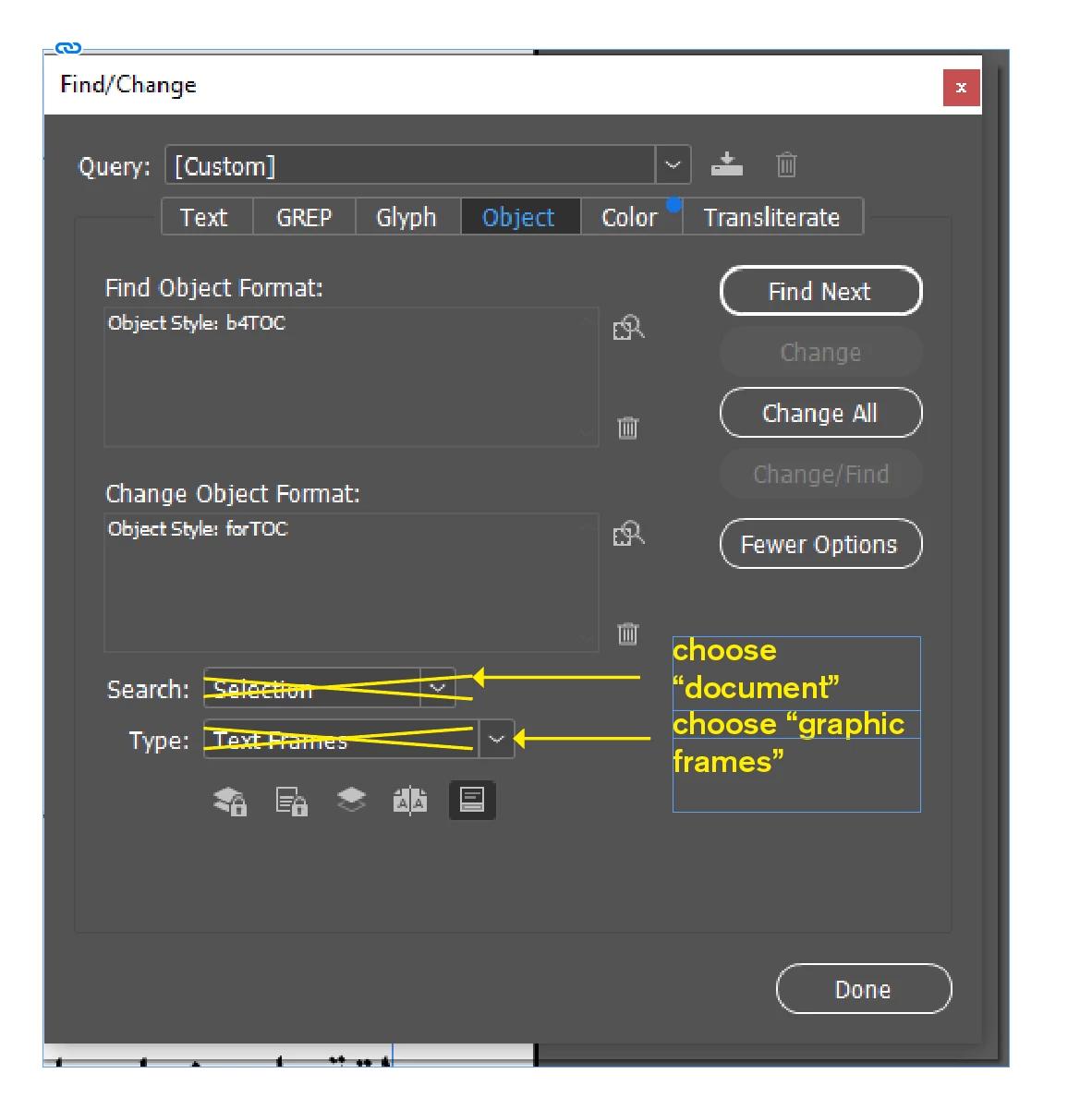
I selected the frame which holds TOC and tried "Find and Replace"  (screenshot attached). It says 0 matches found. There are actually 4 entries in TOC with "b4TOC". Where am I doing wrong ?

Also, is there any script which find an object style and replace it with the other one only in TOC and not in the document pages.

Thanks
This topic has been closed for replies.
Correct answer jmlevy

I am sorry I am not able to explain. By document frames I meant the frames where the actual chapters exist with heading. I want to change to happen only in TOC frame. TOC is generated automatically.


In the actual chapters, I have placed an inline graphics. When TOC is created, those inline graphics needs to be converted to some other object style.


Read again the second part of my last answer, I think you'll be able to get what you want.

2 replies

brian_p_dts
Community Expert
Community Expert
May 24, 2024

If the b4toc is only used for the TOC object style, then change selection to document in your FR and try again. 

jmlevy
Community Expert
Community Expert
May 24, 2024

I have created a TOC with an object style of "b4TOC" applied to it which is an inline graphic.

Your “findreplace” screenshot shows that you are searching text frames, but as you wrote, what are you are looking for are graphic frames…

Bedazzled532
Inspiring
May 24, 2024

@jmlevy Actually graphics frame is changing the objects in the document frames also. I want the change to happen only in the selected TOC text frame.

jmlevy
Community Expert
Community Expert
May 24, 2024

What do you call “documents” frames?


I want the change to happen only in the selected TOC text frame.

Your query is to find text frames, but graphic frames are NOT text frames, so it can't work. But something is unclear for me: what do you want to achieve? Your second screenshot does not show graphic frames, but some hidden characters (rectangles). 


I just read another time your post. Why don't you simply lock all the “document ” frames, or put them on a locked layer and modify your query by changing “text frames” with “graphic frames”, so your query will find all the graphic frames using the “b4toc” object style and replace them by the “fortoc” object style.