
bbriggs820
Participant
July 21, 2020
Answered

Find/Change feature in 2020 (Indd 15.1) not working like it used to?

  • July 21, 2020
  • 2 replies
  • 377 views

Previously, I was able to find/change all the dollar signs ($) in my document to superscript dollar signs using the "Find/Change" feature, but now it seems I can't do that any more. (Previously, in the "Find What" box, I would enter the regular case $, and in the "Change to" box I would cut and paste a superscript $ sign (so that it contained the superscript code), and then Find/Change All and it worked like a dream. Now I can't enter a superscript character in the "Change to" box with this latest update. (Indesign 2020, version 15.1; Mac OS Mojave 10.14.3) - Does anyone have any insight into this, or have a similar issue? TIA! Beth
This topic has been closed for replies.
Correct answer Barb Binder

Hi Beth:


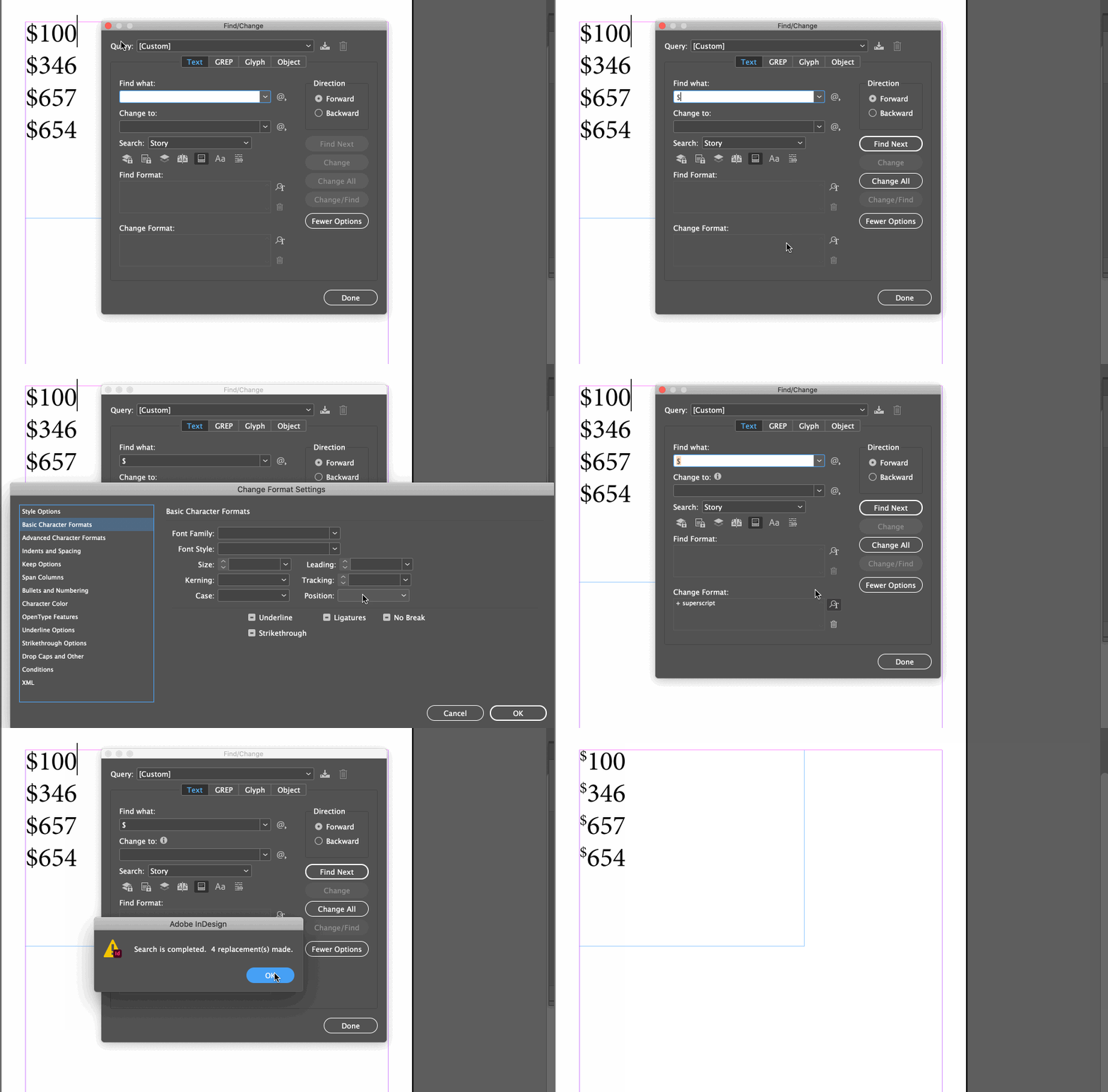
I've always done it like this:

  1. Text Tab
  2. Find What: $
  3. Change to: [leave blank]
  4. Find Format: [leave blank]
  5. Change Format: +superscript

~Barb 

2 replies

Barb Binder
Community Expert
Barb BinderCommunity ExpertCorrect answer
Community Expert
July 21, 2020

Hi Beth:


I've always done it like this:

  1. Text Tab
  2. Find What: $
  3. Change to: [leave blank]
  4. Find Format: [leave blank]
  5. Change Format: +superscript

~Barb 

~Barb at Rocky Mountain Training
ffiigg
Inspiring
July 21, 2020

I've also been having this issue with the latest ID update. (ID v15.1.1/ Mac OS 10.15.6)