Yep. Perhaps I didn't explain it clearly enough or I'm just confused myself.
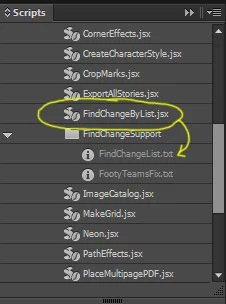
I'm trying to utilise the FindChangeByList.jsx script found in Indesign's default list of scripts. This script points to the FindChangeList.txt file which contains a simple list of GREP expressions that our carried out when the script is run. I'm basically modifying this text file to incorporate my own list of GREP expressions that I want carried out for my own purposes.
The text file contains some basic examples already on how to specify things that you'd normally do in a Find/Change dialog box. I know that the following line will find any character that currently has the style "example-style" applied to it and change the style to "new-style".
grep {findWhat:"(.+)",appliedParagraphStyle:"example-style"} {changeTo:"$1",appliedParagraphStyle:"new-style"} {}
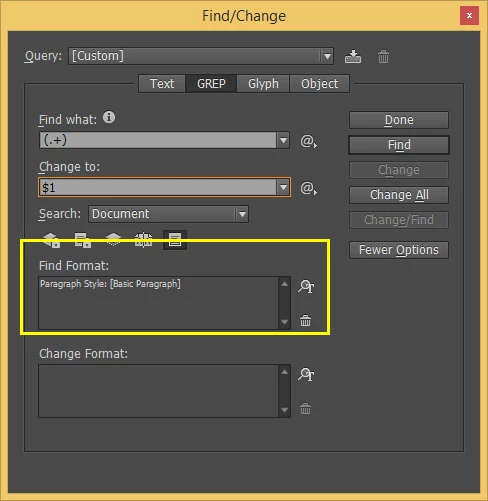
But I'm struggling to determine how to make it look for characters that have the [Basic Paragraph] applied to them. Peter, I thought your idea of escaping the square brackets would work in this case.
Here's a screenshot of the default script in Indesign, and the text file of GREP expressions that it points to. Here's a link to the FindChangeList.txt file for convenience but it's in every installation of Indesign as well anyway.
And here's the section of the Find/Change dialog box in Indesign that I'm trying to set as a GREP expression in that text file. You can see that I can set it to find only those characters with the [Basic Paragraph] applied to them.
My question is, how do I do that in the FindChangList text file?
Instead of the style's name, try the paragraph style object:
grep {findWhat:"(.+)",appliedParagraphStyle:app.documents[0].paragraphStyles[1]} {changeTo:"$1",appliedParagraphStyle:"new-style"} {}
Peter


 AdChoices