
Inspiring
November 8, 2018
Answered

Find hard return, replace with soft return

  • November 8, 2018
  • 2 replies
  • 6623 views

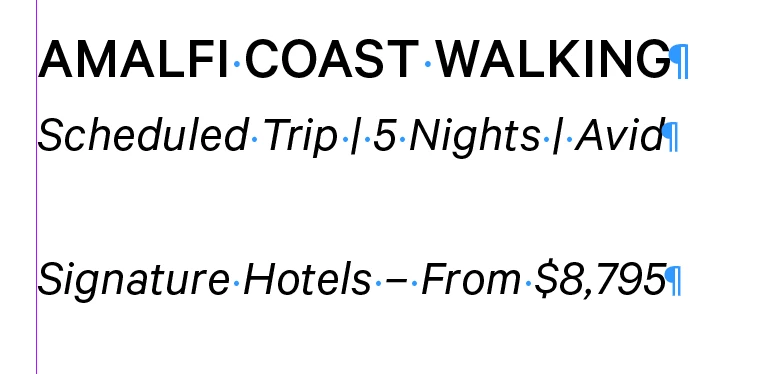
In the attached image there are 2 paragraph styles: TRIP NAME (line 1) and DETAILS (lines 2 and 3).

I am trying to find the first hard return in every paragraph using the DETAILS paragraph style and replace it with a hard return. In this case, it would be the hard return after "Avid".

Any idea how I could do this with GREP?
    This topic has been closed for replies.
    Correct answer vladan saveljic

    try this grep

    find:

    .+\K\r(?=.+)

    format:

    DETAILS

    replace with:

    \n

    2 replies

    dave c courtemanche
    Inspiring
    November 9, 2018

    You might also explore the new features in CC2019 where you can change the spacing between paragraphs using the same style. This is how I control a large space after a list of bullets.

    vladan saveljic
    vladan saveljicCorrect answer
    Inspiring
    November 9, 2018

    try this grep

    find:

    .+\K\r(?=.+)

    format:

    DETAILS

    replace with:

    \n

    FRIdNGE
    November 9, 2018

    \r(?=.)  will be enough! …

    vladan saveljic
    Inspiring
    November 9, 2018

    I thought so too

    then I thought if there are  empty lines with "DETAILS" paragraph style (wrongly applied)  that he doesn't want to eliminate