Community Expert
December 15, 2023
Answered

Find object of size and set to overprint - script help

  • December 15, 2023
  • 1 reply
  • 324 views

Pretext
----------
Completely baffled by scripting - I can do some things and they work relatively ok even though it takes some time.


But I keep coming up against what I think is a simple thing and can't figure it out for the life of me.


Script needed

----------------
Select an object on page (even if grouped) that is 1 x 3 in size and set it to overprint fill in the attributes.
---------------


For the life of me I can't get InDesign to select an object on the page that is 1 x 3 in size

Any help

This topic has been closed for replies.
Correct answer rob day

Hi Eugene, In the scripting API there’s no width and height property, which can be a block when you are starting to script—you have to get the width and height from the .geometricBounds property. You also have to watchout for the ruler units—is 1 x 2 inches or centimeters?


So this gets the selected object’s width and height from its bounds in inch units—geometricBounds is an array of 4 numbers [top, left, bottom, right] or [y1, x1, y2, x2]. Height would be bottom – top, and width would be right – left.


//using inches for the script
app.scriptPreferences.measurementUnit = MeasurementUnits.INCHES;

//the selected page item
var s = app.activeDocument.selection[0];
//get the item’s width and height
var b = s.geometricBounds;
var w = b[3]-b[1]
var h = b[2]-b[0]
alert(w + " X " + h)

//reset
app.scriptPreferences.measurementUnit = AutoEnum.AUTO_VALUE;
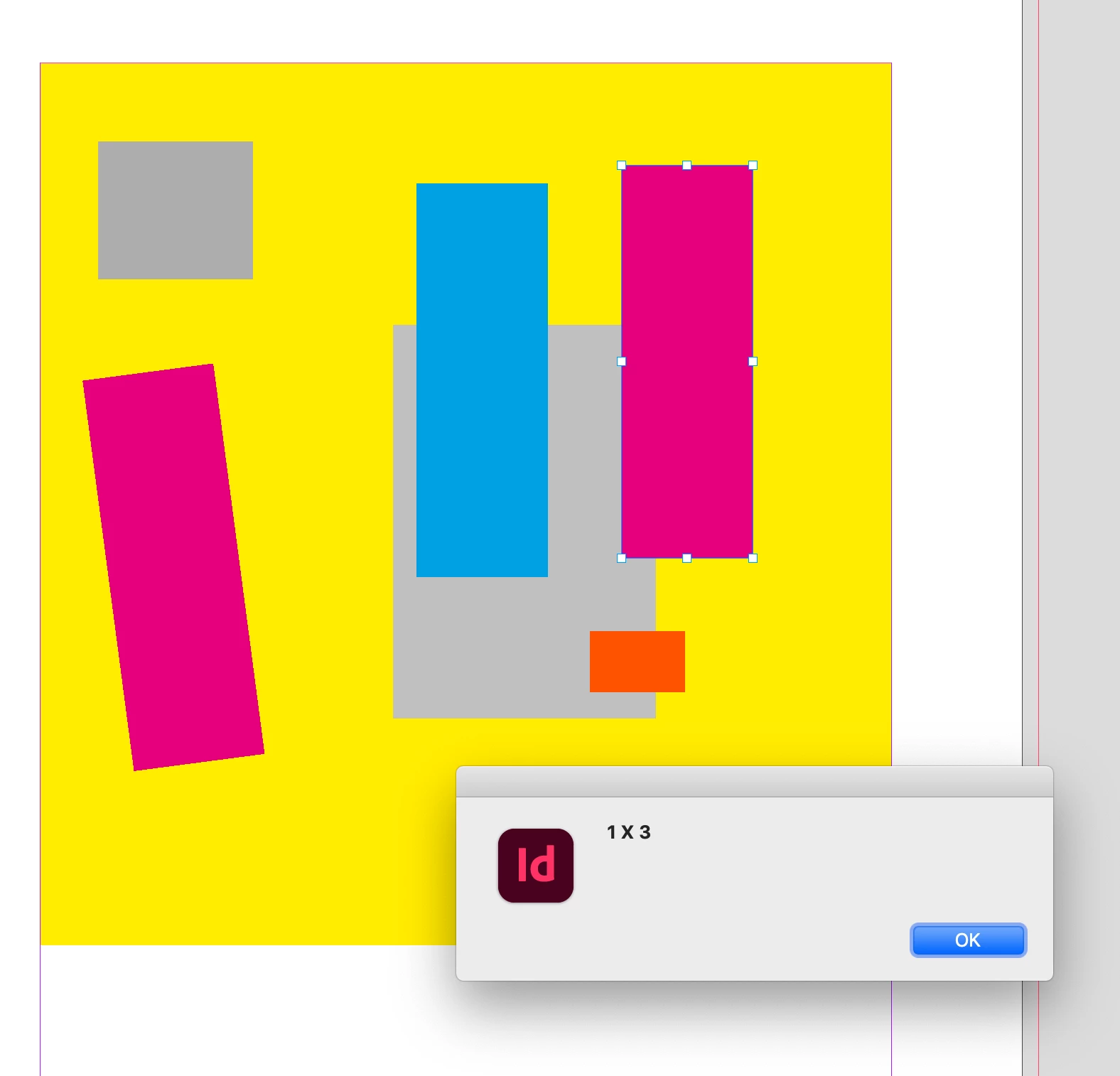


But if the object is rotated I get this:
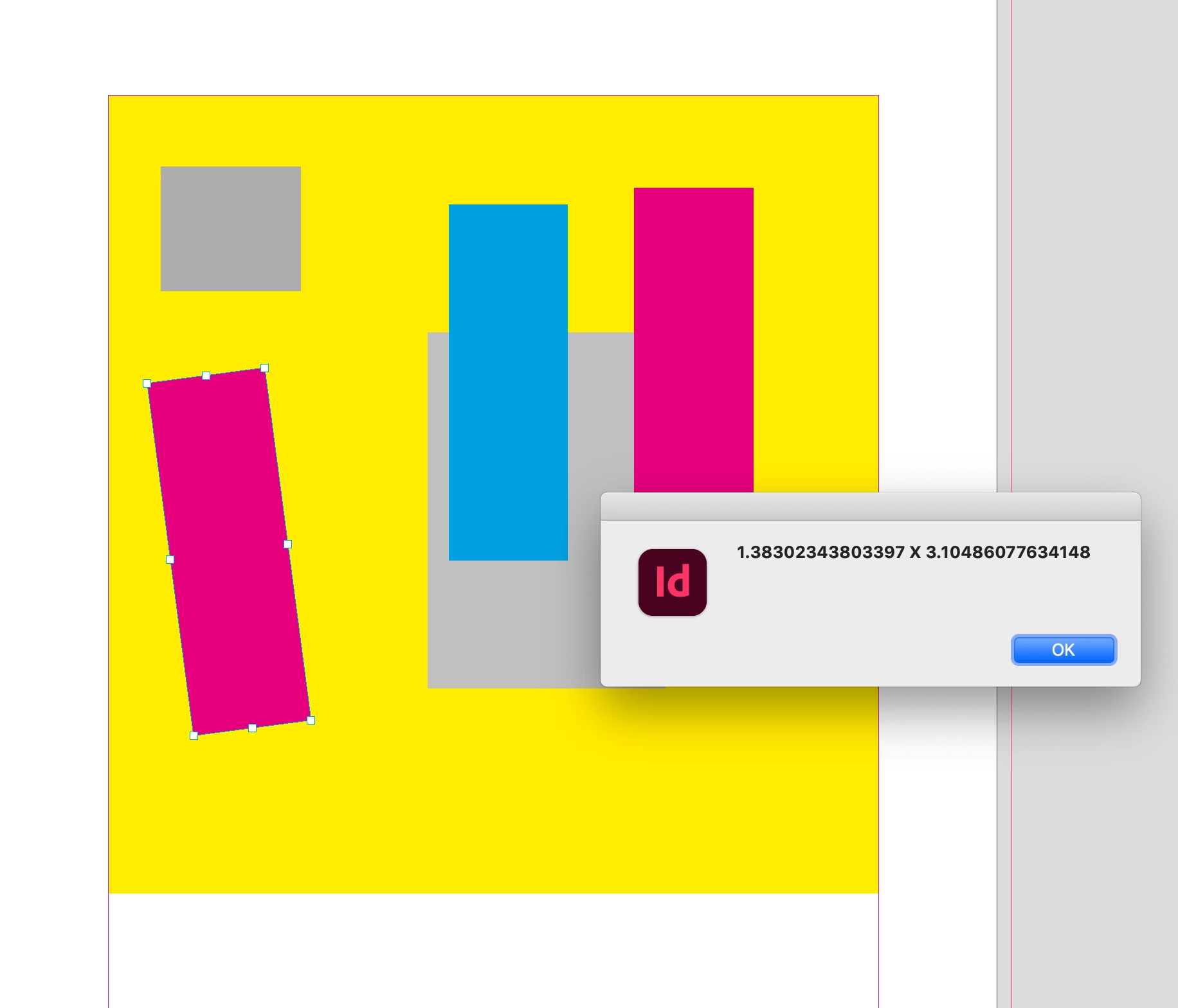


If you want to get or set all of a document’s page items, including items inside of groups, there is the document’s allPageItems property, which returns an array of page items that you can loop thru. You don’t have to select() the object to change its properties—this gets all the doc page items and checks if w & h are 1 & 3 and if they are, sets its overprintFill to true:


//all the document’s page items, including items inside of groups
var api = app.activeDocument.allPageItems;

//using inches for the script
app.scriptPreferences.measurementUnit = MeasurementUnits.INCHES;

//declare the width and height variables one time outside of the loop
var b, w, h;
for (var i = 0; i < api.length; i++){
    b = api[i].geometricBounds;
    //the object’s width and height
    w = b[3]-b[1];
    h = b[2]-b[0];
    //if both w & h are exactly 1" x 3" set its overprint to true
    if (w == 1 && h == 3) {
        api[i].overprintFill = true;
    } 
};   

//reset
app.scriptPreferences.measurementUnit = AutoEnum.AUTO_VALUE;



Also, consider the accuarcy of the page item’s width and height—the above would skip an object that is 1.001" x 3".



1 reply

rob day
Community Expert
rob dayCommunity ExpertCorrect answer
Community Expert
December 15, 2023

Hi Eugene, In the scripting API there’s no width and height property, which can be a block when you are starting to script—you have to get the width and height from the .geometricBounds property. You also have to watchout for the ruler units—is 1 x 2 inches or centimeters?


So this gets the selected object’s width and height from its bounds in inch units—geometricBounds is an array of 4 numbers [top, left, bottom, right] or [y1, x1, y2, x2]. Height would be bottom – top, and width would be right – left.


//using inches for the script
app.scriptPreferences.measurementUnit = MeasurementUnits.INCHES;

//the selected page item
var s = app.activeDocument.selection[0];
//get the item’s width and height
var b = s.geometricBounds;
var w = b[3]-b[1]
var h = b[2]-b[0]
alert(w + " X " + h)

//reset
app.scriptPreferences.measurementUnit = AutoEnum.AUTO_VALUE;


But if the object is rotated I get this:


If you want to get or set all of a document’s page items, including items inside of groups, there is the document’s allPageItems property, which returns an array of page items that you can loop thru. You don’t have to select() the object to change its properties—this gets all the doc page items and checks if w & h are 1 & 3 and if they are, sets its overprintFill to true:


//all the document’s page items, including items inside of groups
var api = app.activeDocument.allPageItems;

//using inches for the script
app.scriptPreferences.measurementUnit = MeasurementUnits.INCHES;

//declare the width and height variables one time outside of the loop
var b, w, h;
for (var i = 0; i < api.length; i++){
    b = api[i].geometricBounds;
    //the object’s width and height
    w = b[3]-b[1];
    h = b[2]-b[0];
    //if both w & h are exactly 1" x 3" set its overprint to true
    if (w == 1 && h == 3) {
        api[i].overprintFill = true;
    } 
};   

//reset
app.scriptPreferences.measurementUnit = AutoEnum.AUTO_VALUE;


Also, consider the accuarcy of the page item’s width and height—the above would skip an object that is 1.001" x 3".


Community Expert
December 15, 2023

Thanks Rob - that makes sense now. 

No it will always be 1 x 3 

I'll try it out soon and let you know how it's working for me.


This is part of a bigger picture, I was just stumped on this 


Thank you