



Mario Fritsche
Legend
December 19, 2022
Answered

Find ParagraphStyle and Content Script

  • December 19, 2022
  • 2 replies
  • 340 views

Hello,
I have a document with 4 pages. On page 1,2, and 4 there is a text that has a ParagraphStyle, on page 3 there is text without this phStyle.
Through a script I now want to find the pages and the content of the text.

var allPages = app.activeDocument.pages;
for (var i = 0; i < allPages.length; i++) {
  var page = allPages[i];
  var ftDm = page.textFrames[0];
  var result = app.documents.firstItem().findText();
  var curPhContents = result[i];
  if (page.textFrames.length > 0) {
    if (
      ftDm.paragraphs[0].appliedParagraphStyle.name == "Name" &&
      curPhContents != undefined
    ) {
      output = curPhContents.contents.replace(/\r/g, "").replace(/\s+$/g, "");
      $.writeln(
        "Found on page " +
          page.name +
          ": Text with the paragraphStyle: " +
          output
      );
    } else {
      $.writeln("No paragraphStyle found");
    }
  }
}


Page 1 and 2 it finds, on page 3 it says error, but it does not continue on page 4.
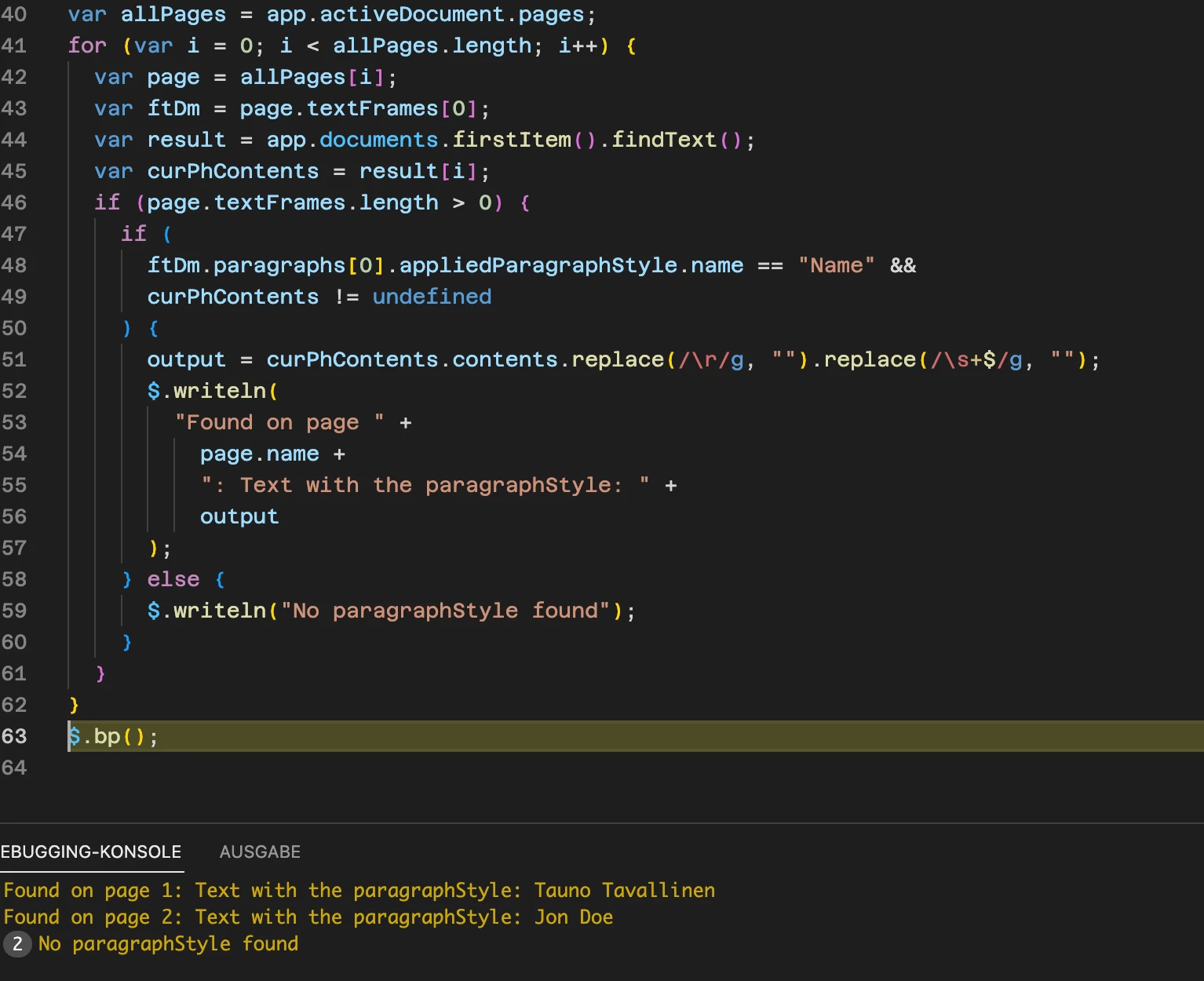

Am a little confused.

This topic is closed to new replies. Start a new post to keep the conversation going.
Correct answer m1b

You've made a great attempt. I think the problem starts with not specifying the findText. Your code finds (I think) everything. I have re-written to use the findText in a more normal way, and you can see how I can then loop over the found texts. You can't do findText on a Page, so I do it on the whole document, and then derive the page for each found text. See what you think. I hope it is enough to get you to the next step of your project.

- Mark

var doc = app.activeDocument;

// reset find prefs
app.findTextPreferences = NothingEnum.NOTHING;

// find criteria
app.findTextPreferences.appliedParagraphStyle = 'Name';

// do the find
var found = doc.findText();

// loop over each found text
for (var i = 0; i < found.length; i++) {

    var text = found[i],
        page = text.parentTextFrames[0].parentPage;

    // if the text was on a pasteboard,
    // there won't be a page
    if (!page.isValid)
        continue;

    var output = text.contents.replace(/\r/g, "").replace(/\s+$/g, "");
    $.writeln(
        "Found on page " +
        page.name +
        ": Text with the paragraphStyle: " +
        output
    );

}

2 replies

m1b
Community Expert
m1bCommunity ExpertCorrect answer
Community Expert
December 19, 2022

You've made a great attempt. I think the problem starts with not specifying the findText. Your code finds (I think) everything. I have re-written to use the findText in a more normal way, and you can see how I can then loop over the found texts. You can't do findText on a Page, so I do it on the whole document, and then derive the page for each found text. See what you think. I hope it is enough to get you to the next step of your project.

- Mark

var doc = app.activeDocument;

// reset find prefs
app.findTextPreferences = NothingEnum.NOTHING;

// find criteria
app.findTextPreferences.appliedParagraphStyle = 'Name';

// do the find
var found = doc.findText();

// loop over each found text
for (var i = 0; i < found.length; i++) {

    var text = found[i],
        page = text.parentTextFrames[0].parentPage;

    // if the text was on a pasteboard,
    // there won't be a page
    if (!page.isValid)
        continue;

    var output = text.contents.replace(/\r/g, "").replace(/\s+$/g, "");
    $.writeln(
        "Found on page " +
        page.name +
        ": Text with the paragraphStyle: " +
        output
    );

}
Mario Fritsche
Legend
December 20, 2022

Hello Mark,
thank you very much, it works great.

---Mario