
Participant
October 26, 2023
Answered

Find/Replace script not recognizing GREP removal of duplicated lines

  • October 26, 2023
  • 2 replies
  • 828 views

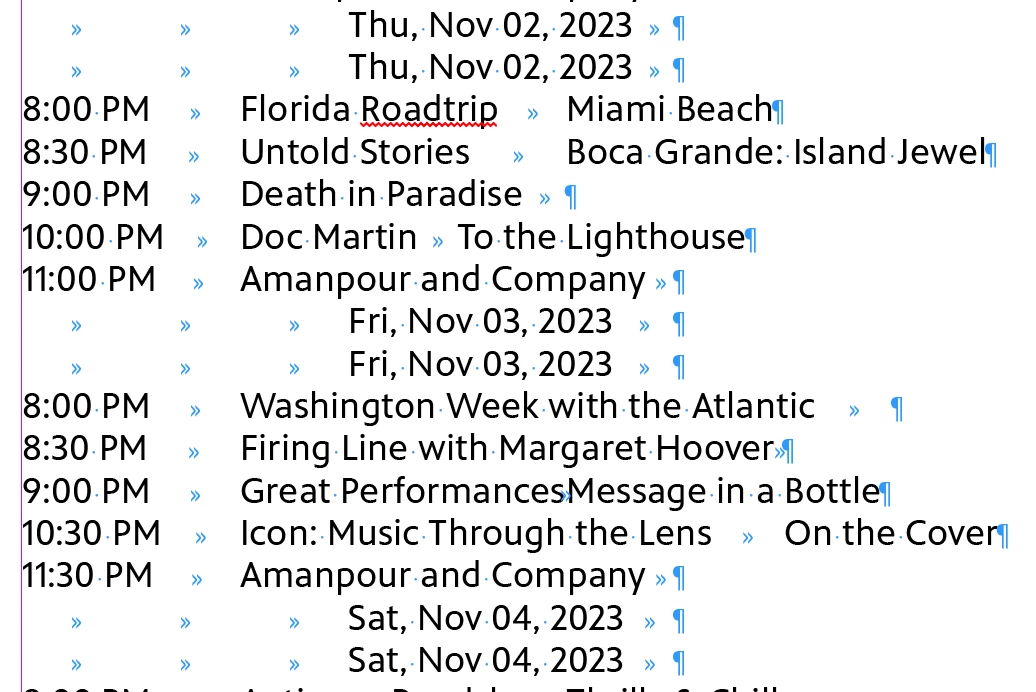
I am modifying the "FindChangeByList" reference file to clean up a TV schedule. I've gotten everything to work so far except to remove the duplicate date lines.

I have the line highlighted in blue in my script, but it doesn't seem to do anything. When I enter those settings directly in the find/change GREP box it works fine. Just not when it's in the scrip. What am I missing?

For reference: I'm a total n00b at GREP and scripting so it's been a lot of google/copy/paste/trial/error. I'm attaching my unaltered schedule file and the "FindChangeList.txt" for reference.

 

This topic has been closed for replies.
Correct answer rob day

No luck there either.


Works for me if I move the ^(.+\r)\\1+ search to first in the list and escape \1, so maybe the previous searches are affecting your ^(.+\r)\\1+ search. I’ve attached the text file.


2 replies

Community Expert
October 30, 2023

That's caused by the second grep entry:

{changeTo:"~b$0"}

introduces a paragraph break (~b)

brian_p_dts
Community Expert
Community Expert
October 26, 2023

Per the documentation for the script, you need to double escape bacsklashes: \\r and \\1

_jessmoe_Author
Participant
October 27, 2023

Unfortunately that didn't work. Funnily enough, I've used the single \ in other instances without issue. But changing everything to \\ doesn't make a difference.

rob day
Community Expert
Community Expert
October 27, 2023

Hi @_jessmoe_ , Try escaping \1, but not the return:


^(.+\r)\\1+