
First Baseline Offset problem (super weird)
Our design team is struggling with a very weird issue. Four people experience no difficulty but the fifth person experiences all the strangeness. She has uninstalled CC+InDesign and reinstalled and updated—but to no avail.
Here's what happens:
Using a file I created or a copy of that file that she made, everything looks fine, but when she copy/pastes a text frame, in instantly oversets. Upon closer examination, it appears the "first baseline offset" is nudged down when she clicks paste (see image "baseline-A"). Mine is on the left, problem is on the right. 
When she reviews her "text frame options" it's set to "ascent" but the amount is 0px (see image "baseline-B")
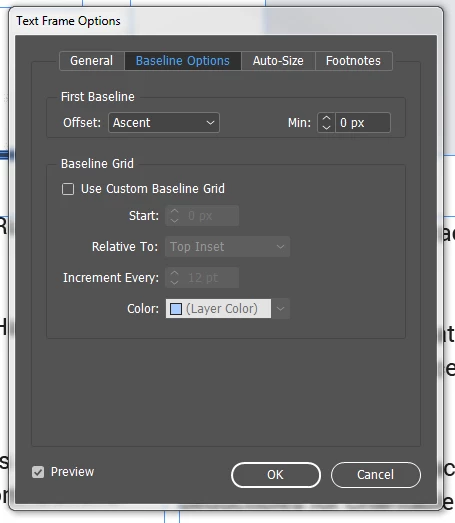
If she switches to "cap height" but leaves the entry as 0px it fixes the problem. But she would have to change the "Ascent 0px" setting to "Cap Height 0px" setting for every single text frame. Yet someone else can open the same file and experience no overset issues.
Any idea what is happening? I've checked/googled/tried everything I can thing of.
Sincere thanks for your help!
 AdChoices