
Participant
Apr 11, 2023 9:11 PM UTC
Answered

First run on Windows after install: [cursing removed] is this?

Installed InDesign on my wife's Windows 11 computer so she can do some church bulletins, and when she first runs it, she gets this screen that has zero indication of what it is, what it's for, or what needs to be done. 

Can anyone enlighten us as just just what in the heck this is/means? 
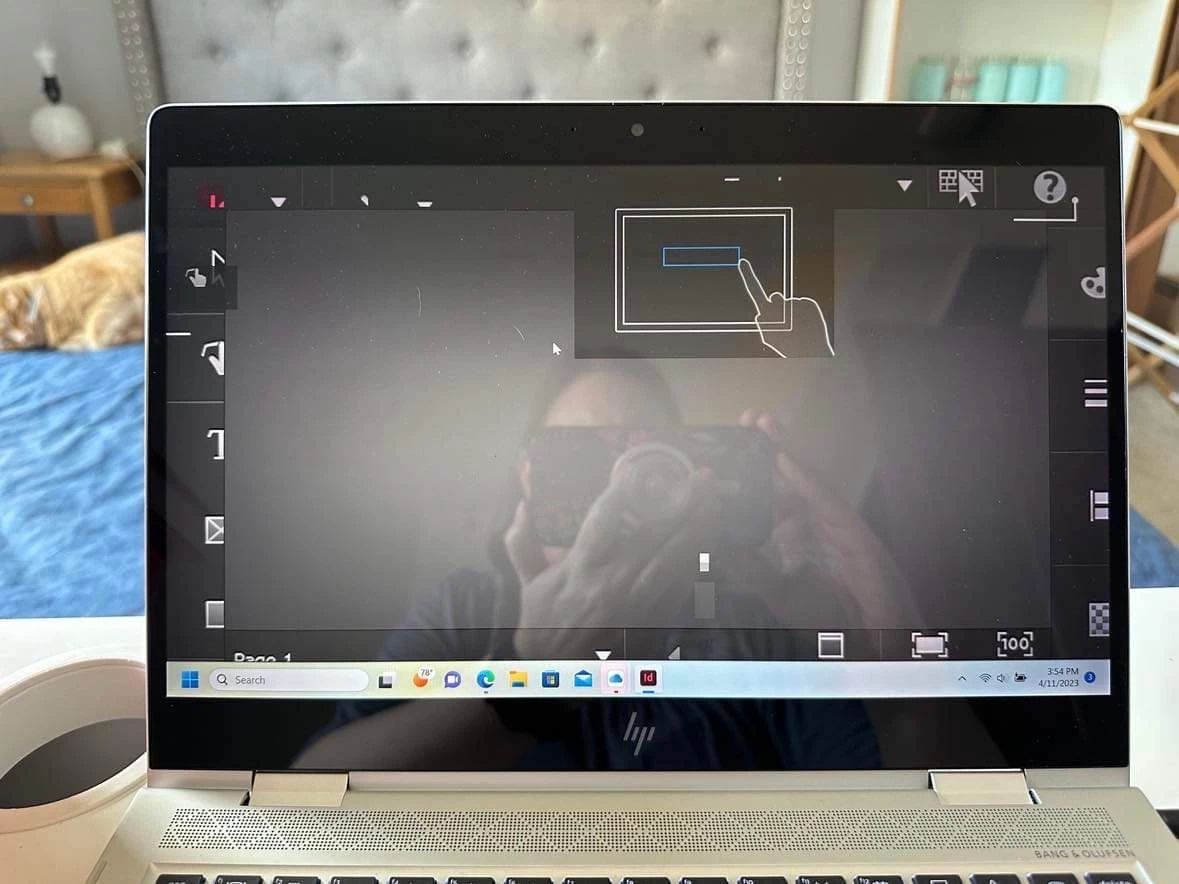


Utter UX fail (adobe? Microsoft? Who knows? I'm a Mac user, and have never seen this)

for not providing any actual text, tooltips, or even a *shred* of context as to what this is. Forcefully terminating InDesign and restarting makes it go away, but... [cursing removed] ?  

 

This topic is closed to new replies. Start a new post to keep the conversation going.
BobLevine
BobLevineCorrect answer
Community Expert
Apr 12, 2023 12:06 PM UTC

It is most definitely NOT a resolution issue...it is InDesign't touch interface which is very simple to turn off by switching workspaces.

26 replies

Community Expert
Sep 13, 2023 6:41 PM UTC

@BobLevine said: "… which is very simple to turn off by switching workspaces."

Sometimes it's not that simple. I made the experience that InDesign was completely unresponsive the first time after installing it when showing the Touch workspace on a laptop with Windows 11. What helped was to kill the process and start up a second time. But I had to go hrough that "tutorial" from A to Z ( what's new etc.pp. ) at start-up and finally I was able to switch the workspace.


Regards,
Uwe Laubender
( Adobe Community Expert )

Translate
James Gifford—NitroPress
Legend
Sep 13, 2023 6:45 PM UTC

I don't think there's any question that a new install should not start up in touch mode. At all. No matter what device it's installed on. The user should have to select touch mode as a manual step. Auto-detect, aka "let's outguess the user," is a bad engineering choice here.

Translate
Participant
Sep 13, 2023 5:33 PM UTC

This is obviously a failure of Adobe and there are enough complaints that Adobe--not the user community-- should fix it right away. We pay too much to tolerate this nonsense.

Translate
BobLevine
Community Expert
Community Expert
Apr 12, 2023 12:04 PM UTC

You've never seen it on a Mac because Macs do not have touch screens. 

Translate
jmlevy
Community Expert
Community Expert
Apr 12, 2023 9:24 AM UTC
James Gifford—NitroPress
Legend
Apr 11, 2023 10:16 PM UTC

Yes, it's almost certainly a failure of InDesign to properly set/request a high enough screen resolution, so nothing is "fitting" on teh screen, the contents of that dialog included. It's not normal, usually doesn't happen and can be easily fixed by getting InDesign to reload with full screen res.


I have to note that the combination of "WTF" and "church bulletins" made me laugh. ")


Translate
CaNerdIanAuthor
Participant
Apr 12, 2023 12:55 PM UTC

Yikes. It had been a hot minute since either of us used InDesign and we had forgotten just how utterly awful the UX has always been on this product. 

Apparently Adobe needs to learn to use their words, not just cryptic pictures. 

(and touch screens on a laptop are about the most useless feature ever. There's a reason Macs don't have them)

Translate
BobLevine
Community Expert
Community Expert
Apr 12, 2023 2:59 PM UTC

That you find them useless (and to be honest, for InDesign I agree) doesn't make it so. I happen to love it even if it's just for scrolling through pictures or an email.

Translate
Inspiring
Apr 11, 2023 9:31 PM UTC

Definately a screen resolution issue. I'd try going to the executable, right clicking for properties and changing the compatibility and "Change High DPI Settings" just so you may open InDesign to alter it's resolution natively within the program.

Translate
BobLevine
Community Expert
BobLevineCommunity ExpertCorrect answer
Community Expert
Apr 12, 2023 12:06 PM UTC

It is most definitely NOT a resolution issue...it is InDesign't touch interface which is very simple to turn off by switching workspaces.

Translate