December 8, 2025
Answered

Flex Layout Schriftgröße passt nicht

  • December 8, 2025
  • 1 reply
  • 312 views

Hallo Community;

kann es sein, wenn ich das Flex Layout nutze, z.B. die erste Vorlage DIN A6 (mit Pflichtext in 6 Punkt) auf DIN A1 bringe, die Schriftgröße im InDesign Fenster falsch dargestellt wird. In meinem A1 Plakat ist die Schrift angeblich 6 Punkt ... kann man das irgendwie ändern? Das stört dann auch bei der Darstellung des Dokumentes. Vielen Dank. 

Correct answer rob day

The second one is created with Flex layout and is 5 times as large and shows a font size of 6 points.


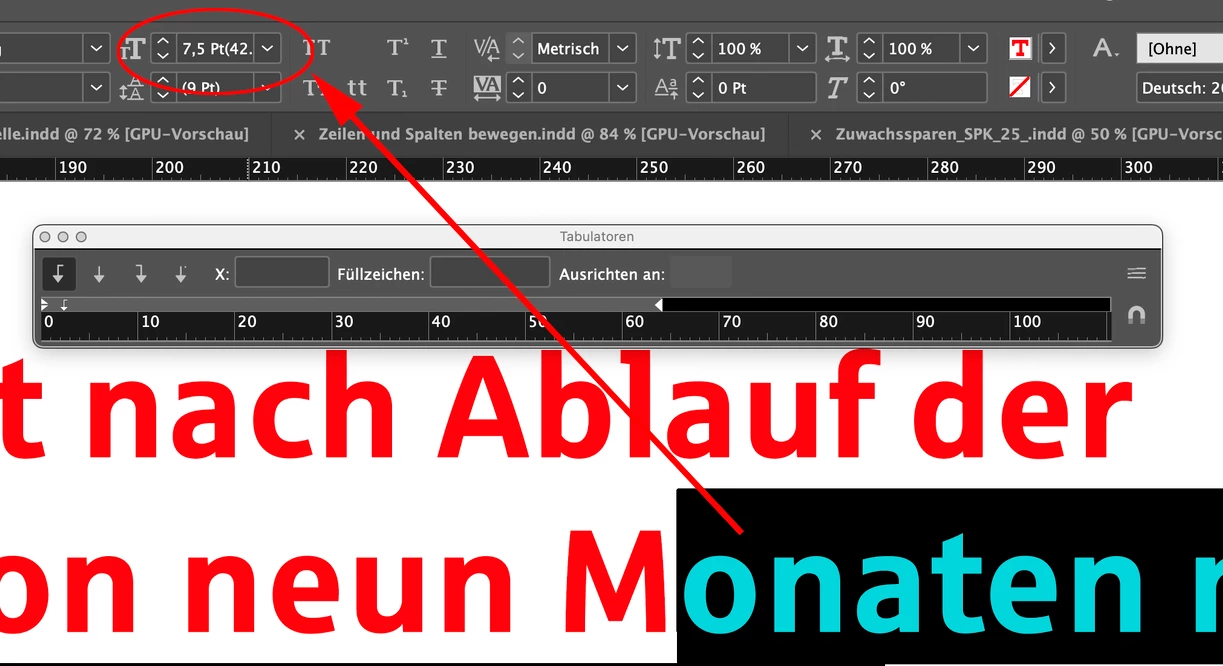
Hi @Janet_666 , When you scale a text frame (Free Transform tool) the actual scaled size of the text is shown in parenthesis in the font size fields. I can see in your first capture, the starting font size was 7.5 pt but the actual scaled size is 42. pt


1.png


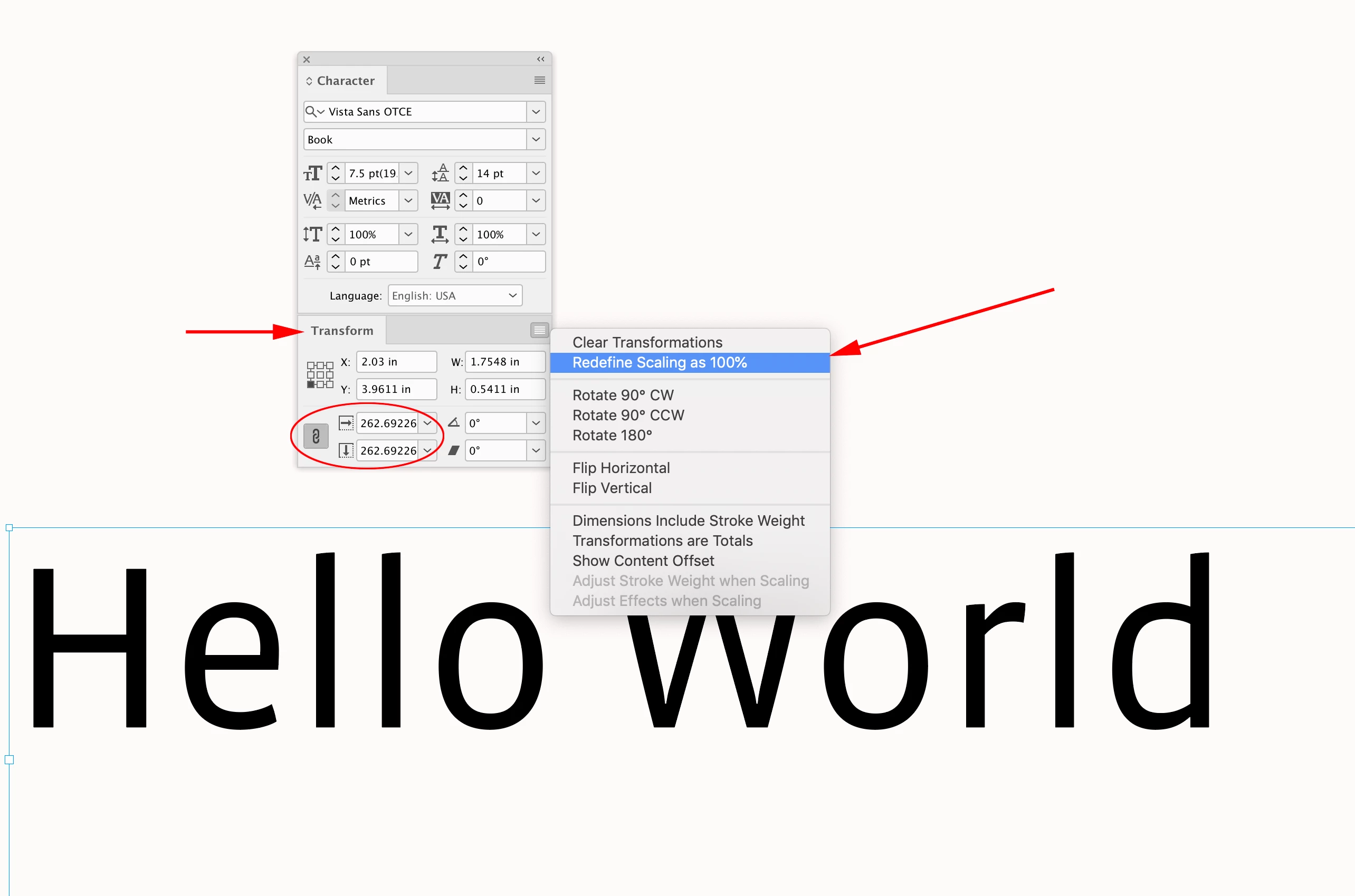
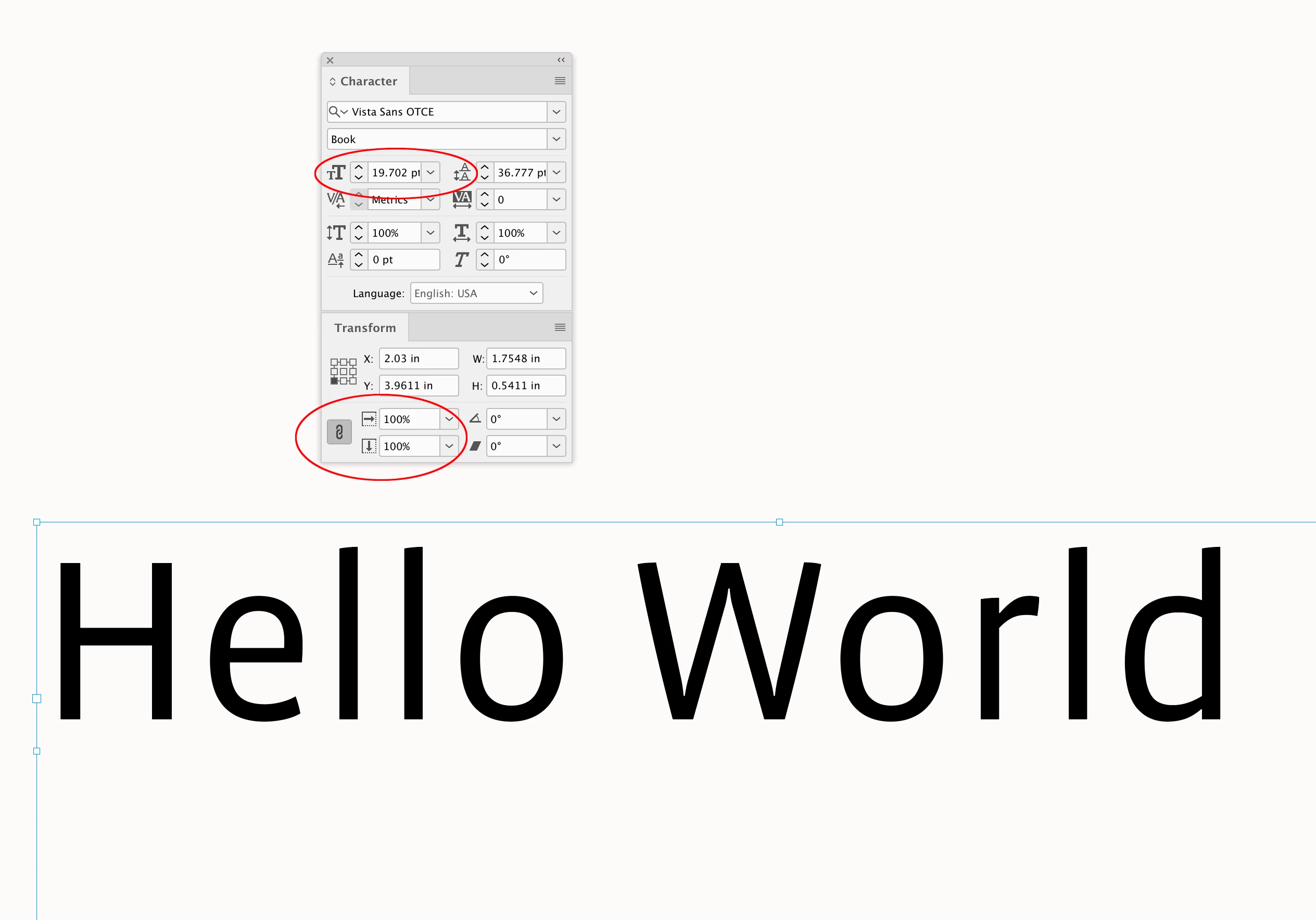
You can use the Transform panel to reset the scaling to 100%


Screen Shot 11.pngScreen Shot 12.png

1 reply

Abhishek Rao
Community Manager
Community Manager
December 8, 2025

Hi @Janet_666,


Thanks for reaching out. I'd like to understand this a bit more, so I can try to reproduce it accurately. Could you please confirm the exact version of InDesign you're using, for example, 21.0, 21.0.1, or 21.0.2, along with your operating system details. If possible, a short screen recording of the workflow from the moment you scale the Flex Layout up to when the font size appears incorrect would really help me see exactly what is happening on your side.


Looking forward to your update!

Abhishek

Janet_666Author
December 8, 2025

hello @Abhishek Rao ich habe die 21.0.2 Version, der erste Screenshot zeigt ein kleines Format, die Schriftgröße ist 6 Punkt. Das zweite ist mit Flex layout erstellt und 5 mal so groß und zeigt aich 6 Punkt als Schriftgröße.

rob day
Community Expert
rob dayCommunity ExpertCorrect answer
Community Expert
December 9, 2025

The second one is created with Flex layout and is 5 times as large and shows a font size of 6 points.


Hi @Janet_666 , When you scale a text frame (Free Transform tool) the actual scaled size of the text is shown in parenthesis in the font size fields. I can see in your first capture, the starting font size was 7.5 pt but the actual scaled size is 42. pt


1.png


You can use the Transform panel to reset the scaling to 100%


Screen Shot 11.pngScreen Shot 12.png