
Participating Frequently
February 27, 2025
Answered

Flipping an anchored object horizontally relative to spine

  • February 27, 2025
  • 1 reply
  • 461 views

Hi everyone!
I'm working with an anchored object whose location depends on the spine of the book, like this:
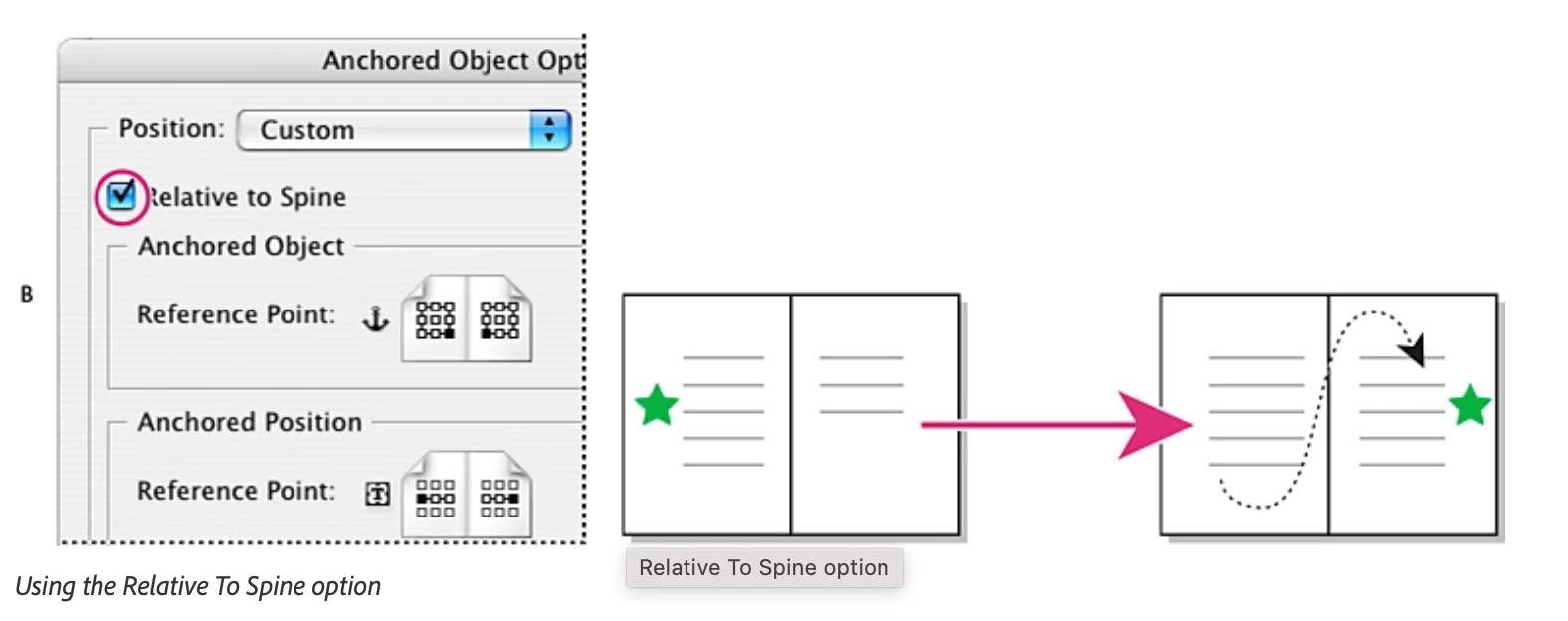
To make things easier I created an Object Style and it moves perfectly.

The problem is that I need this object TO FLIP HORIZONTALLY every time it changes to a left or a right page, like this (it's literally a dotted line with a circle end shape):
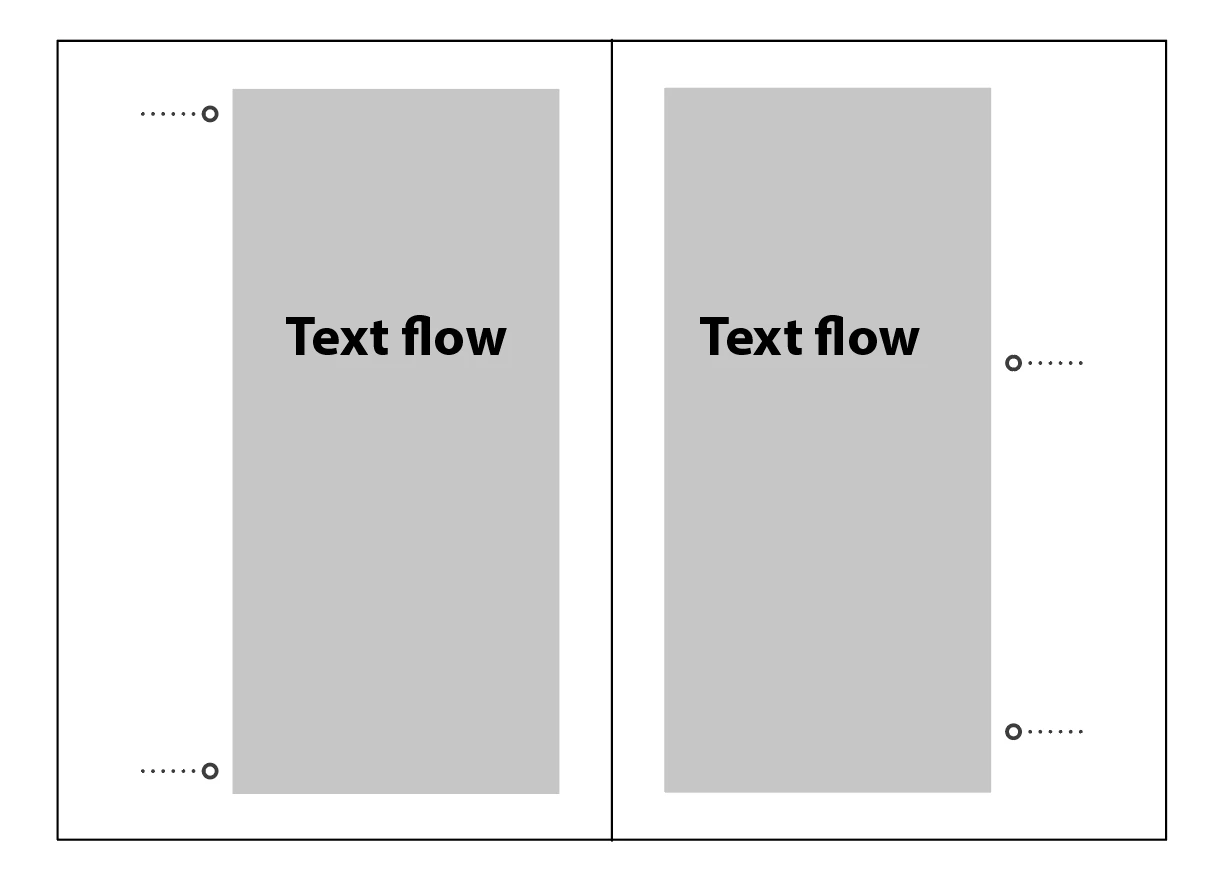
I tried to set this condition in Object Styles (corner options) and Anchored Object Options, but I don't find an way that would work automatically. I got to set everything manually, but this creates many mistakes on the workflow.


I would be grateful if someone could share with me some ideas or creative solutions. 

Thanks in advance.


Correct answer Robert at ID-Tasker

I think only scripting will help. 


Unless - I'm on my phone right now so can't check - maybe if you play with ParaStyles - put your object in a TextFrame, with dots as characters and anchored graphic - and use Align away from spine and also alignment of the object within your Anchored TextFrames - the opposite side?


1 reply

Robert at ID-Tasker
Robert at ID-TaskerCorrect answer
Legend
February 27, 2025

I think only scripting will help. 


Unless - I'm on my phone right now so can't check - maybe if you play with ParaStyles - put your object in a TextFrame, with dots as characters and anchored graphic - and use Align away from spine and also alignment of the object within your Anchored TextFrames - the opposite side?


Fran_AChAuthor
Participating Frequently
February 27, 2025

Thank you for your advice!

First I tried with dots as characters and an inline anchored circle (Example A), but it didn't worked because it moved inside the box without flipping.

But what worked better (Example B) was using the inline anchored circle moving inside the text frame and a dotted line at the center of the frame (a grouped object).


The only trouble is that this creates a little bug when I anchor it into a text frame that has a ParaStyle with a border. Like this:


Thanks a lot, Robert!


Joel Cherney
Community Expert
Community Expert
February 27, 2025

I imagine you could do it more easily with two separate objects? 


The differences in object reference point in my example are only there to create two clearly separate threads connecting the anchored objects to the text flow; it's not an important part of the solution. I think that any "Relative To" positioning ought to work, but I didn't do any serious experimentation.