
Inspiring
February 14, 2017
Answered

Floating back to top button

  • February 14, 2017
  • 1 reply
  • 6287 views

Hi,

Appreciate your help! I am using InDesign and exporting to .swf. Not successful in creating a floating back to top button. Also not successful in getting the link to work when exporting to .swf.

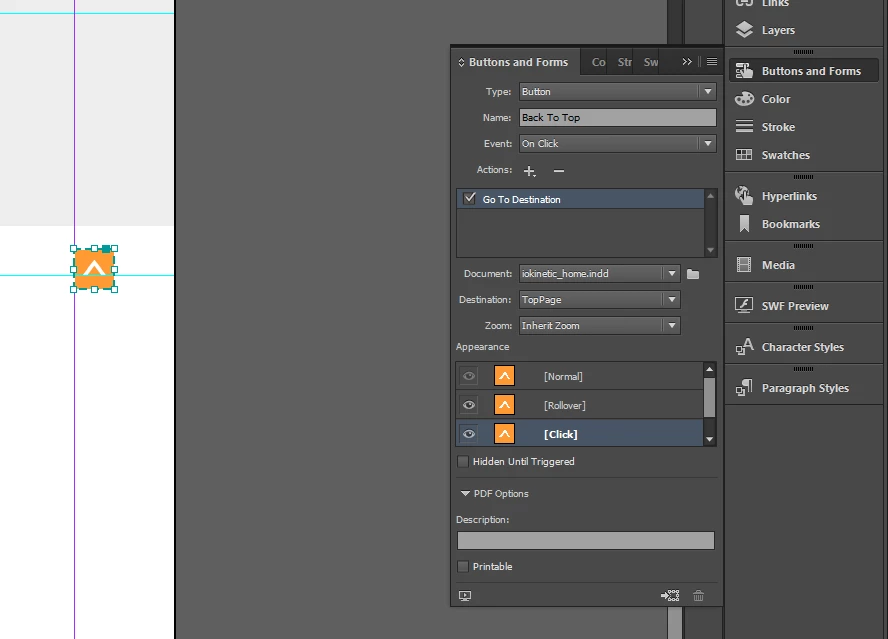
Created a "Text Anchor" at the top of page. Inserted a button and linked with "GoToDestination" action. Exported to .swf. The button does not do anything.

Ideally would like the Back To Top button to float so as to follow the user down the page. Any ideas?
As always, many thanks!
    This topic has been closed for replies.
    Correct answer Deb123

    Hi,

    Adobe Experience Designer is for PC as well, well worth a try.

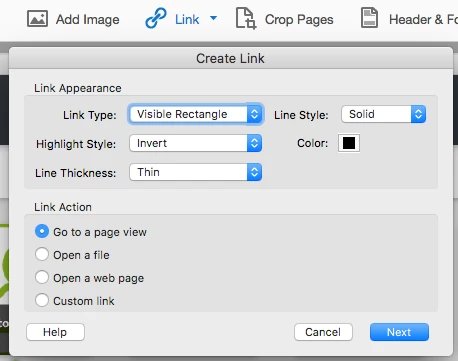
    In your case, I would create the interaction in Acrobat. Insert a Link > create an invisible rectangle > scroll and Zoom to set your view to display when the user clicks on.


    Hi all,

    I am disappointed that it cannot be done in InDesign. I was hoping for solutions in that software. As there are no solutions to be had in InDesign I think this query should be closed.

    Unfortunately I will not be able to try out Adobe Experience Designer for the reasons Bob has outlined. Nor Muse as there are others involved in the project and they expect to be working in InDesign, the software they are comfortable with.

    Not all the world has the complete Adobe Cloud.

    Thank you, Deb

    1 reply

    Community Expert
    February 16, 2017

    Hi,

    is this a feature request? If yes, how would you like to see this new feature work?
    ( You were posting in the InDesign Feature Requests forum )

    Or do you simply need help with the form fields features of InDesign?
    If so, I could ask a moderator of this forum to move this thread to the "normal" InDesign forum, where posts will draw more attention.

    Regards,
    Uwe

    Deb123Author
    Inspiring
    February 16, 2017

    Hi,

    I need assistance in creating a “back to the top button” that will work when exporting to interactive PDF. I have searched everywhere for a solution and have not been successful, as “text anchors” do not work neither does using “go to destination”.

    Appreciate your help on this matter, Deb

    Eric Dumas
    Community Expert
    Community Expert
    February 19, 2017

    I think Adobe Experience Designer is for MAC users. My company is on Windows 7 and I use a PC. It sounds exciting but outside my grasp just now.

    Another issue I’m experiencing is that the navigation buttons really jump erratically when viewed in Acrobat Reader. Thank you all for your responses, I am encouraged by your kindness.

    Have a great weekend, Deb


    Hi,

    Adobe Experience Designer is for PC as well, well worth a try.

    In your case, I would create the interaction in Acrobat. Insert a Link > create an invisible rectangle > scroll and Zoom to set your view to display when the user clicks on.