Participating Frequently
October 18, 2023
Answered

FOGRA 39 uncoated?

  • October 18, 2023
  • 2 replies
  • 8815 views

Is there such thing as a FOGRA 39 uncoated profile? 

I asked the company who's doing the printjob which profile they use and they specifically asked for Fogra 39 uncoated. I googled but couldn't seem to find it anywhere. My only option is the coated version after I installed the ICC profile from color.org

This topic has been closed for replies.
Correct answer rob day

Thanks @rob day for all the information. I have decided to go for 260% to be on the safe spectrum. 

Now I have tried both profiles to see what changes occur. My document contains lots of black and white pictures, some of which are on the same page as colored pictures so the final document will be printed in full color.


Whenever I change the profiles of the pictures individually through Photoshop to Fogra47 and place it into inDesign they turn slightly blue. Is this common for the Fogra47 profile? I tried color correcting it through Photoshop but this makes it impossible.


Whenever I change the profiles of the pictures individually through Photoshop to Fogra47 and place it into inDesign they turn slightly blue. Is this common for the Fogra47 profile?


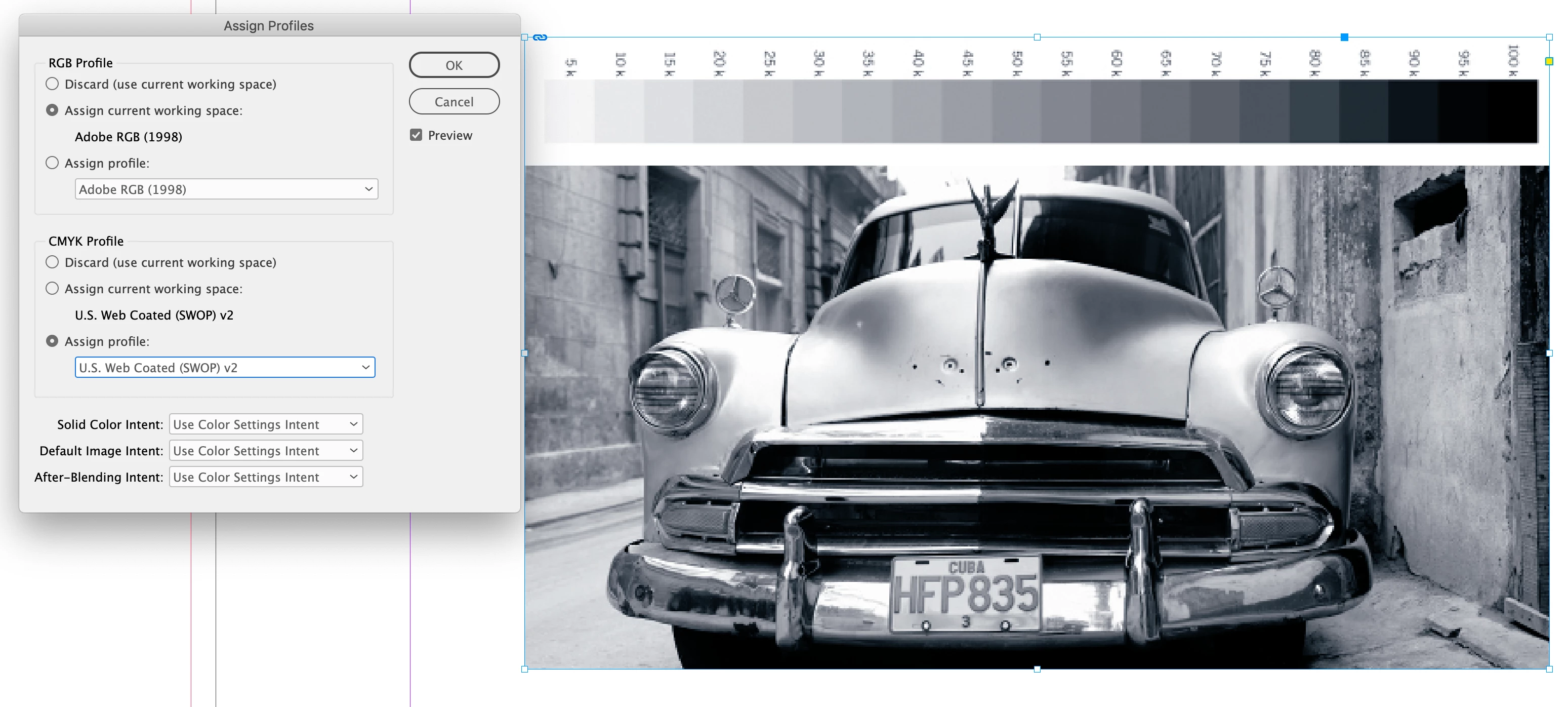
Sounds like your InDesign document doesn’t also have Fogra47 assigned. You don’t want conflicting CMYK profiles, check Edit>Assign Profiles... and set the InDesign document’s CMYK profile to Uncoated_Fogra47
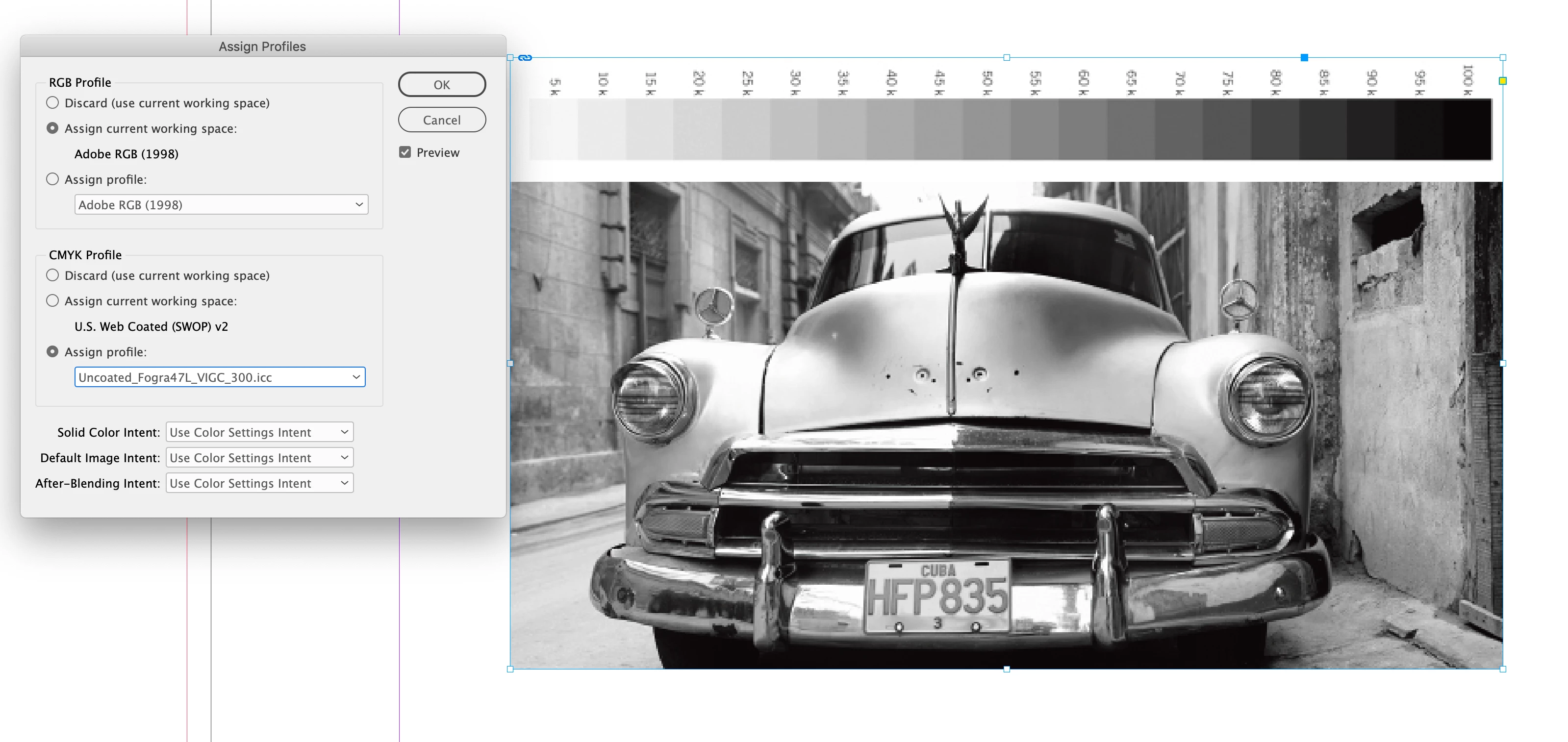


If it is set to the default US Web Coated SWOP there would be a blue cast:


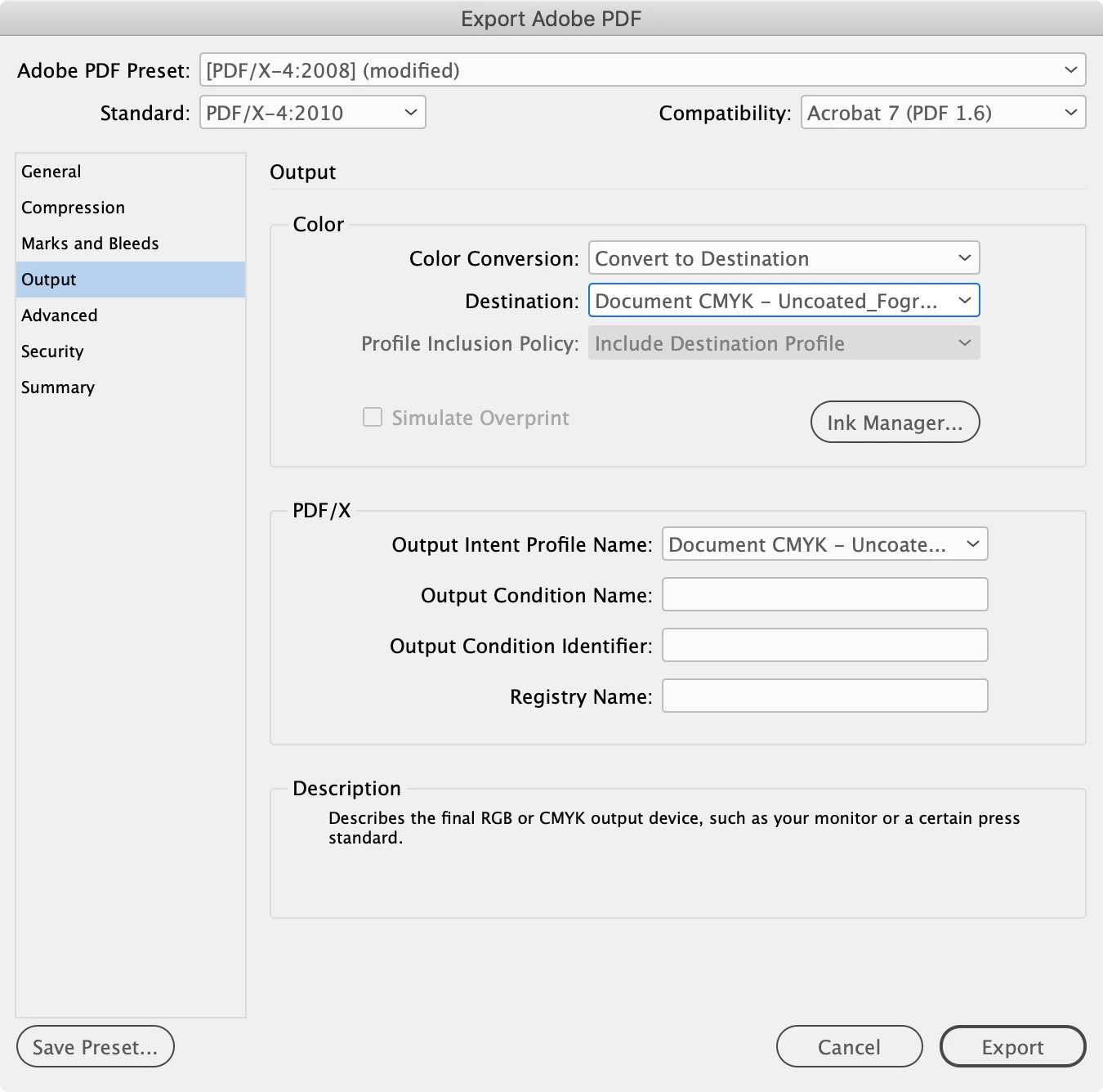
But you don’t have to make the CMYK conversions in Photoshop. It‘s more efficient to place RGB images with their profiles embedded and make the CMYK conversion from the PDF Export Output tab. Something like this would convert all of the RGB images in your document to the assigned CMYK document profile:



2 replies

rob day
Community Expert
Community Expert
October 18, 2023

Hi @teemsaat , The uncoated FOGRA profiles are Fogra47,  Fogra52 (PSOuncoated), and Fogra29, which is in your profile list. Maybe ask your printer to provide the profile. If the job is printing on an uncoated sheet you don’t want to use a coated profile.


Here’s ICC’s download page:

https://www.color.org/registry/index.xalter

teemsaatAuthor
Participating Frequently
October 24, 2023

Hi @rob day


Thanks again for your help. I'm a bit further into the process and got some information from the technician.


The printer will be using offset printing and the profile used for the uncoated paper is Fogra47 with a total ink value of 280%.


On the https://www.color.org/registry/index.xalter website there are 2 options. Uncoated_Fogra47L_VIGC_260.icc and Uncoated_Fogra47L_VIGC_300.icc. (Screenshot for my list of profiles)


I am assuming I will be using the 300 option due to it's higher capacity?


Your answer will be appreciated!


rob day
Community Expert
Community Expert
October 24, 2023

The printer will be using offset printing and the profile used for the uncoated paper is Fogra47 with a total ink value of 280%.


If your printer is serious about the 280% ink limit—the total ink amount where there is a danger of the ink not drying and causing offset—then you might use the 260% version to be safe.


On thing to note about total ink—the Conversion Options Intent you use for the conversion can affect total ink. So with the 300% version you would get 300% on an Absolute Colorimetric conversion, while Relative Colorimetric converts the black point to 275%—normally there is no reason to use Absolute.


Also, if you make the conversions check with the printer that they will output your values unchanged. Some printers want to make their own conversions—usually to make sure the total ink is not over their number. If that’s the case you would be better off providing profiled RGB images (PDF/X-4 with no conversions), so you don’t end up with CMYK-to-CMYK conversions at output.


teemsaatAuthor
Participating Frequently
October 18, 2023

edit: the list of profiles that shows whenever i edit > convert to profile (in photoshop)