
JonathanArias
Legend
July 13, 2020
Answered

font activation

  • July 13, 2020
  • 5 replies
  • 6483 views

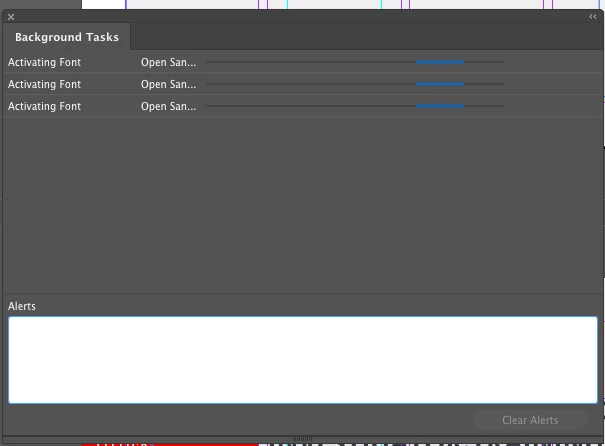
My adobe indesign keeps working in the background to actiavate fonts, going on 3 hours.. anyone else having he same issue?

This topic has been closed for replies.
Correct answer Kevin Stohlmeyer

Looks to be ok on the server end: https://status.adobe.com/creative_cloud# 

Have you tried restarting Suitcase? That would explain InDesign if your font manager is hung.

5 replies

Community Expert
July 15, 2021

Hi Jonathan,

had this issue once without using Suitcase.

This went on for some days until I could update to a new version of the Creative Cloud Desktop application.

Before I logged out, restarted the machine and logged in again to the CC Desktop App. Didn't help. After the update it worked as expected.


Regards,
Uwe Laubender

( ACP )

Fred.L
Inspiring
September 26, 2022

Hi,
Sounds like Font activation is a well know issue.

I'm having issues with Font auto-activation and need to restart ID in order to get it right


The weird part is that the wheel keeps spinning but the Font is available. The down part is that I can't export any pdf as the Font activation task has to be completed to allow further tasks to be done.

It'll be great if ID could have a fix on that.


Participant
July 15, 2021

My workaround for CreativeCloud fonts is to turn off Adobe Fonts in the CreativeCloud app in Preferences under Services and then turn it right back on. As a result, the fonts are then activated immediately. I work with Mac OSX BigSur and FontexplorerPro as font management.

steinrueckn
Participating Frequently
August 16, 2021

Thanks Paa26 first comment on this thread to instruct what to do it avoid this. Thanks!

XAN143
Participant
July 15, 2020

Yes, I'm experiencing the same problem since a couple of weeks/months (can't really remember when it started.) But it seems to be everytime I open a document that uses fonts that I selected in my Suitcase Fusion (21.1.1) but clearly are also available in Adobe Fonts. Instead of activating the Suitcase version it tries activating the Adobe version but that doesn't work so it keeps activating in the background... Really annoying. But is it an Adobe or Suitcase problem? I haven't given Indesign hte OK to activate the font, it starts doing this by itself???


p.s. Oh yeah, still on Mojave 10.14.6 

Kevin Stohlmeyer
Community Expert
Community Expert
July 15, 2020

No offense to Extensis, but it is always usually a Suitcase issue.

Auto activation bypasses your manual activation - if the font is needed in the document you are opening, Suitcase should auto activate the font and make it available in InDesign. The whole point of the feature is that you don't have to give ID the OK.

If you have Adobe Fonts active, it sounds like there is a syncing conflict between Suitcase and ID. Either way, they should auto activate without needing to hit OK - there may be a slight delay but they should drop off your missing font window.


I'd test to confirm, but I got fed up with Suitcase and moved on to Font Explorer and have been happy since.

XAN143
Participant
July 16, 2020

🙂

I've dropped this question at Extensis' support as well. Seems to be a bit of a weird problem that occurs when Indesign/Suitcase/the font in question "feel like it" as it doesn't occur everytime I open these documents. Besides that I didn't get the pop-up missing font window when this occured. I only noticed Background tasks was still activating fonts when I tried exporting a PDF and that didn't appear on my desktop as fast as it should. Extensis advised to check Indesign preferences concerning fonts. Actually pretty satisfied with Suitcase for the last 13 years. Problems are mostly/often through delivered by client, incomplete or damaged fontfiles.  

JonathanArias
Legend
July 13, 2020

the issue just stop, also now see in my suitcase fusion that adobe fonts are loading. maybe an adobe servers issue.

Kevin Stohlmeyer
Community Expert
Kevin StohlmeyerCommunity ExpertCorrect answer
Community Expert
July 13, 2020

Looks to be ok on the server end: https://status.adobe.com/creative_cloud# 

Have you tried restarting Suitcase? That would explain InDesign if your font manager is hung.

JonathanArias
Legend
July 15, 2020

yes, i did, it fixed the issue, however, i now have a co-worker with exactly the same issue

Kevin Stohlmeyer
Community Expert
Community Expert
July 13, 2020

What are you using for a font management program?

JonathanArias
Legend
July 13, 2020

suitcase fusion. latest version