


Inspiring
July 8, 2026
Question

Font becomes OTF & is missing when different people open the file

  • July 8, 2026
  • 2 replies
  • 37 views

ID 21.4.1, Mac

I built a file in InDesign without issues.

We just started experiencing an issue in which when someone else opens the file, the fonts (Barlow) appear to be missing, and show up like this:
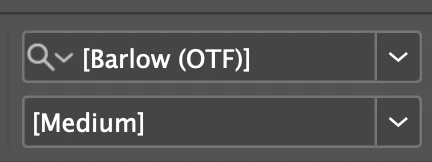


I was able to get the fonts working by disabling them, and letting ID re-enable them.

However, when I opened a different copy of the same file, Medium and Medium appeared to be missing again, though I found I could also “fix” them by using Type > Find/Replace. 
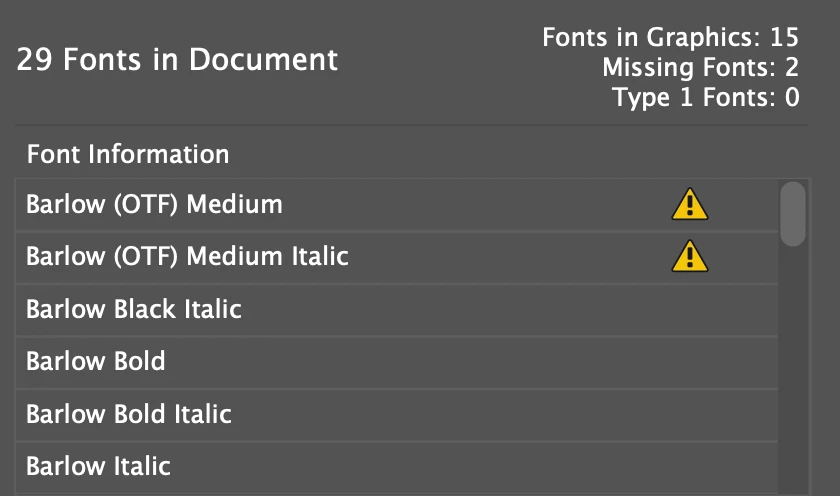


I assume that if I open up a copy someone else was working on, I may experience the same issue.

Any ideas what may cause this? It’s concerning, and we haven’t seen this before.

Thanks 

    2 replies

    Participating Frequently
    July 13, 2026

    Having similar issue with Barlow: when all fonts are fully activated, can’t be found by InDesign or appears as two separate fonts of which neither have the font needed, but it’s fully activated on Adobe Fonts properly. The fonts just aren’t being found. And if I manually reassign the fonts that I actually can find - they’re not the same Barlow fonts and text recasts everywhere.


    Brad @ Roaring Mouse
    Community Expert
    Community Expert
    July 8, 2026

    This is the second instance of Barlow causing this issue this week. hmmm.

    Are you letting InDesign auto-activate Adobe Fonts when you open the file, or are you installing (not just activating) the whole family through the CC App first. I’ve seen instances where some styles weren’t auto-activated in a family. As Barlow is part of an open-source project, it’s possible there’s an internal reference in the font that is not being read properly by InDesign to determine if it needs to be activated, so next time this happens, check your CCApp and see if theose missing styles are there. According to what i see, the version served by Adobe is the most recent version (1.422).

    As a pre-press person, I’ve turned auto-activate feature off in InDesign as I’d rather add fonts manually to suss out issues with supplied files as it seems to cause more issues than it solves, especially in a production environment where we deal with many client files with fonts from different sources (e..g. Google fonts)


    Participating Frequently
    July 13, 2026

    Ok - here’ my issue then. Auto-activate is turned off.

    An Adobe font is being used in a file, it’s activated on Adobe Fonts website and doesn’t appear in the CC app - how do you get it to appear in the CC app?