
Vinícius Amaral
Known Participant
October 24, 2017
Question

Font Box Size

  • October 24, 2017
  • 2 replies
  • 849 views

Hi there

How are you doing?

I have one doubt, and maybe you can help or not.

I working in a project that I have to build a layout equivalent an web page.

The main system send me all information on a XML file with measurements, colors, fonts, etc.

The Y vertices of character is based for the top of the font, but I'm receiving top of the black box of the font as in the image below.
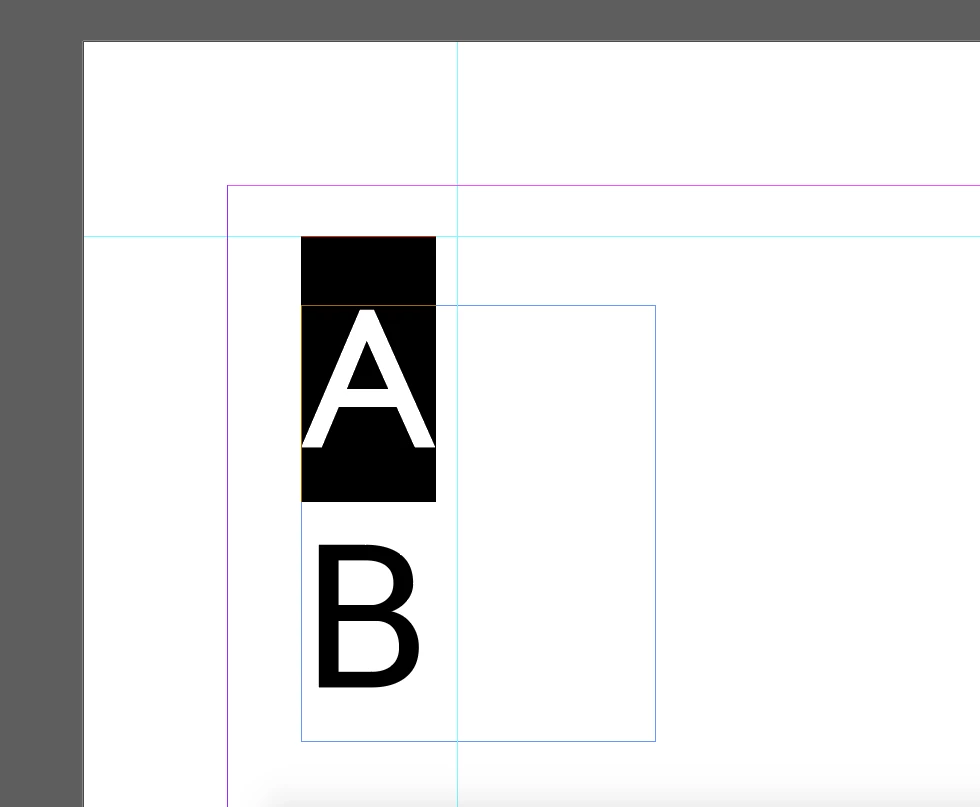
It shouldn't to be a problem if I calculate the size of the box and discount it.

But, there are variations between some fonts with the same size and same leading as the image below.
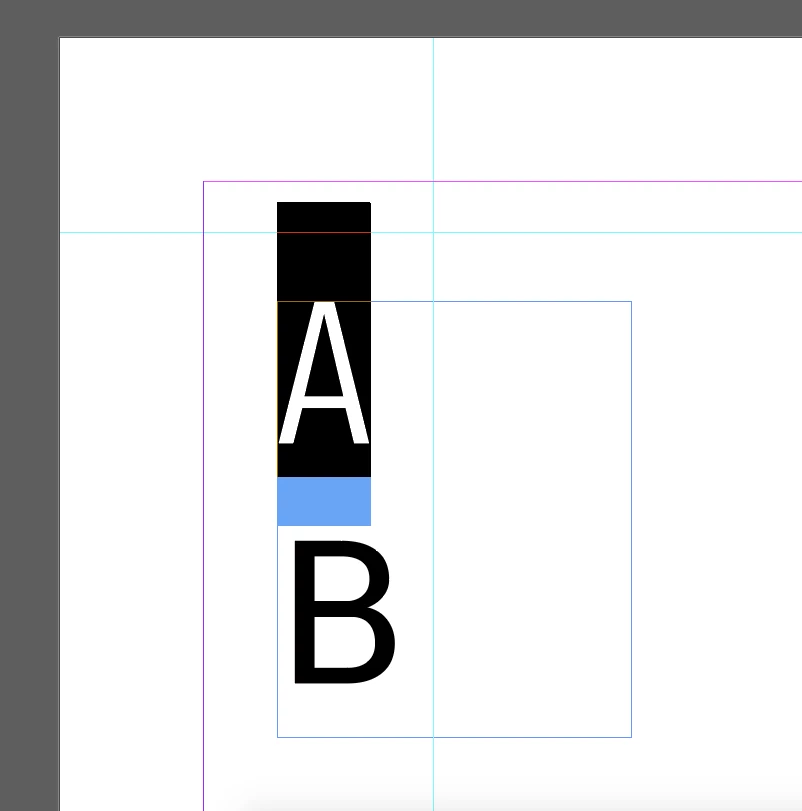
I would like to know if there is a way to get the black box sizes, or if I can find an formula/equation to discover the black box size of an character.

Thanks again!

This topic has been closed for replies.

2 replies

Kasyan Servetsky
Legend
October 24, 2017

The black box size on your screenshots is set by a font designer in a font editing app like FontLab. It is determined by a number of metrics settings: character width, left sidebearing, right sidebearing, zero (origin) point, baseline, the ascender and descender lines, the caps height, the x-height, the line gap, etc. As far as I know, there are no strict rules/standards on how to set them, so every font designer/foundry uses whatever they consider correct values. As a result, different fonts set to the same font size will have different physical sizes.

If you use a limited set of fonts, you may calculate the height of the black box for every font like so:

On the screenshot above, the font is set to Arial Bold 10 pt.

The physical height of capital H is 7,115 pt; the height of the black box is 12,148 pt so it's x1.707 larger. Thus you can calculate it for any font size by multiplying the font size by the the factor. I am sure the vertical metrics should be the same for all font styles in the family.

As to horizontal metrics, it is set for each glyph (character) individually so every character has a unique width.

— Kas

Vinícius Amaral
Known Participant
October 24, 2017

Hi

lfcorullon13651490
Legend
October 24, 2017

Hello, Vinicius.

Did you tried the ".ascent" and/or ".descent" character properties?

Kasyan Servetsky
Legend
October 24, 2017

Did you tried the ".ascent" and/or ".descent" character properties?

This approach ain't working for me.

Ascender Position of the font’s ascender line. Usually this is the height of the lowercase ‘b’ character

Descender Position of the font’s descender line. Usually this is the position of the bottom line of the ‘p’ character

Let's make a quick & dirty test. I select capital H (Arial, Bold, 10pt)

Main();

function Main() {

    var character = app.selection[0];

    var ascent = character.ascent;

    var descent = character.descent;

    var height = ascent + descent;

}

ascent

Result: 7.2802734375

descent

Result: 2.1044921875

height

Result: 9.384765625

Look at the screengrab:

I think this is not what OP asked for: 'to get the black box sizes'.

— Kas