
Nicole Malena
Participant
January 9, 2017
Answered

Font List Jumps

  • January 9, 2017
  • 2 replies
  • 384 views

Once I have some text highlighted on my document I like to test out different fonts. For example, the text starts out as Minion Pro and I'll be testing out other fonts by scrolling through the font list and pressing Command or Option. While I'm doing this it jumps back to Minion Pro and I have to keep scrolling back through the list. Is this a glitch that hasn't been fixed yet or is there a way I can avoid this from happening? Thank you.

This topic has been closed for replies.
Correct answer Barb Binder

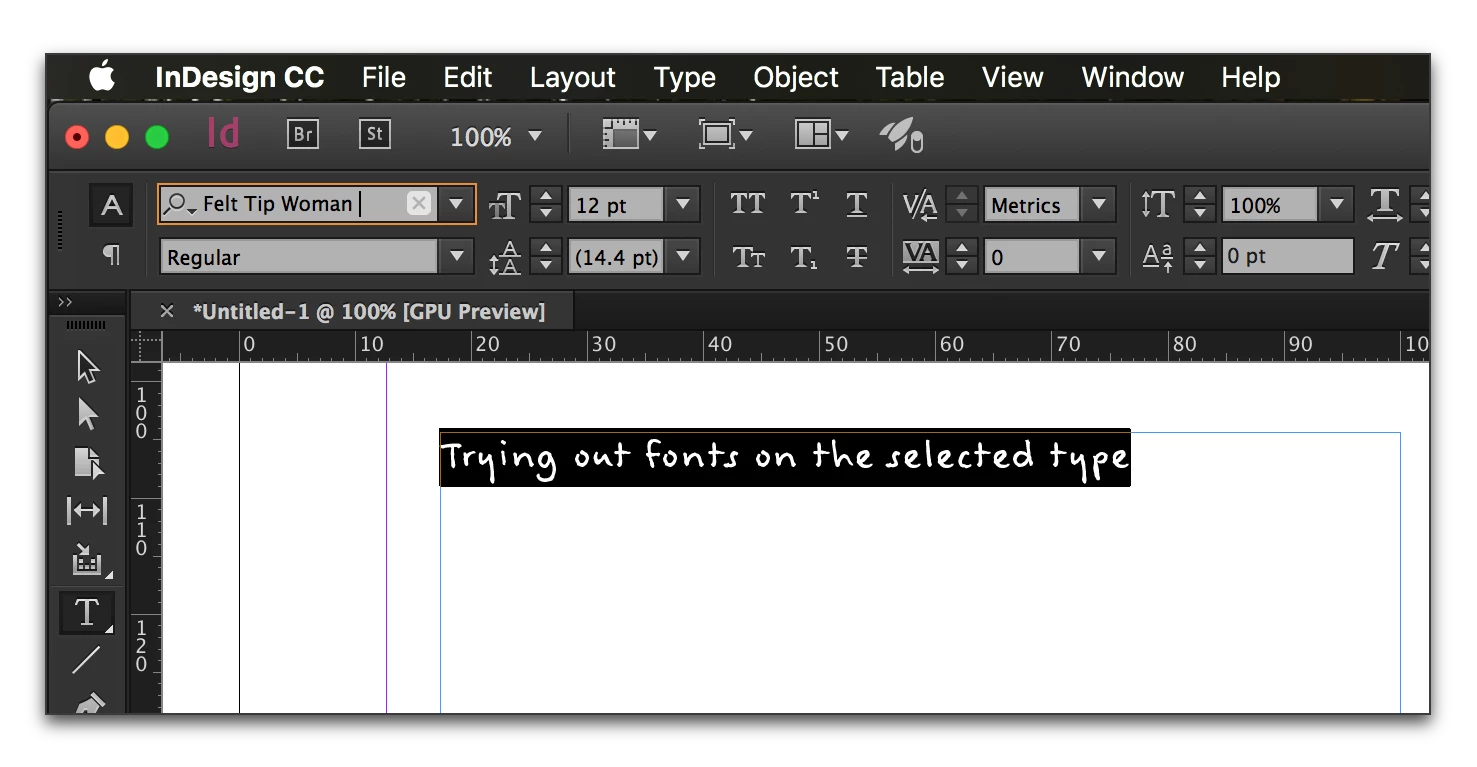
You didn't mention which version you are using, but you are on a Mac so try this:

  1. Select the text you want to play with.
  2. Click once on the current font name to highlight it.
  3. Tap the down arrow key (or up) to quickly move through the list.

2 replies

Nicole Malena
Participant
July 12, 2017

I have tried that as well, but jumping back to the original font still happens. I've even reset InDesign.

This is the version I have:

Barb Binder
Community Expert
Barb BinderCommunity ExpertCorrect answer
Community Expert
January 9, 2017

You didn't mention which version you are using, but you are on a Mac so try this:

  1. Select the text you want to play with.
  2. Click once on the current font name to highlight it.
  3. Tap the down arrow key (or up) to quickly move through the list.

~Barb at Rocky Mountain Training