
Question
Font no longer available
Hello,
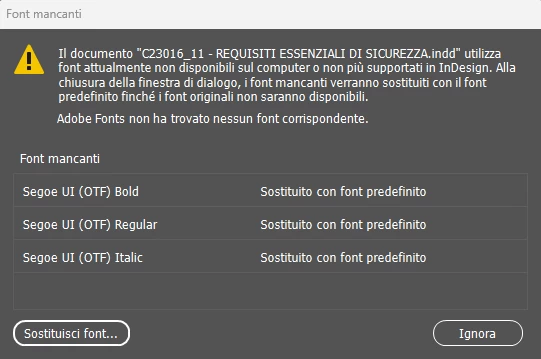
Since I updated InDesign to the latest version, it can no longer find this font. This is the “official” font we use in our company. I have thousands of InDesign documents, and every time I open one, I have to replace them to correct the error, which is incredibly time-consuming.
The problem is that the font is present on my PC, and I can use it everywhere, including the version 19.5.2 of InDesign that I have also installed separately.
I don't understand why, after the update, the font is not detected when I open any document. Even more absurd is that I can always replace it with the same font in the Library and it corrects the error.
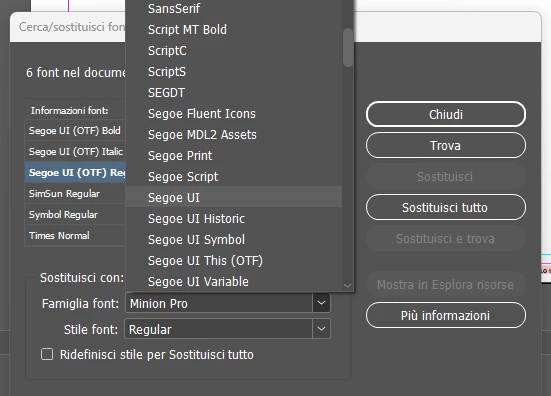
How can I solve this without having to replace it every time?
Thank you


 AdChoices