

Inspiring
September 19, 2024
Question

Font Not Exporting Correctly to PDF in InDesign: 'Lindsey Signature'

  • September 19, 2024
  • 2 replies
  • 496 views

Why is the font 'Lindsey Signature' (title of each section- see attatchements) not exporting as the font??
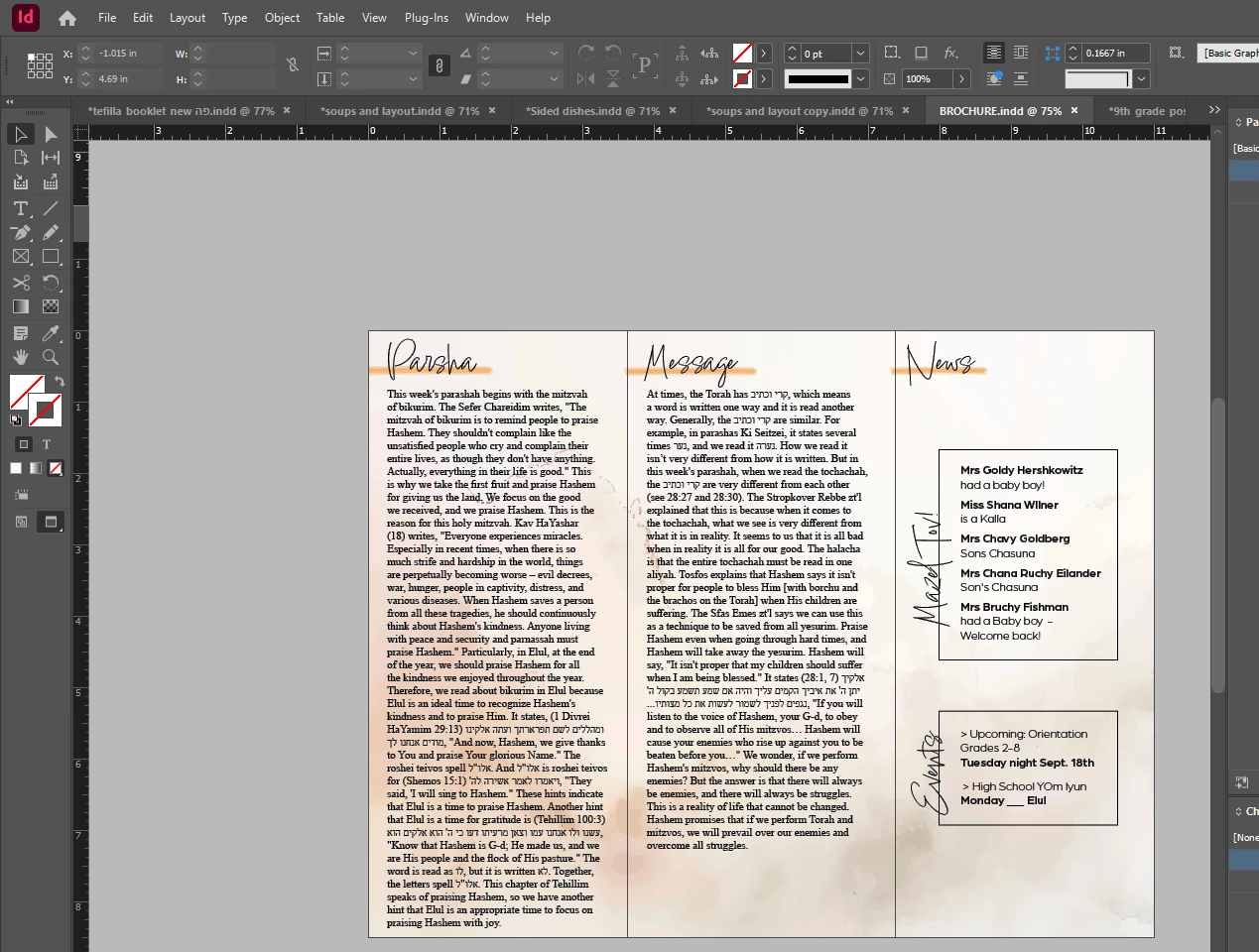
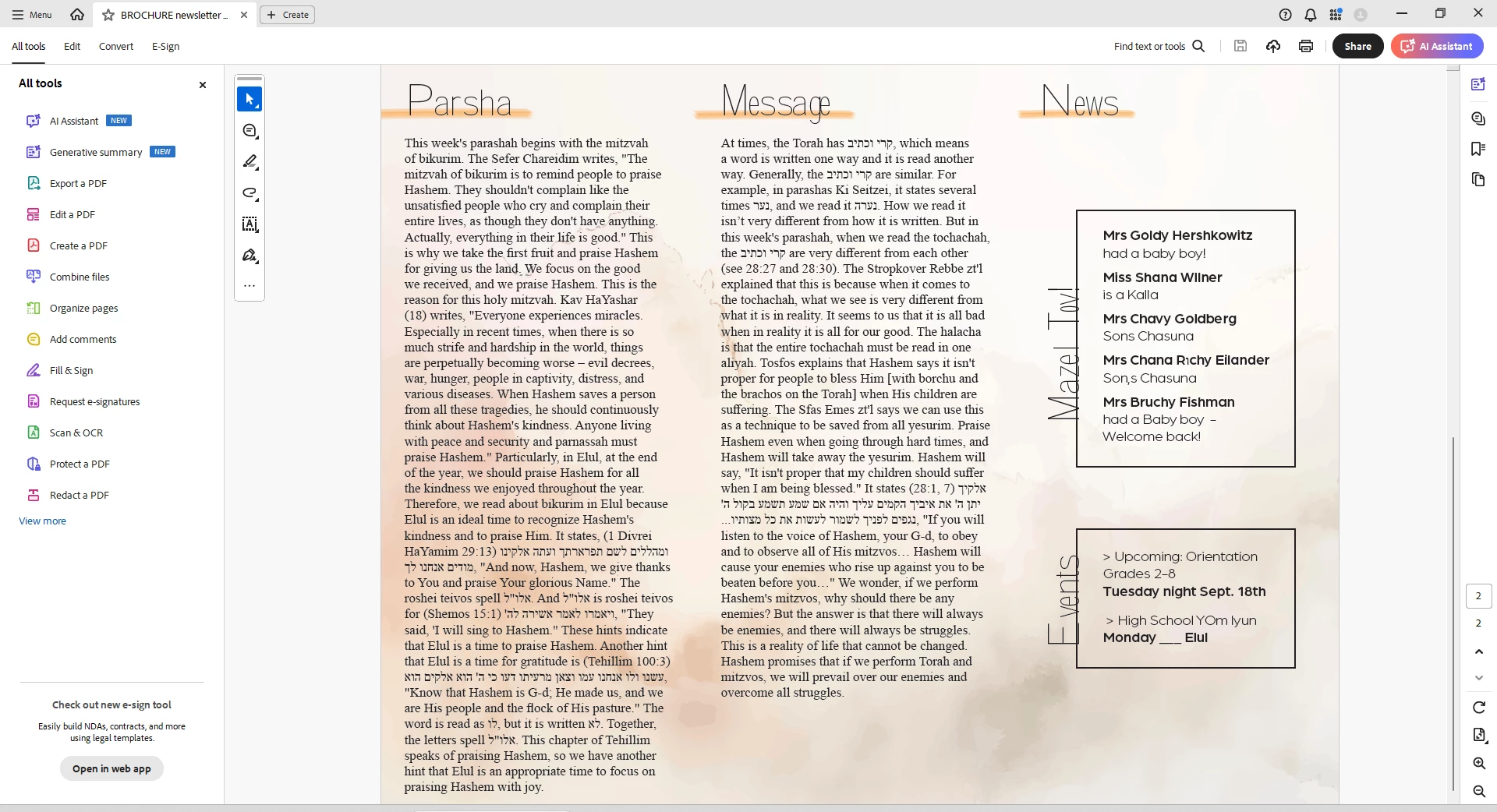
 

<Title renamed by MOD>

This topic has been closed for replies.

2 replies

Mike Witherell
Community Expert
Community Expert
September 29, 2024

Insert your Type tool into the Lindsay Signature text.

Click on Type > Find/Replace Font

Click on the Lindsay Signature font

Be sure to click on More Info

What are the font restrictions, if any?

What is the path to the font?

Mike Witherell
jmlevy
Community Expert
Community Expert
September 29, 2024

Hi @Mike Witherell that's was my idea, but I activated Lindsey Signature from Adobe fonts and all is OK. No problem on my Mac with version 19.5 to export a PDF correctly.

Abhishek Rao
Community Manager
Community Manager
September 19, 2024

Hi @Hendy374084080dng,


I’m sorry to hear about the trouble with exporting your font. To help resolve this issue, could you please provide the following details?

1. Which version of InDesign are you using?
2. What OS are you working on?
3. Could you share a screenshot of your export settings?

This information will help us diagnose the issue more accurately. 


Thank you, and I look forward to your response!


Best,  
Abhishek Rao

Inspiring
September 29, 2024

Happening again now!

Any time I use a new font from adobe.