Hosun
Inspiring
March 28, 2023
Answered

font-weight on EPUB

  • March 28, 2023
  • 1 reply
  • 899 views

Hi,


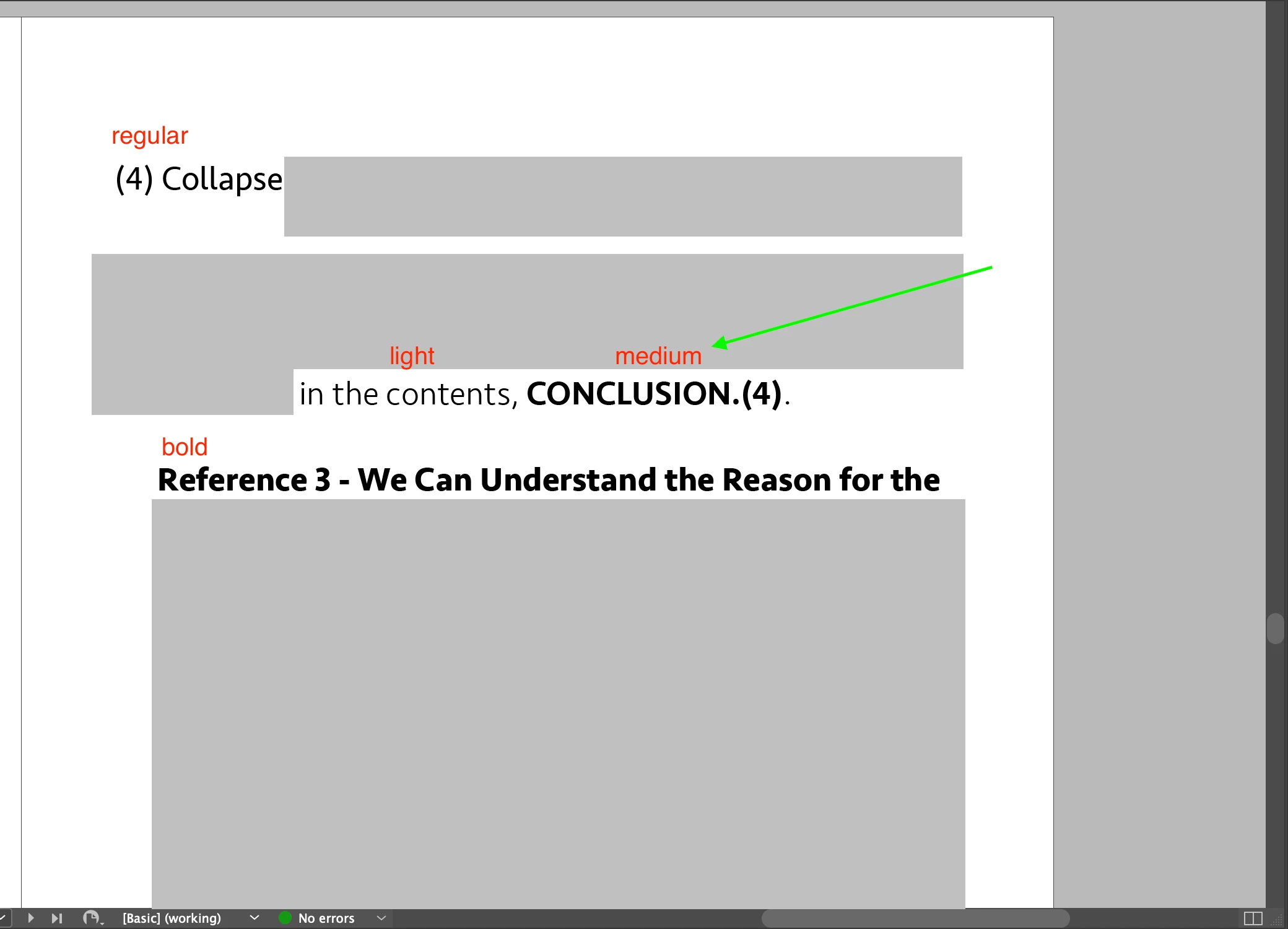
[Screenshot 1]

On Id, there are font-weight (light, regular, medium, bold).


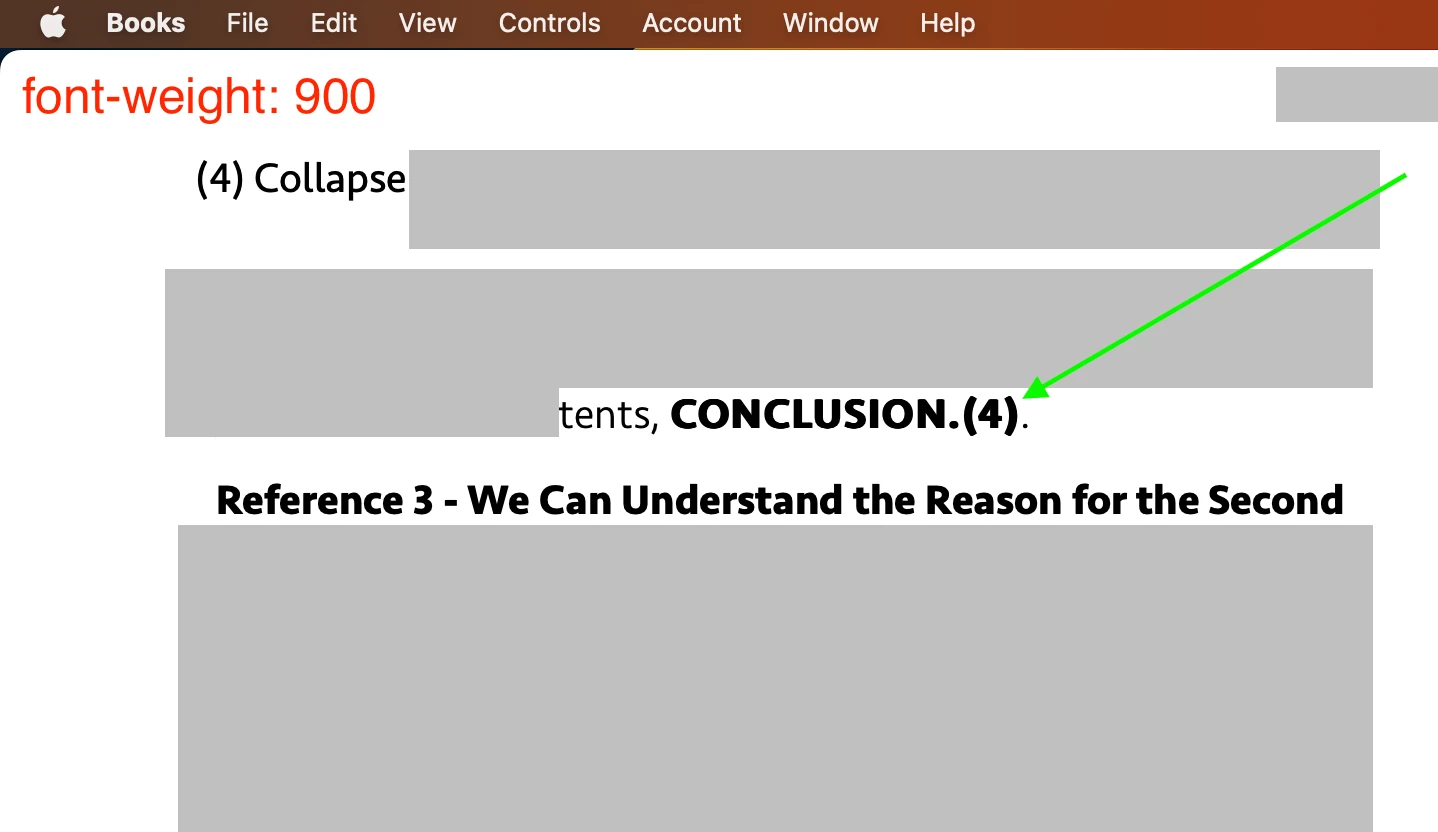
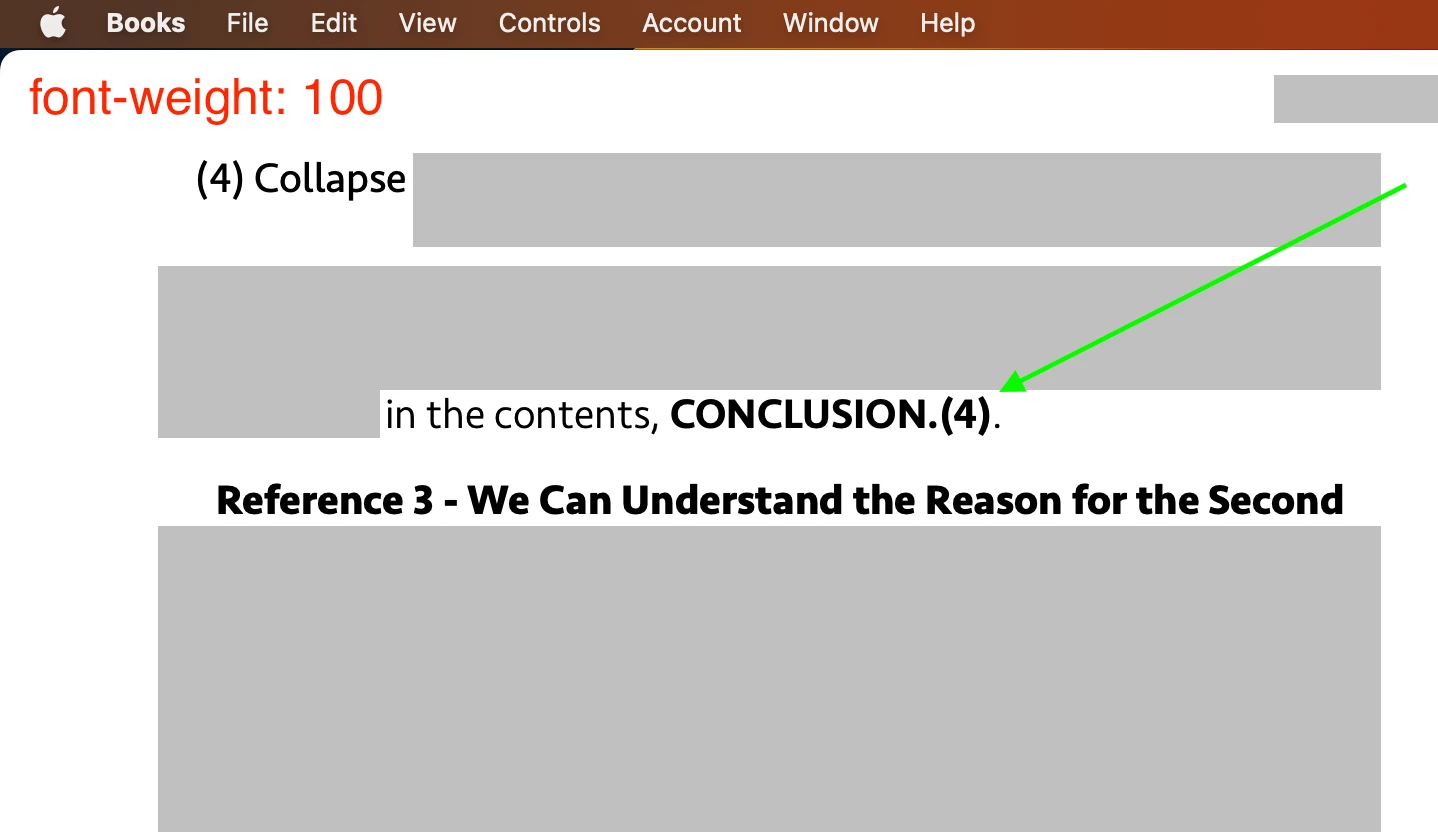
On EPUB, medium on CONCLUSION.(4) is not presented well (I want to make it thinner than bold).

So, I wrote:

span.medium {font-weight: ;}


[Screenhot 2]

"font-weight: 900" works.


[Screenshot 3]

With font-weight: 100, I can't make medium on CONCLUSION.(4) much thinner than bold.


Is there any workaround?


Hosun
 

This topic has been closed for replies.
Correct answer James Gifford—NitroPress

Nearly everything in EPUB is reader-dependent. It's likely that no two readers, even the same app on different platforms, will interpret any given document the same way.


But the standard/vanilla readers only intrerpret those four faces.


1 reply

James Gifford—NitroPress
Legend
March 28, 2023

The only font weights that work consistently in EPUB are Regular, Bold, Italic and BoldItalic (by whatever specific names a given font might use). Other weights, whether named (Light, Semibold, Demi, Black, etc.) or numeric, will map to one of those four. I forget the numeric equivalent ranges for those four, off hand, but 100-500 will map to Regular, 600-900 to Bold.


Hosun
HosunAuthor
Inspiring
March 28, 2023

I'd rather go with font-weight: 400.

It makes no difference on Mac.

But it makes difference on iPhone.


Hosun


James Gifford—NitroPress
Legend
March 28, 2023

Nearly everything in EPUB is reader-dependent. It's likely that no two readers, even the same app on different platforms, will interpret any given document the same way.


But the standard/vanilla readers only intrerpret those four faces.