
Fonts displayed wrong with right font installed and found
Hello,
So I have a big problem with displayed fonts in InDesign files in our company. All of our files are stored on a server and edited by different people. Most of them work on windows, I’m editing on a Mac.
When I open said documents from the server on my Mac most of the text fields are displayed wrong. The program is recognizing the fonts correctly but is displaying them wrong. In the first screenshot you can see how the fonts are displayed wrong.
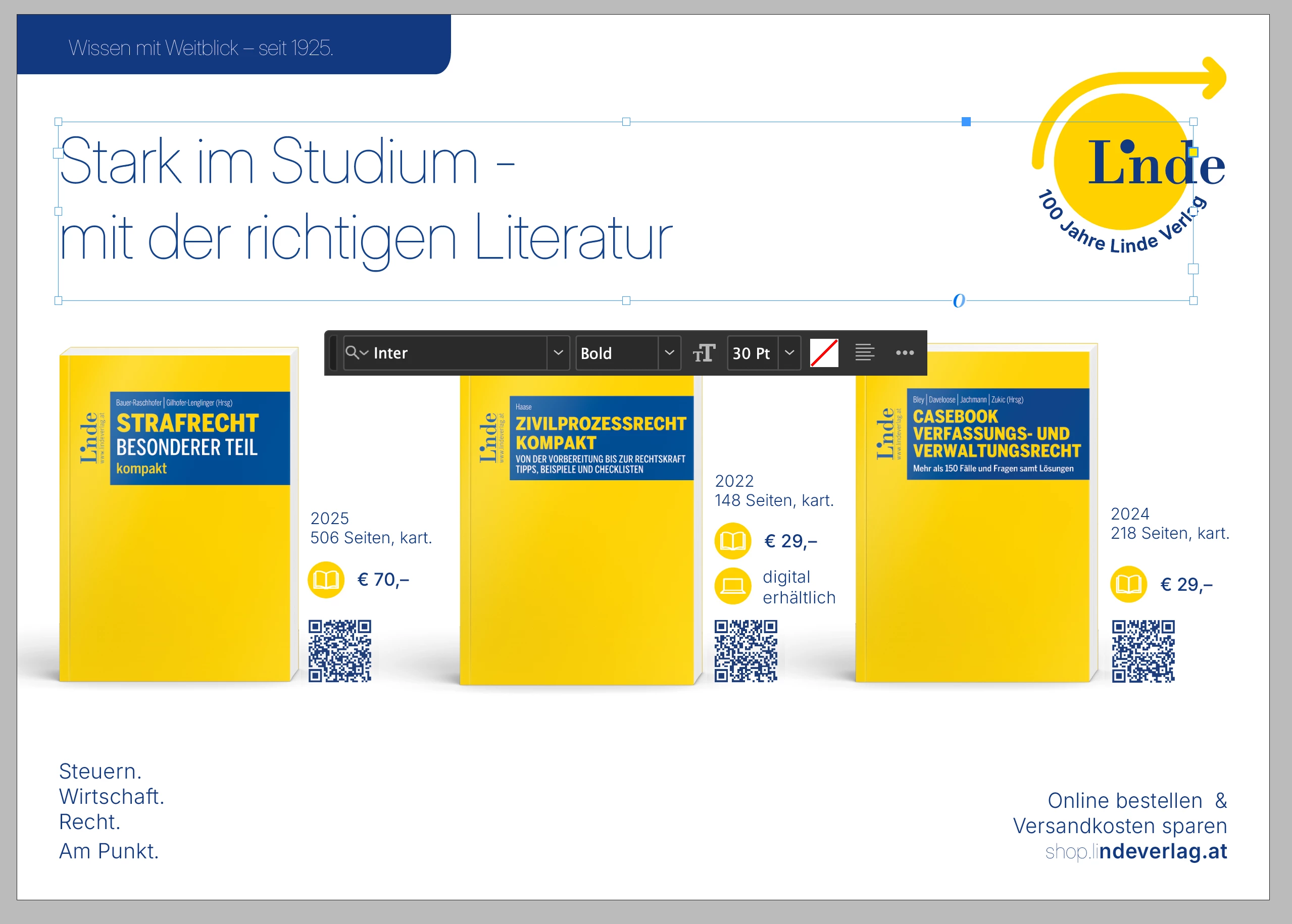
You can see that InDesign recognizes it as the font Inter Bold, but fails to display it correctly. If I would export it like this as a PDF directly, everything would look like this. To fix this I have to select every text or text field individually and press enter on the font variation selector for it to get displayed correctly like this:

I have no duplications of this font on my Mac and installed everything directly from Google Fonts (in this case 'Inter' font). I have tried using both the variable Fonts and the static fonts, both .ttf format.
How can I resolve this issue? It’s really time consuming having to change every text field once I open up any InDesign document from my colleagues.


 AdChoices