


Inspiring
October 30, 2024
Answered

Fonts Pop-up Menu

  • October 30, 2024
  • 1 reply
  • 630 views

When trying to change a font using the font pull down menu in InDesign, that menu does not display any fonts; instead, I get this fonts pop-up menu that just sits there and I can't move it or get rid of it.
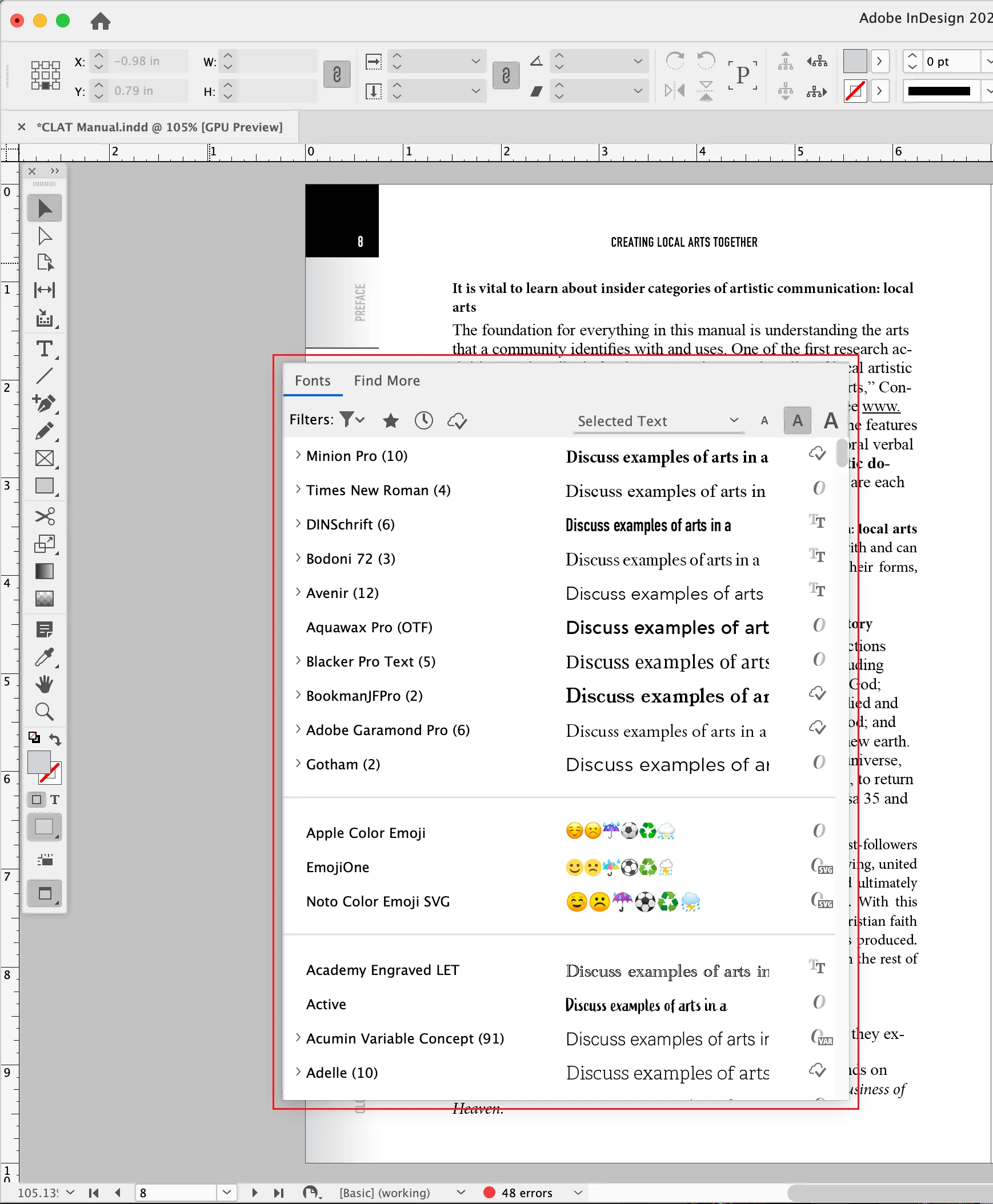
 

Any thoughts on how I can get rid of it and go back to changing my fonts from the pull down menu?

This topic has been closed for replies.
Correct answer Srishti_Bali

Hi @Mike_WCP ,


I’m sorry to hear about this. Could you share a few more details to help us troubleshoot?


  • Operating system and InDesign version you’re using.
  • When did the issue start? Did it begin after a recent update?
  • Would you mind resetting InDesign preferences and let us know how it goes.


We’re here to help; just need a bit more information.


Regards,

Srishti

1 reply

Srishti_Bali
Srishti_BaliCorrect answer
Legend
October 30, 2024

Hi @Mike_WCP ,


I’m sorry to hear about this. Could you share a few more details to help us troubleshoot?


  • Operating system and InDesign version you’re using.
  • When did the issue start? Did it begin after a recent update?
  • Would you mind resetting InDesign preferences and let us know how it goes.


We’re here to help; just need a bit more information.


Regards,

Srishti

Mike_WCPAuthor
Inspiring
October 30, 2024
Srishti,
 
I'm running ID 19.3 on a MacBook Pro iOS Sonoma 14.7, but have two Dell 27" external monitors plugged into my laptop. This started after I had to restart my computer about a week ago and the ID display went from one of the larger monitors to the laptop screen and was partially hidden in the upper left corner (I was able to resolve that issue.)