
Inspiring
February 3, 2025
Answered

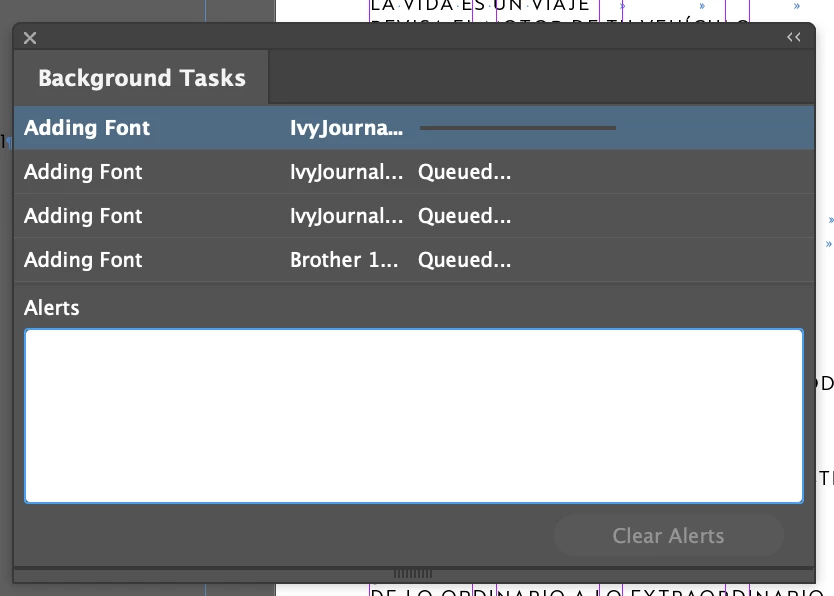
Fonts updating on the background

  • February 3, 2025
  • 4 replies
  • 596 views

Anyone else experiencing all their fonts missing with the recent update on Creative Cloud? I'm having to remove them and install them again, every single one of them. Which is of course not that hard but the background task won't stop.


Correct answer Bera35005021f6ve

I did have to restart and login again into my CC account, I'm not sure "why" it happens, but it got fixed. Thank you.

4 replies

Abhishek Rao
Community Manager
Community Manager
February 28, 2025

Hi @Bera35005021f6ve,  


I hope the suggestions from Peter and Joel helped resolve the issue. If not, could you let me know if you're still facing problems with font syncing?  

If it’s fixed, it would be great if you could share what worked for you in the thread, it might help others dealing with the same issue!  

Looking forward to your update.  


^
Abhishek

Peter Spier
Community Expert
Community Expert
February 3, 2025

Have you tried logging out of the CC Desktop App and logging back in?

Joel Cherney
Community Expert
Community Expert
February 3, 2025

Peter's suggestion is the best place to start. I had chronic font sync problems for maybe two or three years, and logging out & back in again would usually fix these kinds of issues. But if that doesn't work, or if it works for a short period of time and then goes back to failing to sync fonts, then you need to clear your font cache. Here's what worked for me:


1) Logging out of Creative Cloud on all devices

2) Following the font-cache-clearing instructions posted by Abhishek upthread

3) Restarting the OS (while vigorously cursing an app that still actually requires a full system restart in TYOOL 2025)

4) Logging back in & allowing fonts to sync before starting work


Perhaps the cursing is optional; I wouldn't know. I've never stepped through the checklist without the cursing. 


Bera35005021f6veAuthorCorrect answer
Inspiring
April 3, 2025

I did have to restart and login again into my CC account, I'm not sure "why" it happens, but it got fixed. Thank you.

Willi Adelberger
Community Expert
Community Expert
February 3, 2025

Where have the fonts been saved before?

Inspiring
April 3, 2025

These are the fonts I got from Adobe Fonts, so it's on the cloud.

Abhishek Rao
Community Manager
Community Manager
February 3, 2025

Hi @Bera Lopez, 


I tested this on my end, and it's working fine. Could you please share the version of InDesign and the Creative Cloud Desktop app you are using? Also, let me know your operating system (Windows or macOS, along with the version). I recommend restarting your system to ensure all Creative Cloud services restart properly and test the issue. Moreover, please refer this article and clear the font cache and then test the issue.


Let me know how it goes. 


^

Abhishek


Inspiring
April 3, 2025

I stopped having issues when I uninstalled and re installed the fonts. Thank you for your help.