
keithconover
Inspiring
March 9, 2025
Question

Footnote kills header text variable

  • March 9, 2025
  • 5 replies
  • 395 views

This is really weird. I have headers in my textbook, and they: 

  • From a paragraph with the "H1" paragraph style, pick up text  which is styled by the character style "HeadText1" (which does nothing but allow a Text Variable named "Section" to pull this text and put it in the header),
  • From a paragraph with the "H2" paragraph style, pick up text which is styled by the character style "HeadText2" (which does nothing but allow a Text Variable named "Subsection" to pull this text and put it in the header), and
  • From a paragraph with the "H3" paragraph style, pick up text which is styled by the character style "HeadText3" (which does nothing but allow a Text Variable named "Subsubsection" to pull this text and put it in the header)

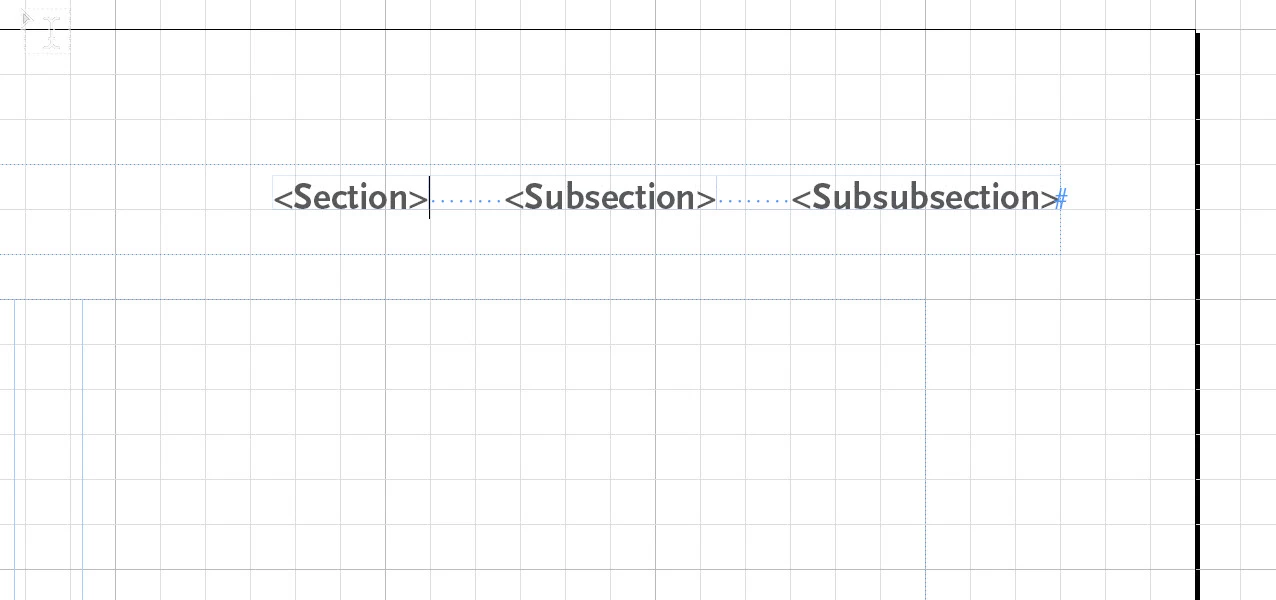
I have a header that has the text variables <Section> then a tab then <Subsection> then a tab and then <Subsubsection>:
Which, on a page with these paragraph and character styles, looks like this:
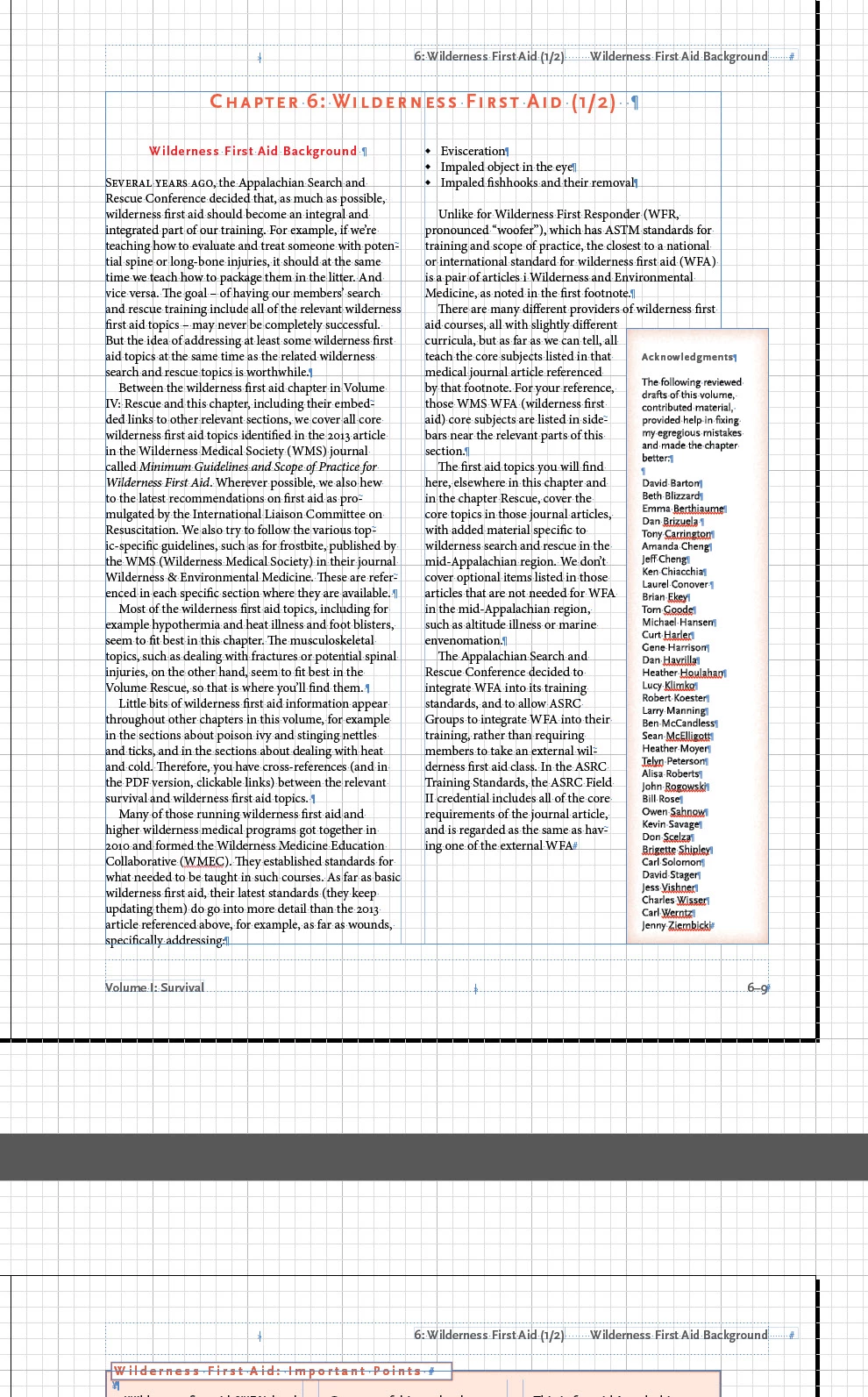
(This section doesn't have any H2 headers so the Subsubsection variable is blank)

So far so good.

But then, I started noticing that somehow my H1 HeadText1 Section text quit appearing on the second page. I've had this before, and it came down to a tiny bit of text – sometimes even just a paragraph mark – styled with HeadText1. So I just search and destroy that bit of HeadText1 styling. But this time, when that first "6: Wilderness First Aid (1/2)" disappeared, there was no errant HeadText1 styling. I cut all the text in that first section, and the problem disappeared. I tried saving the chapter to an .idml file and back into .indd file to clean it. Still happened.

I tried stripping out all of that text, putting into a pure ASCII editor to clean it (I use UEStudio from UltraEdit for this and coding). I copied the text in, and things were going fine until I created a footnote to put some of the footnoted ASCII text into. But simply the act of creating the footnote – a blank footnote – made the problem recur:
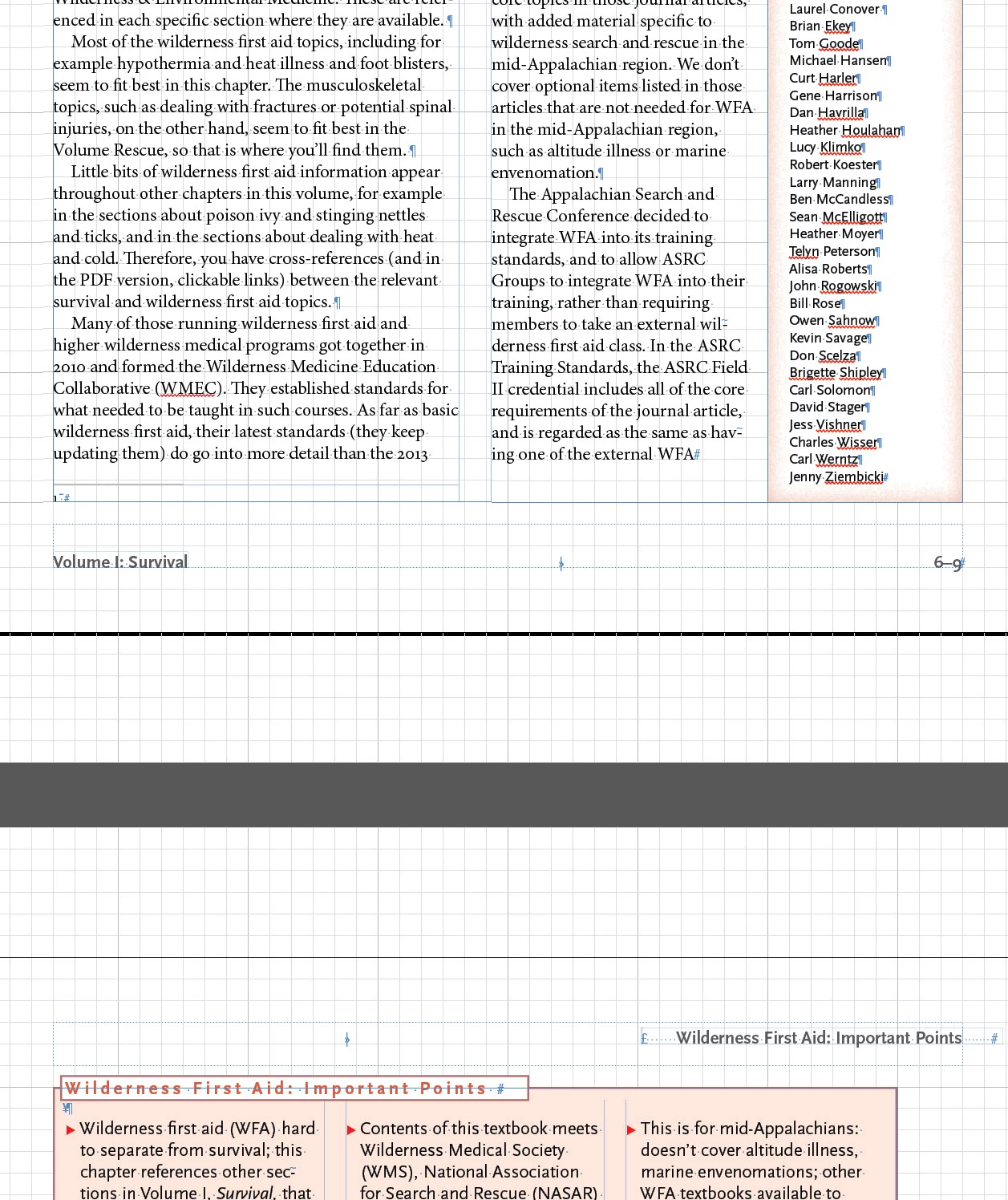
And that missing header bit stays missing throughout the entire length of the chapter.

I thought it might be the footnote pushing something – maybe a paragraph marker – onto the next page. But no, the text does not extend onto the next page when I insert a footnote. It's just the footnote itself that's screwing up the header. Sigh.

I thought it might be something weird in the Footnote Text style. But no, it looks pretty plain:
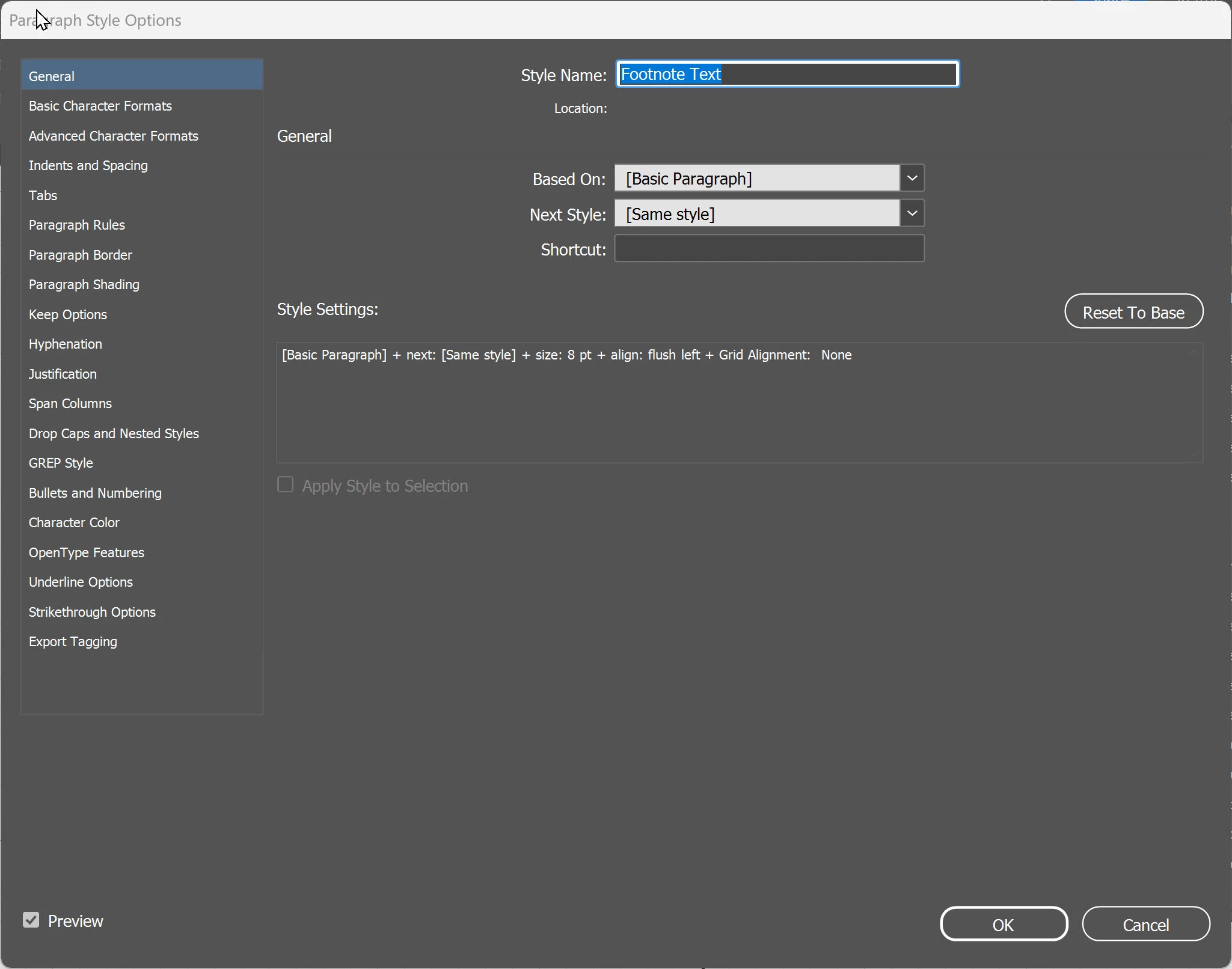
I did try "Reset to Base" on the footnote style but the problem still occurred when I did that.

I have no clue what's going on. I hope someone else on this forum does! I figured I would try here before calling tech support.

Thanks for any help.

5 replies

Abhishek Rao
Community Manager
Community Manager
March 11, 2025

Hi @keithconover,  


I hope Robert's and Barb's suggestions helped in figuring out what's going on. Were you able to resolve the issue with the running header and footnotes, or is it still happening? If you found a solution, it would be great if you could share it here so other InDesign users facing a similar issue can refer to it. Let me know if you still need help!  


^

Abhishek


Robert at ID-Tasker
Legend
March 9, 2025

@keithconover


And I think, just in case, you should add three more variables. 


Right now, you've first + last + last on the left and right pages - but you should rather have first + first + first on the left and last + last + last on the right pages. 


Barb Binder
Community Expert
Community Expert
March 9, 2025

Hi Keith:


I think I may have the same set-up question as Robert... why are you creating/assigning/calling in character styles? I use a Running Header (Character style) in place of a Running Header (Paragraph style) when I just want to pull some of an insanely long title into the running head. (I have authors who will write 4-5 line titles that will never fit in the space provided for the running head.) But in your case, you are mostly pullling in entire paragraphs so you could simplify the workflow and juse use Running Header (Paragraph style) to call in the H2s and H3s. (Your H1s are partial paragraphs in that you are not calling in the word Chapter.) Not saying that's the issue but it's worth noting. 


Now I do use Running Header (Character style)s in a very footnote-intensive document (~300 notes per article, 3–5 articles in a file) with absolutely no issues. However, I'm still using v19.5.2 for production because I don't fully trust v20 yet.


So some questions (and I know you know InDesign, Keith, so please forgive me for checking the obvious things first):

  • What version of InDesign and what OS?
  • The RH variables do require threaded text frames and that gets overlooked sometimes—are your frames threaded between the two pages you are sharing with us?
  • Where is the footnote reference? In a head or in a body para? We can't see it in your screen shot. 
  • And a missing head should still show the variable placeholder—it's not on yours?


~Barb

~Barb at Rocky Mountain Training
Robert at ID-Tasker
Legend
March 9, 2025

Thanks for the file.


Looks like it has something to do with the fact - that you don't have any text on the next pages / spread?


If I'll make the TF on the page 6-9 lower - shift some text to page 6-10 and 6-11 - then insert Footnote - no problem:


And if there is no more text on page 6-11 - wrong Running Header:


BUT - if I'll DELETE empty TF on the page 6-11 - everything is back to normal:


So - it looks like a bug?


Also, as long as RH of the next spread is visible - inserting Footnote do not imediately shows the problem - only by scrolling up/down and forcing refresh of the next spread - shows the problem.


Robert at ID-Tasker
Legend
March 9, 2025

Can you share your file? Privately of course.


And why "[...] paragraph style which is styled by the character style [...]"?

No longer relevant question - asked before seeing document.


keithconover
Inspiring
March 9, 2025

Tried editing my post to make the grammar make more sense. Sent you the link to my file via email. Thanks!

Robert at ID-Tasker
Legend
March 9, 2025

@keithconover


No problem, I understood what you meant after opening the document.