Dominique_R2
Known Participant
Nov 25, 2026 6:13 PM UTC
Answered

Footnote separation line abnormally long (see capture)

Hello all,

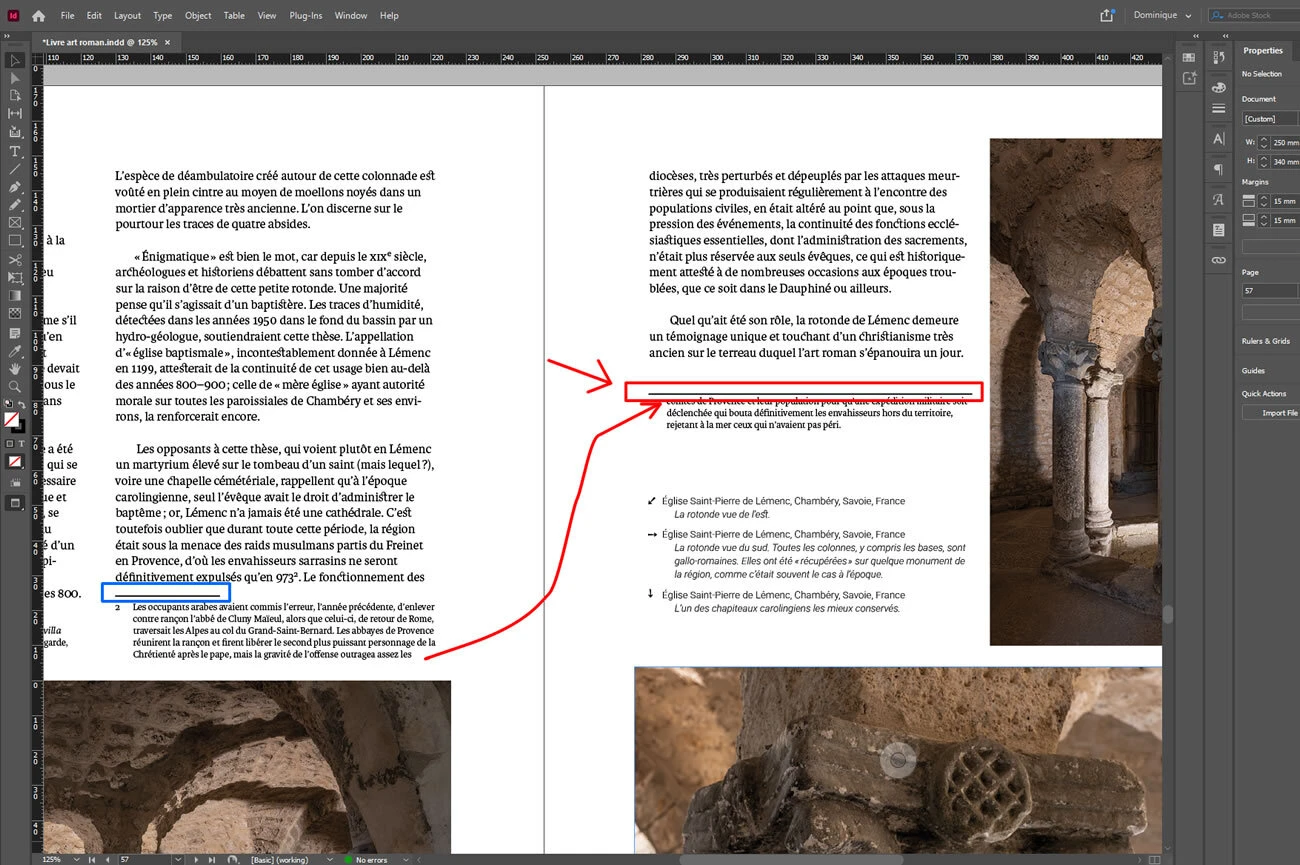
As you will see from the screen capture below, at one point in my current book I inserted a footnote in my body text. As the location of the footnote was very close to the bottom of the page, part of the footnote text spilled over to the next page, which is fine.

However, on that second page, the rule or separation line between the footnote and the body text spans the whole width of the text box (see red rectangle) instead of just part of it, as it should (see blue rectangle on the left page).

I would welcome any tip as to why this happened, and how to solve the problem. It is the first time I happen to have a footnote spill over onto the next page, so I have not encountered the issue before.

Many thanks in advance!

Dominique


    J E L
    J E LCorrect answer
    Community Expert
    Nov 25, 2026 6:30 PM UTC

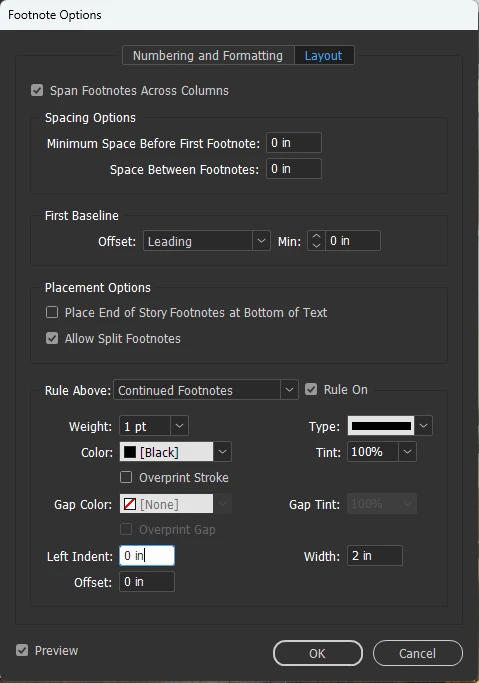
    Hi ​@Dominique_R2, check your footnote options and change the continued footnotes rule setting to a smaller width. Make sense? Let us know how it goes!


    3 replies

    J E L
    Community Expert
    J E LCommunity ExpertCorrect answer
    Community Expert
    Nov 25, 2026 6:30 PM UTC

    Hi ​@Dominique_R2, check your footnote options and change the continued footnotes rule setting to a smaller width. Make sense? Let us know how it goes!


    Translate
    Dominique_R2
    Known Participant
    Nov 25, 2026 6:37 PM UTC

    Splendid! Darn, those InDesign menus are so complex I never even noticed there was a “Continued Footnotes” option in that one! Many thanks to you, problem solved.

    Translate
    J E L
    Community Expert
    Community Expert
    Nov 25, 2026 6:39 PM UTC

    You’re so welcome! I know, there are a lot of settings in there to fiddle with.

    Translate