Footnote Text Missing - Overset but no warning/error
Hi All -
I'm hopeful someone can help me shed some light on this. I do layout/prepress for books that range from ~100 to ~800 pages, and for the last year or so (since we updated to CC2019) we've been having some issues with our footnotes.
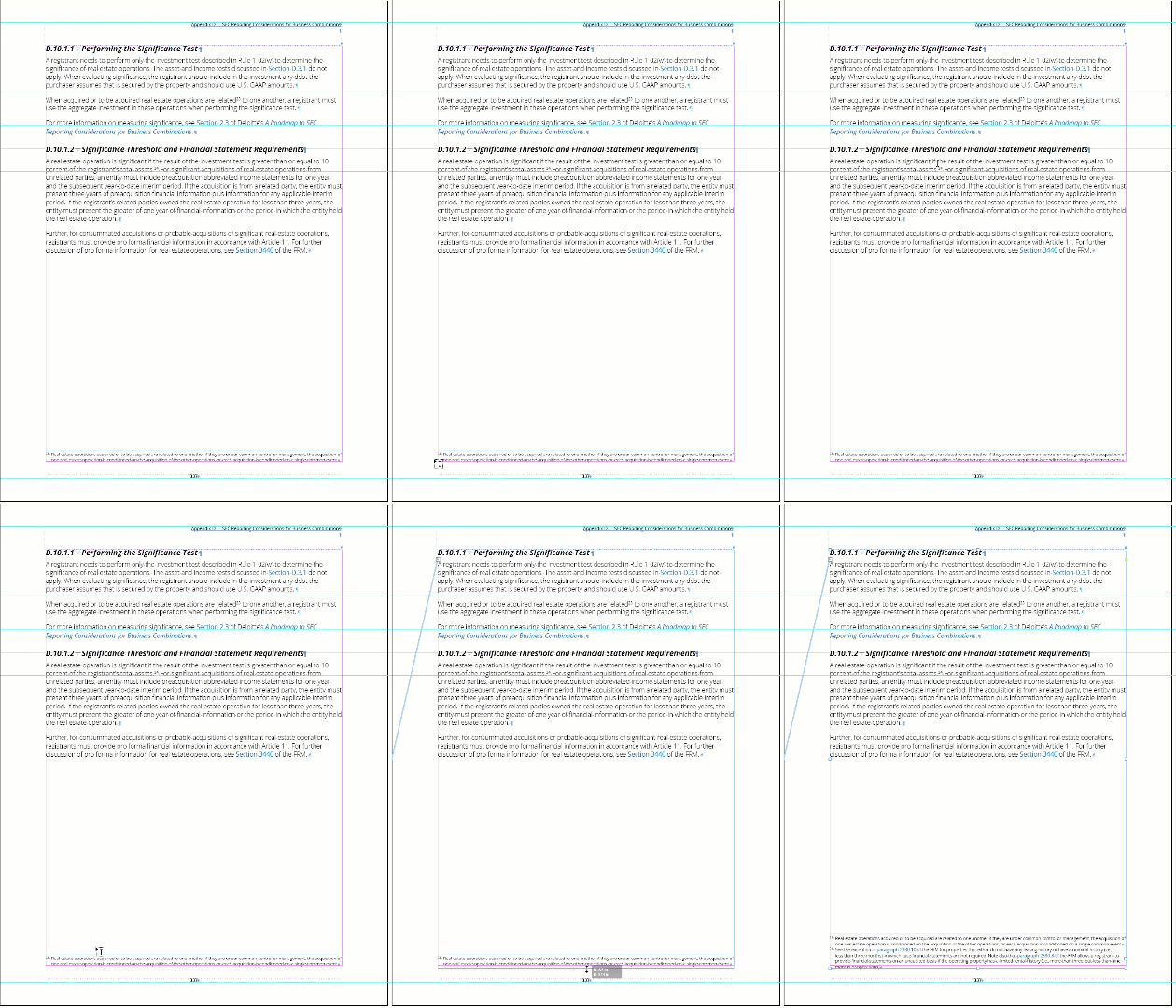
We are sometimes (not always; which is the frustrating part since I cannot reliably recreate the problem!) having an issue where some footnote text goes missing, and the page frame needs to be adjusted for the missing footnote text to appear. I've placed a GIF below (larger version attached) of a page that has two footnotes on it; one is showing, the other is not. As soon as I take the selection tool and drag the frame to resize it (larger or smaller, doesn't matter) the missing footnote magically appears. And unfortunately this overset text does NOT show up as an error in the preflight checker.
I'll save this file and open it and the previously missing footnote will still be there, but later on down the road after hours of working in the file, sometimes the same, or another, footnote (or several) will go missing in the same fashion and require the same frame adjustment to reveal it again.
I can search by a superscript character style that we use for the footnote references and then the missing text will hit in the search window as "(in overset text)" but there is no other way to find them, other than sometimes seeing that the threaded text from the next page gets pulled to the previous page thanks to the extra space made by the footnote text being AWOL.
We're on CC2019 14.0.3, we're on PCs, and this issue is happening with all of our desktop publishers on our team. Anyone have any ideas? Happy to provide any other information you may need.
Thanks!
Dave F.
 AdChoices