


Footnotes in seperate text boxes
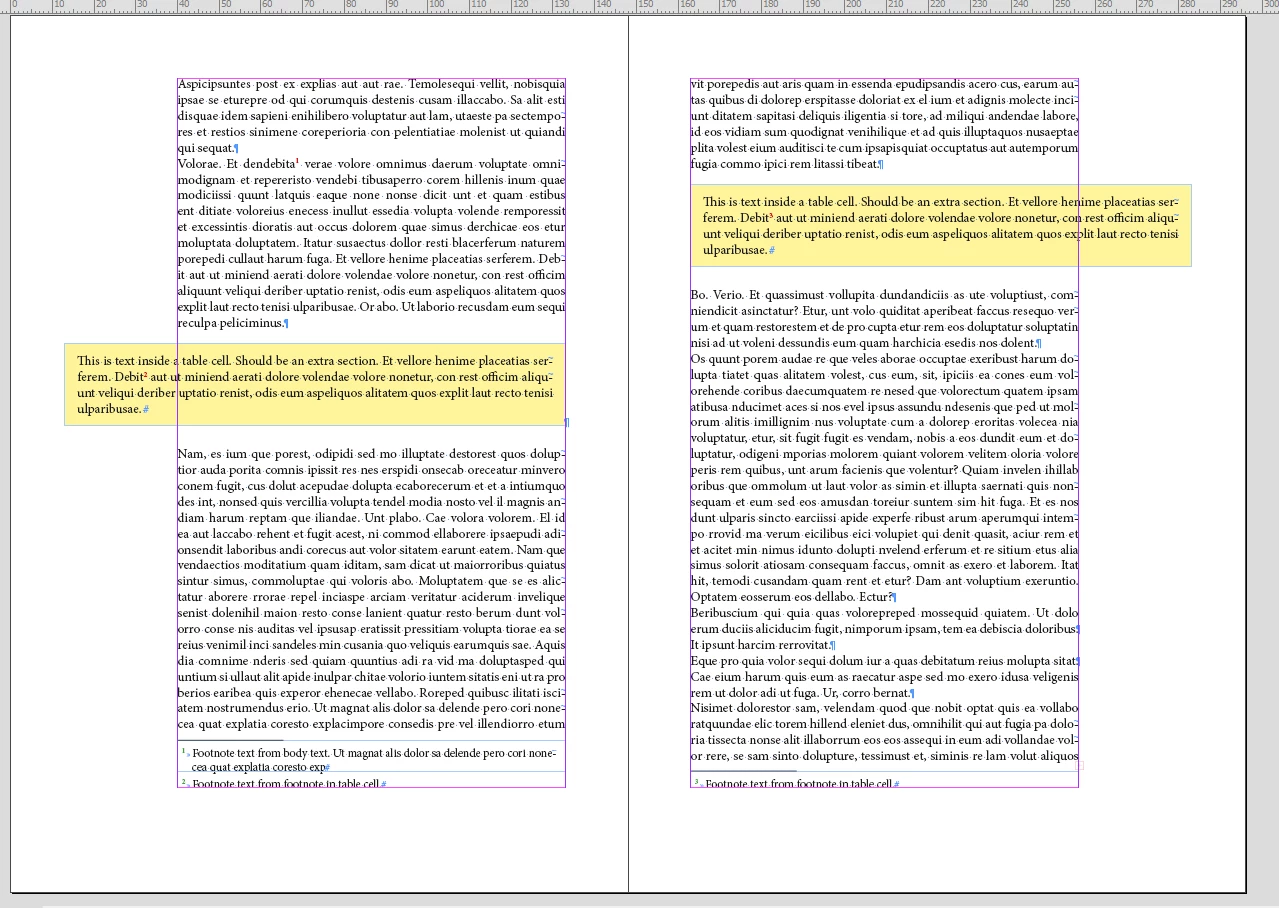
I'm designing a report that has a fair number of footnotes. Occasionally there is boxed text that needs to be designed so it appears in a shaded panel style. I've tried various ways of creating this, either as a seperate text frame with a threaded text link, or as a seperate formated text frame that I then anchor into the main flow of body text.
But when this boxed content also includes some footnotes, the problem then arises that the inserted footnotes appear at the bottom of the boxed text frame, whereas I want all footnotes to appear together across the span of the page at the botom of the full page (i.e. footnotes from the main text and the boxed text to appeart at the bottom of page together).
I have tried manullay adding the footnotes from the boxed text - but then any subsequent footnotes added to the mian text is wrongly numbered (it just carries on from the previous main text numbeing).
If I try and manulaly override the numbers, it disappears at the bottom of the page.
I'm thinking I can only fully manually set up the footnotes now (by just adding a plain superscript number in the text and then adding a manually typed footnote in a text frame at bottom of the page) but if anyone can advise on a better method I'd be grateful, thank you.
 AdChoices