
Participating Frequently
September 16, 2019
Question

footnotes numbering not continuing

  • September 16, 2019
  • 2 replies
  • 6479 views

After reading through previous questions on this matter, I created a threaded 40-pg document (very inconvenient for layout) and still am having problems with my footnote numbering. It restarts at #1 with each page. I need to have a continuous number from page 1 thru 40, so by the end my footnotes may be up to numbers 35-40. Surely InDesign can do this, right?
    This topic has been closed for replies.

    2 replies

    Barb Binder
    Community Expert
    Community Expert
    October 9, 2019

    Hi Sandy: This is a different question. Adunate was asking about numbering in single file, you are asking about continuing numbering across chapters in a book. This is not currently a feature in InDesign.


    Footnote numbering is not continued across documents in a book. If you don’t want numbering to restart in each document with the book, change the Start At value manually in each document after the editing is final.

    https://helpx.adobe.com/indesign/using/footnotes.html


    ~Barb

    ~Barb at Rocky Mountain Training
    Bevi Chagnon - PubCom.com
    Legend
    September 19, 2023

    I'm having a similar problem after updating to InDesign 18.4 (2023).

    • One INDD file, not a book with multiple files.
    • Several threaded stories in the file.
    • When footnotes appear in a new story thread, they restart numbering at "1" rather than continue from the previous story thread.
    • Even when the threaded stories are sequenced in the Articles panel, they still restart at "1."
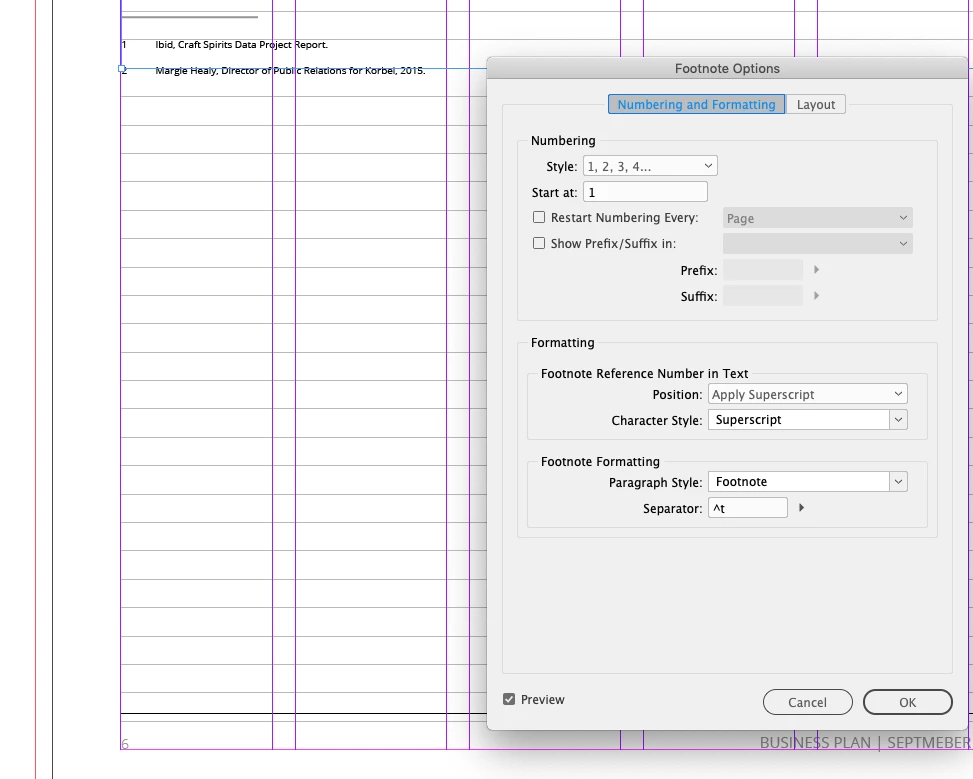
    • I've confirmed the settings in Type / Document Footnote Options and everything's correct.


    The only solution I've found is to manually thread the stories together into one long 64-page story, which is a royal pain and not the best tactic or structure for this accessible project.


    Is this a bug?

    Anyone else experiencing this?

    @Barb Binder, any ideas why this just started happening?


    |    Bevi Chagnon   |  Designer, Trainer, & Technologist for Accessible Documents ||    PubCom |    Classes & Books for Accessible InDesign, PDFs & MS Office |
    FRIdNGE
    September 19, 2023

    Not a bug but a totally normal (boring) InDesign Footnotes behavior since … InDesign added footnotes in its features, maybe CS1 (1999)!


    (^/)  The Jedi

    Barb Binder
    Community Expert
    Community Expert
    September 16, 2019

    Hi adunate:


    Yes, InDesign can do this, and it is the default for new documents, so the question is why yours isn't working. Would you mind sharing a screen shot that mirrors mine? It should show us the Pages panel, a two-page spread with a text frame selected and text threads visible.


    ~Barb

    ~Barb at Rocky Mountain Training
    SandyOgilvie416
    Participant
    October 9, 2019

    I am having same issue. I have long document with multiple chapters that are split into different text frames. The footnotes are fine in Chapter 1, but in Chapter 2, they start back a 1 again instead of being continuous.