dublove
Legend
May 18, 2022
Question

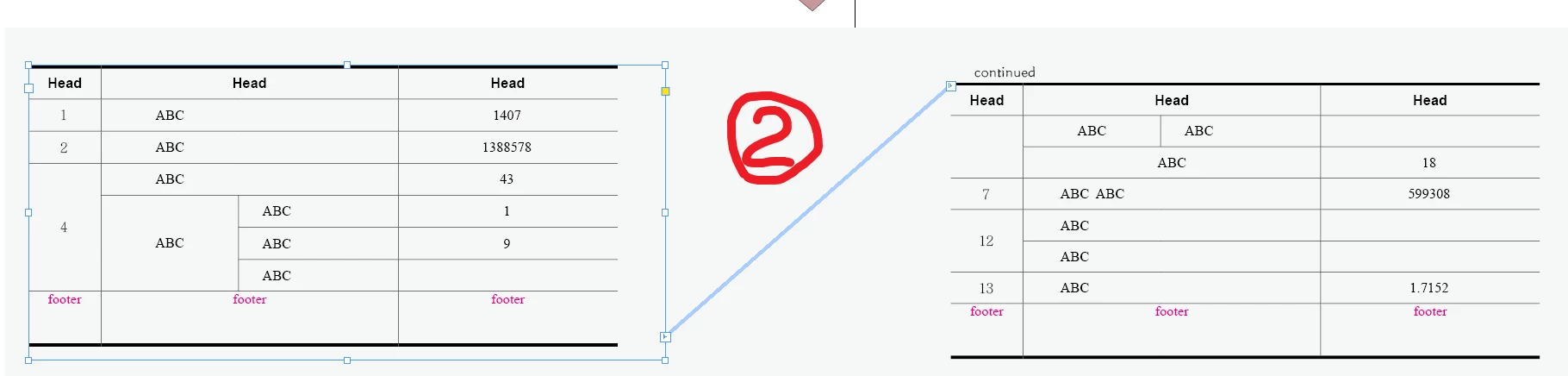
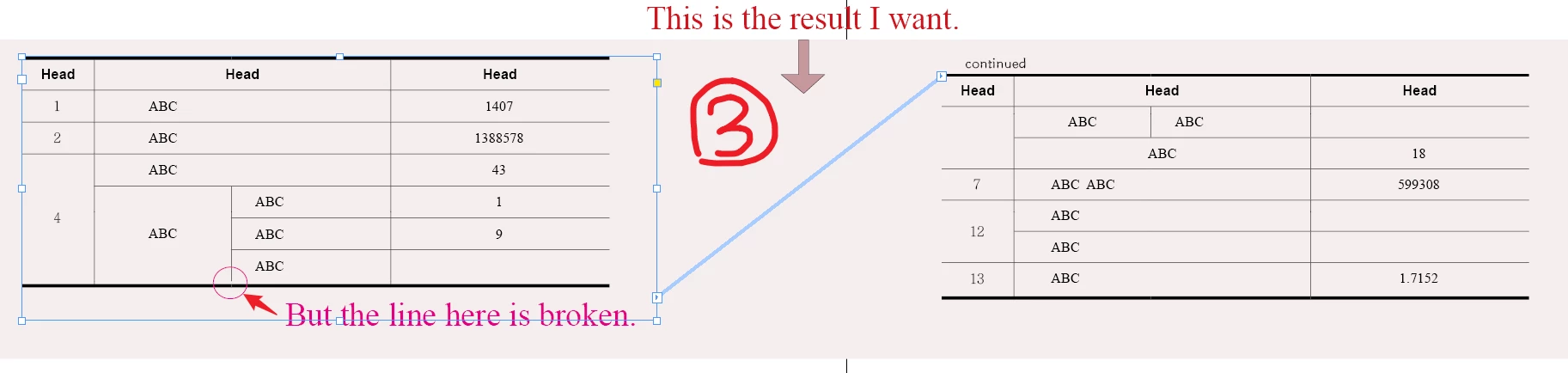
For long tables, I want to add a footer to the bottom of each continuation table. Bold tail line.

  • May 18, 2022
  • 2 replies
  • 362 views

For long tables, I want to add a footer to the bottom of each continuation table. Bold tail line.

However, it is not easy to handle when the tail row of the table spans multiple columns.


Table footer, when it spans multiple columns.

Sometimes the display column line is correct, and sometimes it does not need to be displayed.

How to solve it。

The file is here(expires21day)
 

This topic has been closed for replies.

2 replies

Kasyan Servetsky
Legend
May 19, 2022

But what if you in such cases would add a small anchored line?

You can play with the settings and save them in an object style.

Visually, it creates the necessary effect. Here's a screenshot from the exported PDF:


dublove
dubloveAuthor
Legend
May 19, 2022

Hi~ Kasyan Servetsky 。

Thank you very much ~

Yes, it's a good idea, but it's not the best way.

Because sometimes it's laying a mine


Maybe there is no solution. . . . .

Maybe I can only pray not to encounter rows that span multiple columns.

Community Expert
May 18, 2022

For some reason your footer row is merged - I selected the footer row and unmerged

and it worked


Is that what  you're looking for?

dublove
dubloveAuthor
Legend
May 19, 2022
I didn't intend to cloud merge the last row of the table. That's the default.

I just set the top line at the end of the table to 0.


This seems inevitable. Unless we find a new way.

If you cancel the footer merge, the left page table is right and the right page table is wrong