

muskoka lake
Inspiring
March 30, 2020
Answered

forced line breaks appear in Table Of Contents

  • March 30, 2020
  • 1 reply
  • 3543 views

I have created the TOC using Paragraph Styles and TOC Entry Styles.

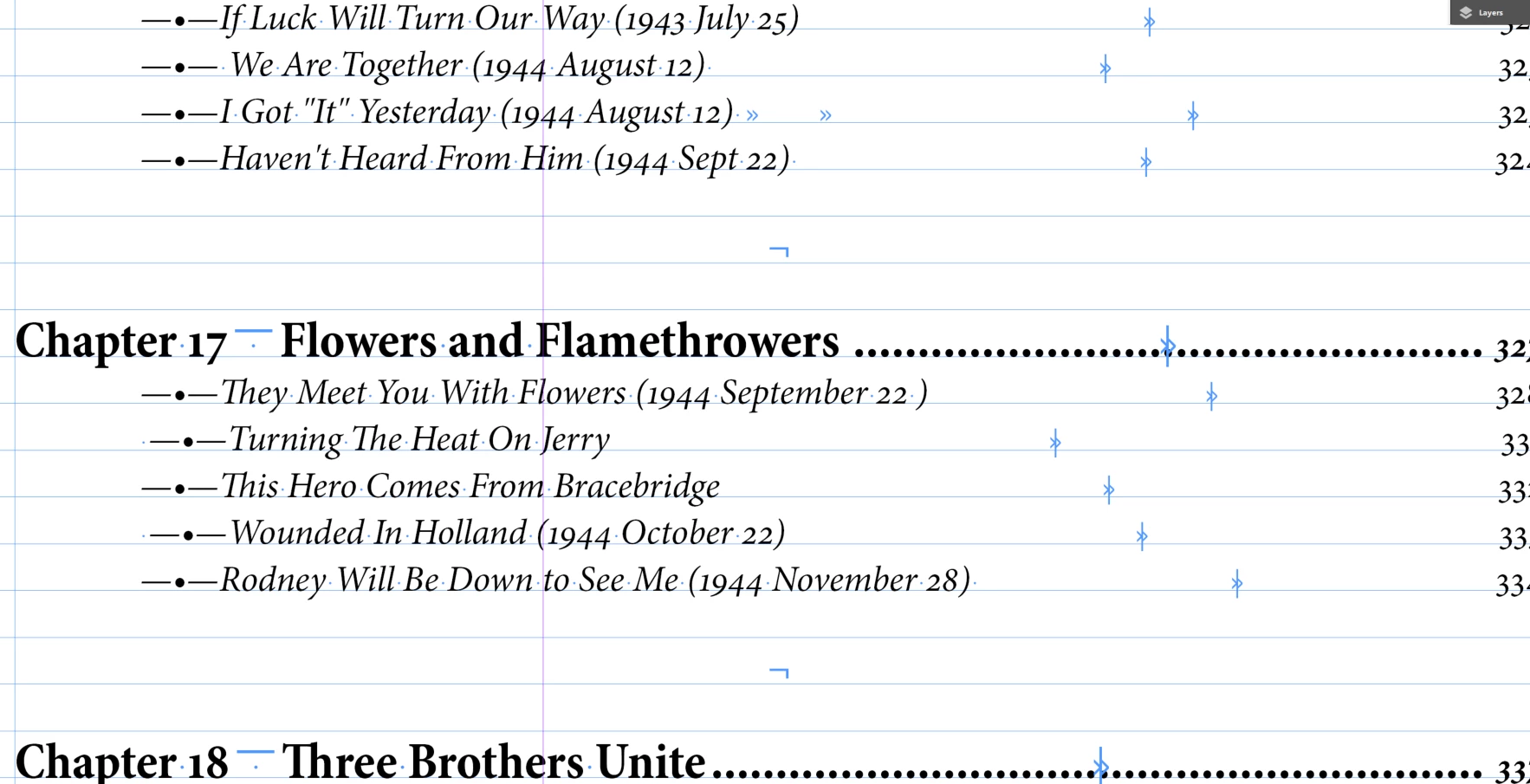
I can not figure out why the forced line break symbol is occuring in my TOC. Is it taking it from the text? If so I can not find the symbol on the pages between the two entries.

Here's the way it is happening. It seems to occur before the TOC Chapter Heading. Is there someplace I have inadvertently added this to my TOC style?
This topic has been closed for replies.
Correct answer Barb Binder

Yes, it pulls the data from the files, so it is pulling in the line break characters. An easy solution is to enable the Remove Forced Line Break checkbox in the Table of Contents dialog box, then re-generate the TOC.


~Barb

1 reply

Barb Binder
Community Expert
Barb BinderCommunity ExpertCorrect answer
Community Expert
March 30, 2020

Yes, it pulls the data from the files, so it is pulling in the line break characters. An easy solution is to enable the Remove Forced Line Break checkbox in the Table of Contents dialog box, then re-generate the TOC.


~Barb

~Barb at Rocky Mountain Training
muskoka lake
Inspiring
March 31, 2020

Thanks Barb,

I made sure  my TOC Style says Remove Forced Line breaks  That worke wonderfully between items of the same Entry Style.

Where I am having trouble now is between Entry Styles. I have made the space before, after, and between as 0 but there is still a large blank space between my Part Subheading and the Chapter Heading. This is not consistent however. Some work well, others don't. I can still see Forced Line Break in there even though I selected Remove Forced Line Breaks.

Any idea what has made it work in some places and not in others?