schroef
Inspiring
March 27, 2017
Answered

Format linked text files

  • March 27, 2017
  • 3 replies
  • 4120 views

Is there a method to keep Formatting on linked text files. I dont quite understand why this isnt available, this is a huge deal of course and a immense time-saver

Branched from Inserting text in an existing frame from an external file (Locked) by moderator

    This topic has been closed for replies.
    Correct answer Barb Binder

    Yes that is exactly what im looking for. But the does this only work with docx format, because doc doesnt seem to work. I do need to import those pre-defined styling in order to let this work probably or not?    


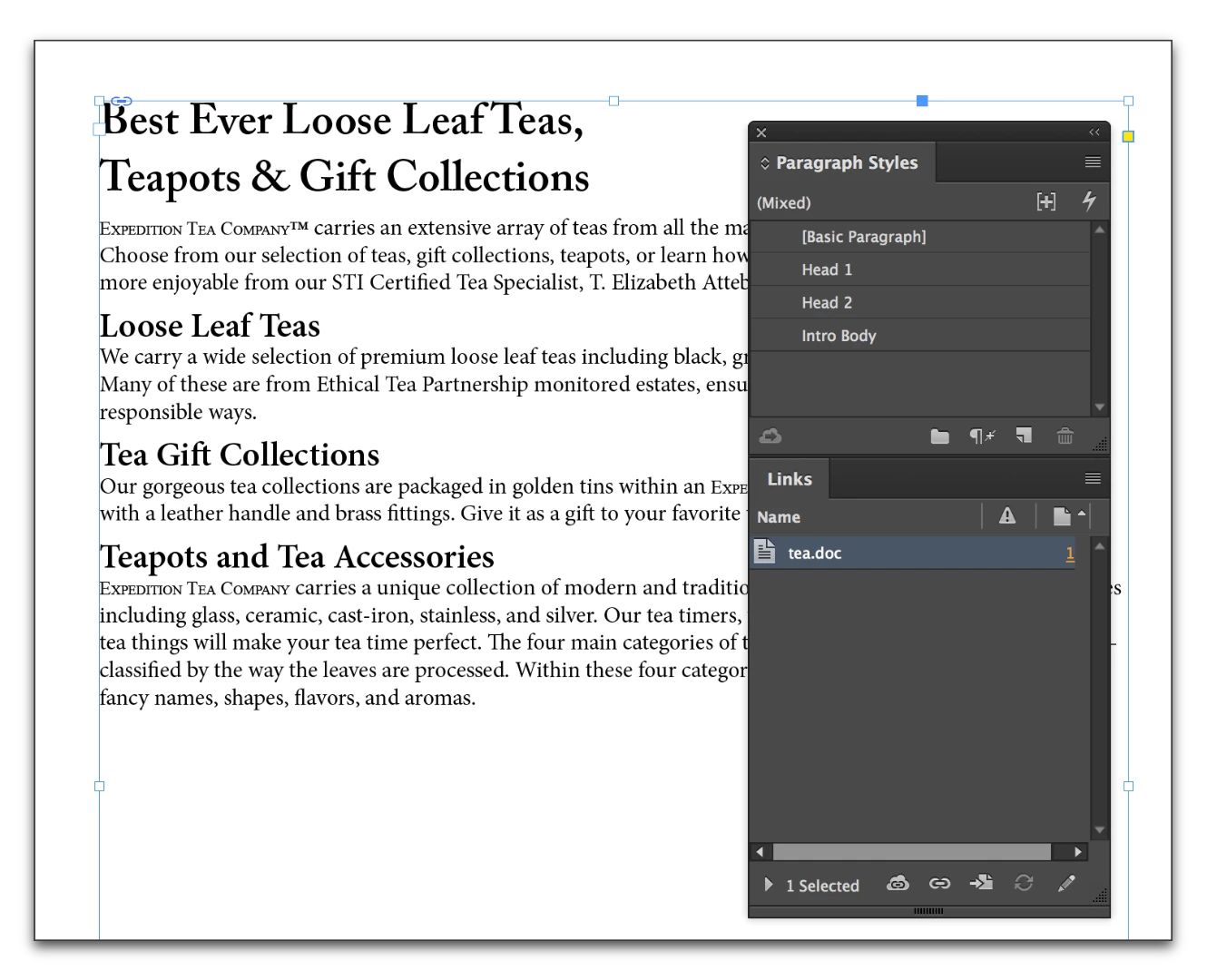
    Yes, it does work with .doc files as well. I just tested it, and you can see the .doc file in the final screen shot.

    The trick is the style names. You need to have the exact same style names in both documents. Set that up first. Note that head 1, Head1 and Head 1 are not exact matches. The style names must match exactly in both applications—spelling, case and spacing. Also note that while I am focused on paragraph styles, character styles work too. Look for the icon in word to differentiate them (¶ vs a). InDesign separates them into different panels—the Paragraph styles panel and the Character styles panel.
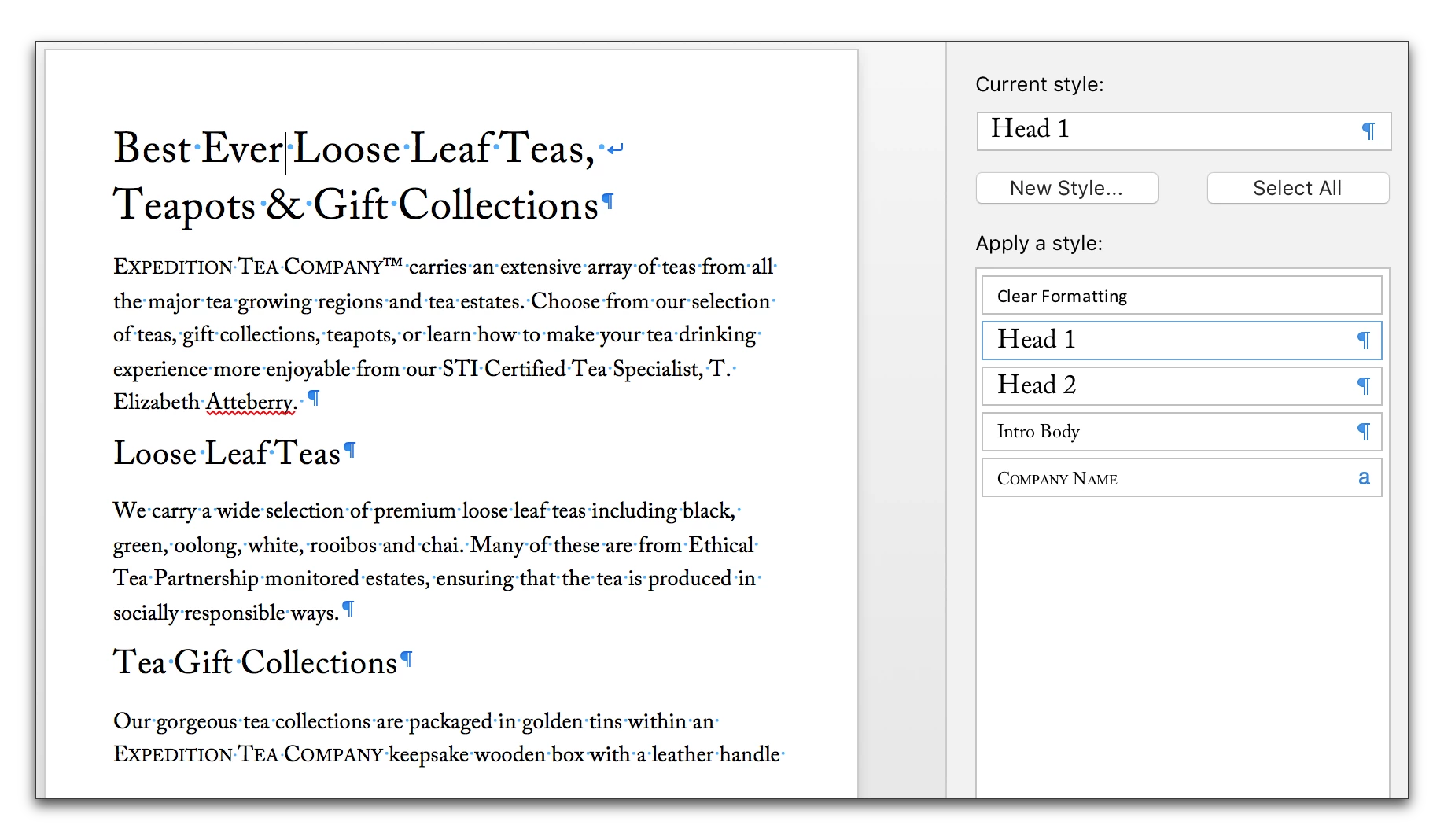
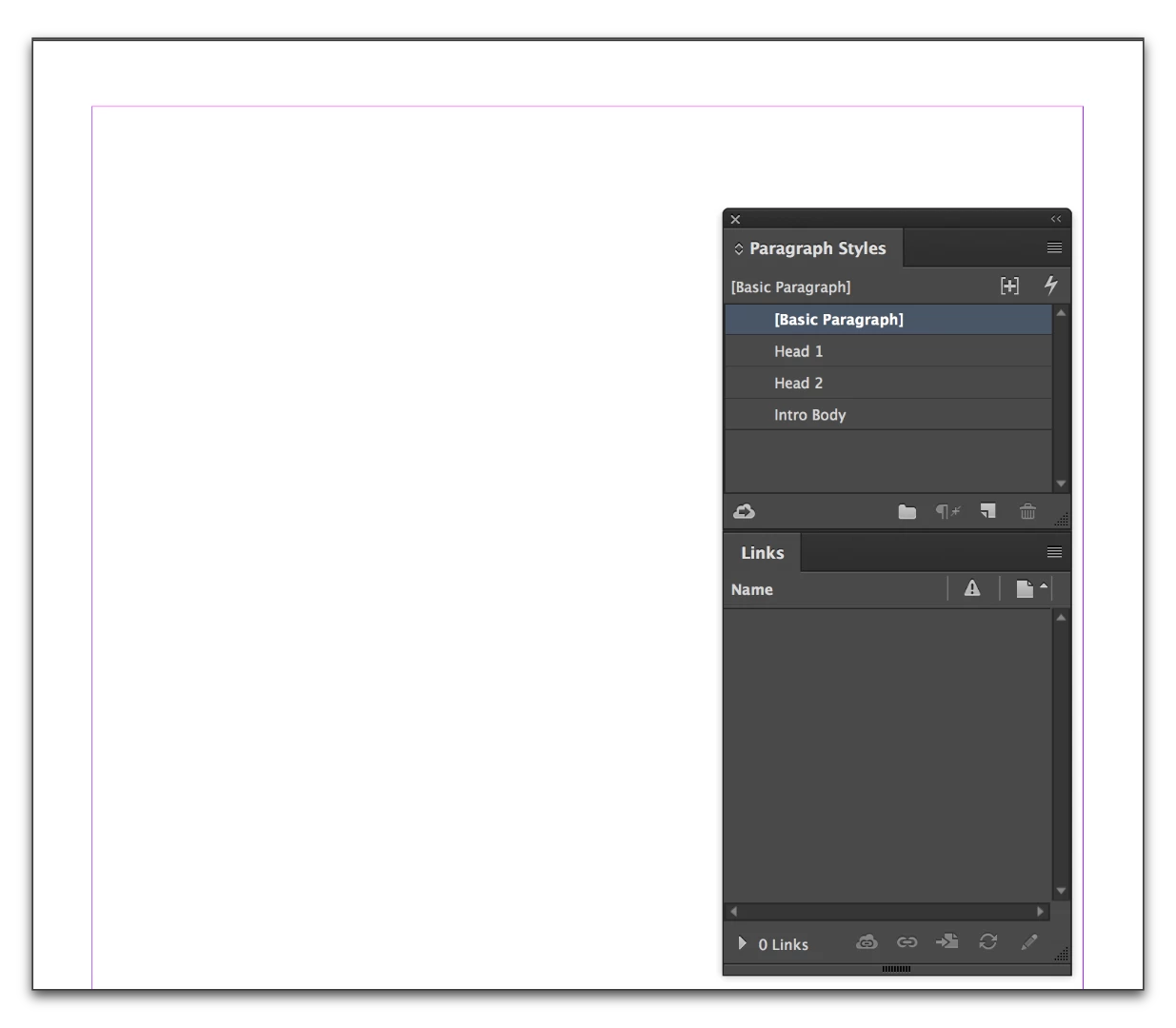
    Then File > Place and the styles will match up. When you edit and update, they continue to match and you get to keep your formatting.

    3 replies

    Frans v.d. Geest
    Community Expert
    Community Expert
    April 6, 2017
    schroef
    schroefAuthor
    Inspiring
    April 6, 2017

    Frans,

    Though that looks awesome if found the price quite high for a single plugin    

    Barb Binder
    Community Expert
    Community Expert
    March 27, 2017

    keep Formatting on linked text files

    We are guessing until you come back with more details on your workflow.

    My guess is that by "text files" you mean Word docs? If both the Word file and the InDesign file use the name style names (i.e., a Heading1 ¶ style in word has a corresponding Heading1 ¶ style in the InDesign document), then the linked files maintain their formatting after updates.

    ~Barb at Rocky Mountain Training
    Barb Binder
    Community Expert
    Community Expert
    March 27, 2017

    So for example:

    Let's say you have a document using the styles shown on the far right: Head 1, Head 2 and Intro Body.

    You place the linked file into InDesign with the exact same styles (the formatting can differ):

    Go back to Word and edit the content (I changed the first word), save.

    Go back to InDesign and the file is out of date. Double click the alert triangle in the Links panel.

    No formatting is lost as the file is updated, because of the styles.

    ~Barb at Rocky Mountain Training
    schroef
    schroefAuthor
    Inspiring
    March 28, 2017

    Yes that is exactly what im looking for. But the does this only work with docx format, because doc doesnt seem to work. I do need to import those pre-defined styling in order to let this work probably or not?    

    Willi Adelberger
    Community Expert
    Community Expert
    March 27, 2017

    Where are they linked from?

    Why are they linked?