alexf31788685
Participant
January 25, 2018
Answered

Format Paragraph with Bulleted List and Multiple Fonts and/or Character Styles
  • January 25, 2018
  • 1 reply
  • 800 views

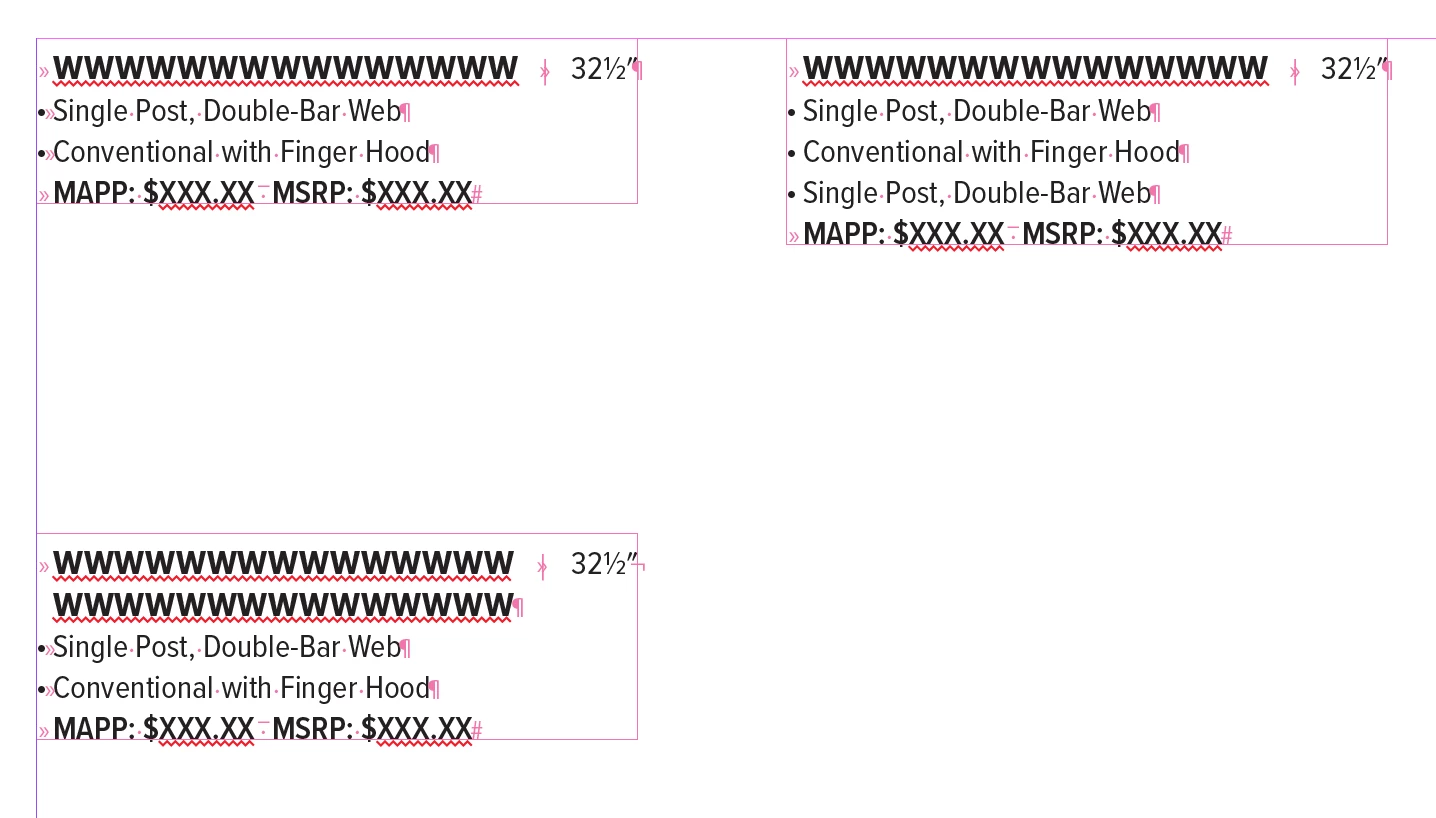
I am setting up text frames for a catalog design and I am trying to apply a bulleted list after the first line (or second line) without manually selecting the text and applying the Paragraph Style I have set up for a Bulleted List.

I have a Character Style for the: Headline, Bullets, Prices, and Height (which is the numerical value that is Right Indented).

I have a Paragraph Style for the: Headline and Bullets

All the type is 8 pt over 10 pt line spacing.

The Left Indent is 4 pt and First Left Line Indent is -4 pt.

I thought Nested or Line Style would be the function to do it but I can't apply a Paragraph Style (Bulleted List).

I'm not sure if there's a way to use GREP to achieve this as well.
This topic has been closed for replies.
Correct answer vinny38

Hi

Surely there are ways to do so.

Question is, do you use automatic bulleting (as per top-right example) or text-bullets?

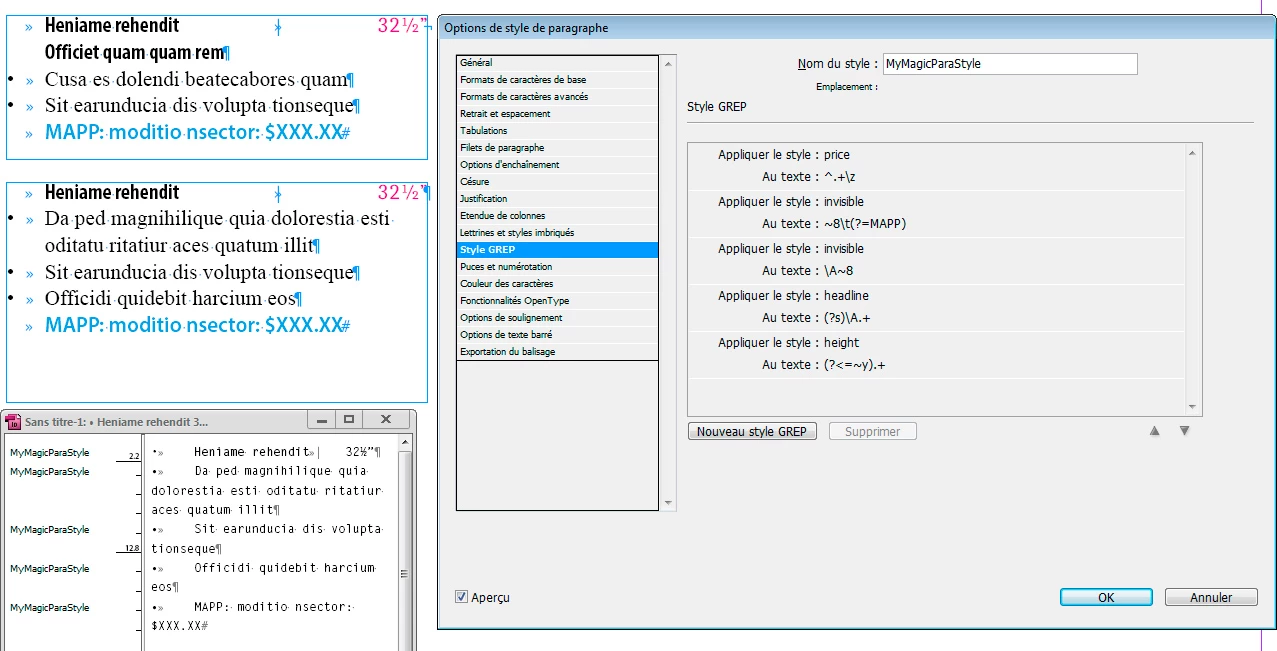
Here's an example on how to use GREP styles to achieve what you want using a single paragraph style.

Of course, it's just an example based on your screenshots. When it comes to GREP styles, you must have consistent patterns.

I.e: If your last line doesn't start by "MAPP", hiding the last line bullet will fail.

See the editor text panel : all paragraphs start with a bullet.

You obviously don't need them for first and last paragraphs, but I imagined a scenario where the para style uses auto-bulleting and then I went to Text > Bulleted And Numbered Lists > Convert bullets into text.

Of course, you can imagine other scenarii depending on your workflow. Your call.

1 reply

vinny38
vinny38Correct answer
Legend
January 26, 2018

Hi

Surely there are ways to do so.

Question is, do you use automatic bulleting (as per top-right example) or text-bullets?

Here's an example on how to use GREP styles to achieve what you want using a single paragraph style.

Of course, it's just an example based on your screenshots. When it comes to GREP styles, you must have consistent patterns.

I.e: If your last line doesn't start by "MAPP", hiding the last line bullet will fail.

See the editor text panel : all paragraphs start with a bullet.

You obviously don't need them for first and last paragraphs, but I imagined a scenario where the para style uses auto-bulleting and then I went to Text > Bulleted And Numbered Lists > Convert bullets into text.

Of course, you can imagine other scenarii depending on your workflow. Your call.

alexf31788685
Participant
January 26, 2018

Thanks for the response! I was able to use the "Next Style" to get the Headline and Bulleted List to work. I used the GREP style for the Height style and now that works.

Now the last part is getting the last line in the paragraph to be the Price Style (MAPP/MSRP) Character Style.