
Inspiring
Oct 26, 2026 12:49 AM UTC
Question

Fouled up table of contents

I am working on a 64 page book and am having an issue with the table of contents, all probably due to stupidity on my part. I did not like the original TOC for the book and deleted it and put in a new one – and apparently I left a fragment of the old one or some other mistake.

In any case there is some kind of object that is offsetting page 15 in my TOC. I have no idea how it got there, what it is or how to remove it. I have looked in the story editor and cannot find it there – and I cannot select it.

I'm certain there is a solution that I certainly do not know. The screenshot shows the object and what it is doing, along with a copy of the TOC
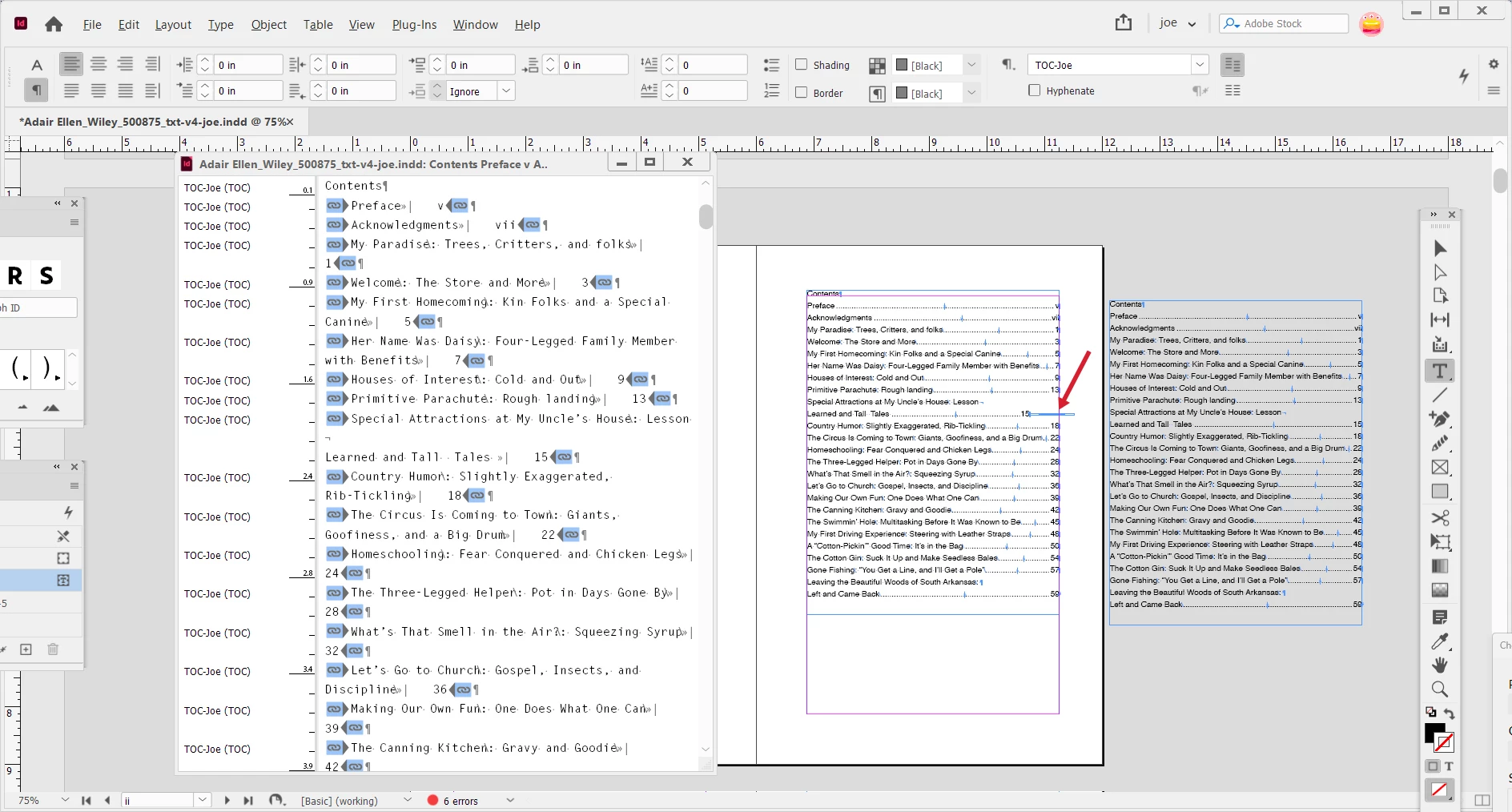
messed up TOC

off the page that is displaying correctly.

I will appreciate any and all help.

Thanks to those who know more than me,
Joe

    3 replies

    Peter Spier
    Community Expert
    Community Expert
    Oct 26, 2026 9:12 AM UTC

    Have you checked the layers panel to see if there’s a locked or hidden object that has text wrap applied?

    Translate
    Community Expert
    Oct 26, 2026 8:29 AM UTC

    Looks like an anchored object on page 15. Anchored objects are objects anchored to text flows, and if thre’s an object within the text flow it will be in the TOC if it’s associated to the style. 

    Go to Page 15 and find the anchored object. 


    If there’s nothing truly there, then try recreating page 15 completely.

    Translate
    Monika Gause
    Community Expert
    Community Expert
    Oct 26, 2026 8:24 AM UTC

    That entry is the only one that has a break inserted. Just to investigate: what happens when you delete the linebreak of the TOC entry? Is that thing then gone?

    Translate