Inspiring
June 8, 2025
Answered

From Bridge, reveal where an image is placed in my Indesign book.

  • June 8, 2025
  • 3 replies
  • 500 views

Newbie question:

I have thousands of photos. When I use a photo, I label it to keep track of which photos have been used. From Bridge, how can I reveal where that image has been placed in the Indesign document?


thank you, 

Misty
Correct answer misty.v

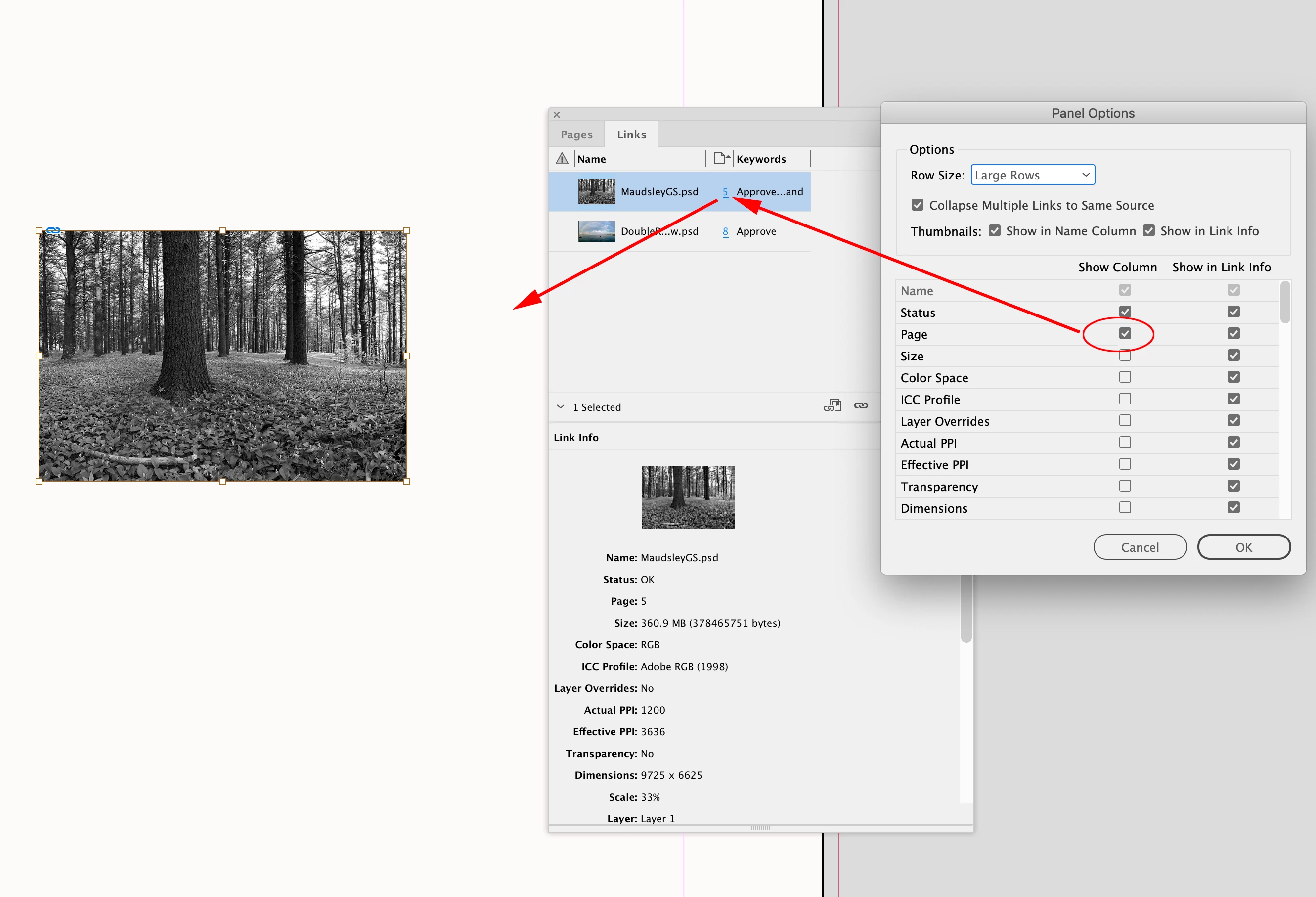
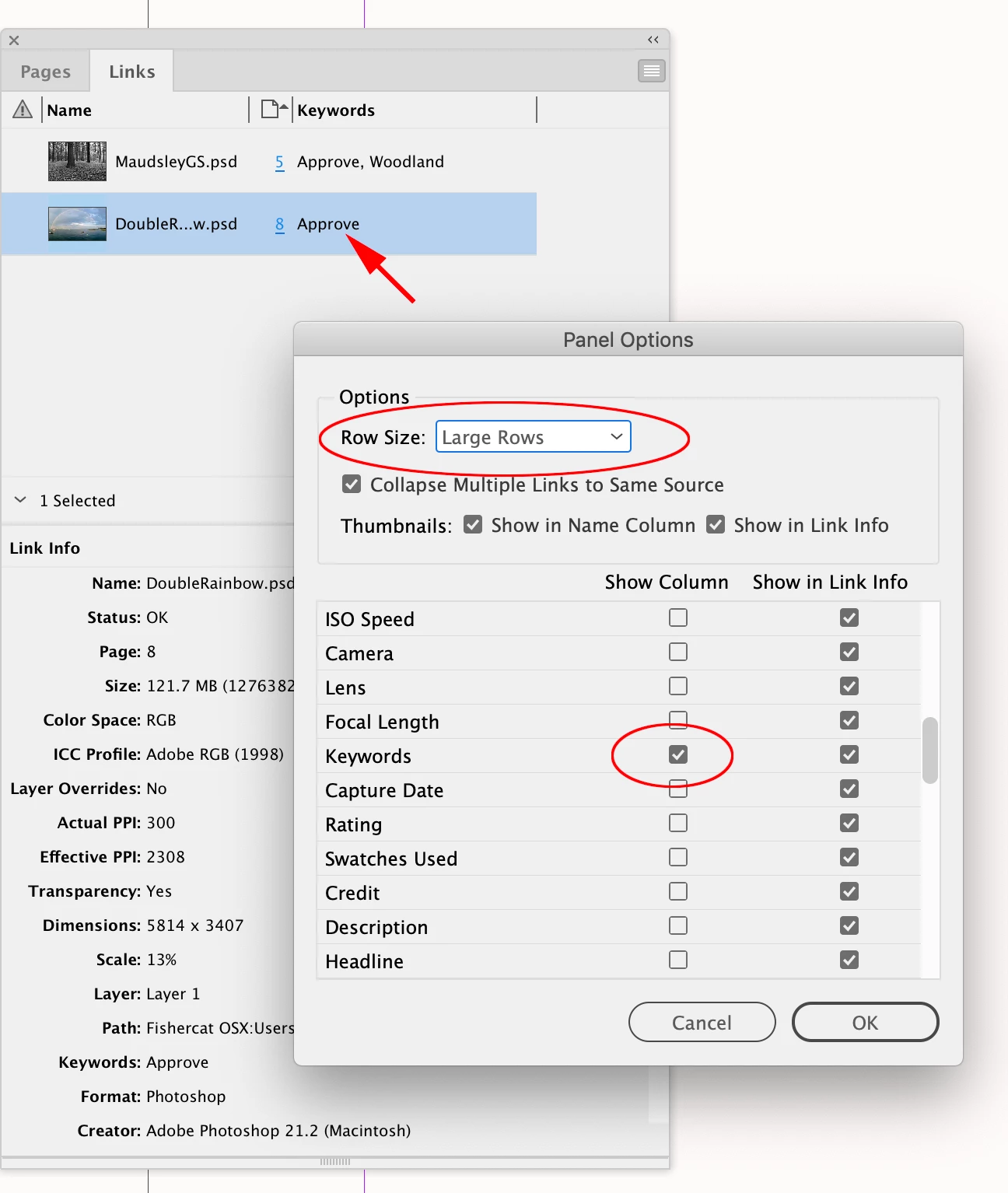
You can make the preview a bit larger by setting Row Size to Large. And you can customize the rows—here I’m showing Keywords and Page. The page number is a link, cliking it takes you to that page.


Wow, the larger thumbnails will solve my issue! An added benefit is that I can control the information that shown in the Links Panel to what is useful for me. 


Thank you, everyone! All of your comments added to the growth of my understanding of Indesign. The more I discover the more I realize how much I don't know!

3 replies

Barb Binder
Community Expert
Community Expert
June 9, 2025

Hi @misty.v:


As far as I know, Bridge doesn't ID which photos were used in a specific InDesign file, but it does work the other way.


If you look at an .indd file in Bridge, you will see a Link icon in the top right corner (assuming the images are linked and not embedded). You can right click the link icon > Show Linked Files to see the list of images used in that file. From there, you could easily assign a label (which can be customized to Used or something), add a star rating or add metadata to all of them. Then you can use the filters to sort the folder quickly.


Going back to mark the ones you have already used will be tedious, but perhaps you could add that step to your workflow moving forward. 


~Barb

~Barb at Rocky Mountain Training
leo.r
Community Expert
Community Expert
June 8, 2025
quote

From Bridge, how can I reveal where that image has been placed in the Indesign document?

By @misty.v


@rob day explained how you can identify specific images in InDesign. However, I don't believe there's a way in Bridge to reveal where an image has been placed in InDesign. This would require a content management system (unless I misunderstand your question).

misty.vAuthor
Inspiring
June 9, 2025

Yes, Rob, you understand what I was hoping to do. 


So, how do you find where you've put a photo? The thumbnails in the links Panel are so terribly small. 

rob day
Community Expert
Community Expert
June 9, 2025

You can make the preview a bit larger by setting Row Size to Large. And you can customize the rows—here I’m showing Keywords and Page. The page number is a link, cliking it takes you to that page.


rob day
Community Expert
Community Expert
June 8, 2025

When I use a photo, I label it


Hi @misty.v , Where is the lable? In the metadata? The Links panel lets you customize its column info—most of the metadata can be added.


misty.vAuthor
Inspiring
June 9, 2025

I use the Labels in Bridge (Select, Second, Approve, etc). I see that it shows up in Metadata under File Properites. 


misty.vAuthor
Inspiring
June 9, 2025

To clarify, I just put a label on so that I know which photos I've used and which are still needing to be used.