Known Participant
January 9, 2024
Answered

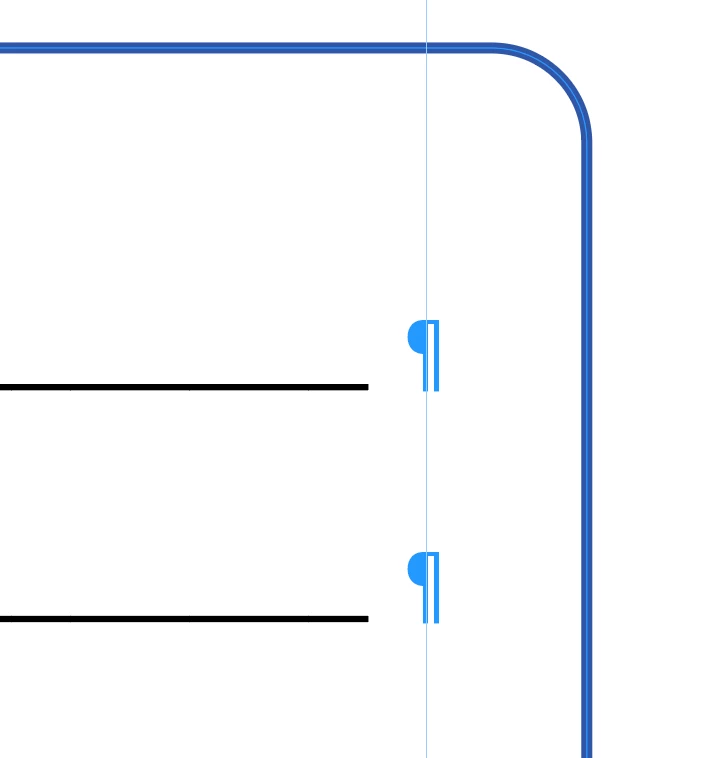
Gap between the leader underline and the tab.

  • January 9, 2024
  • 2 replies
  • 530 views

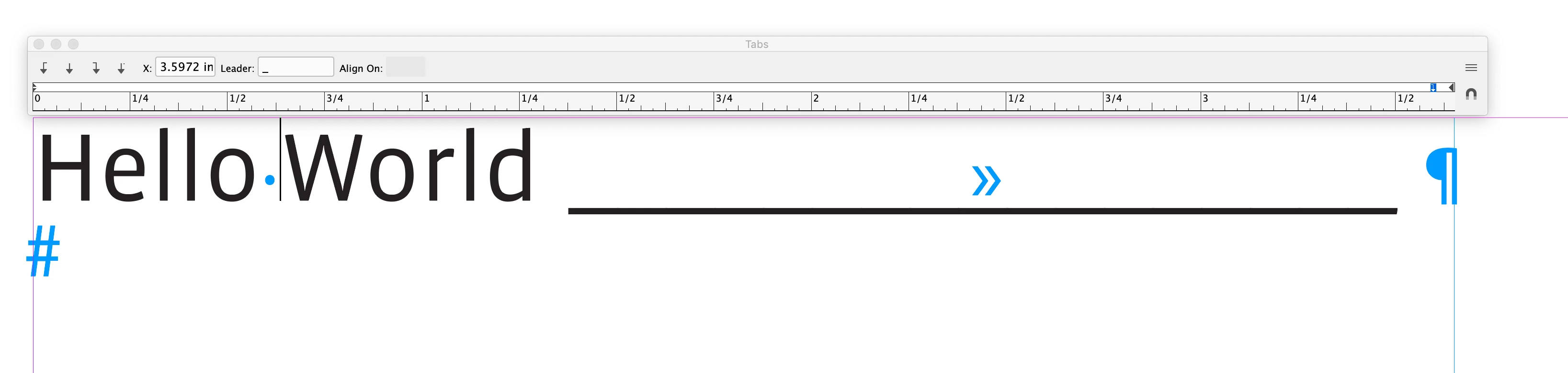
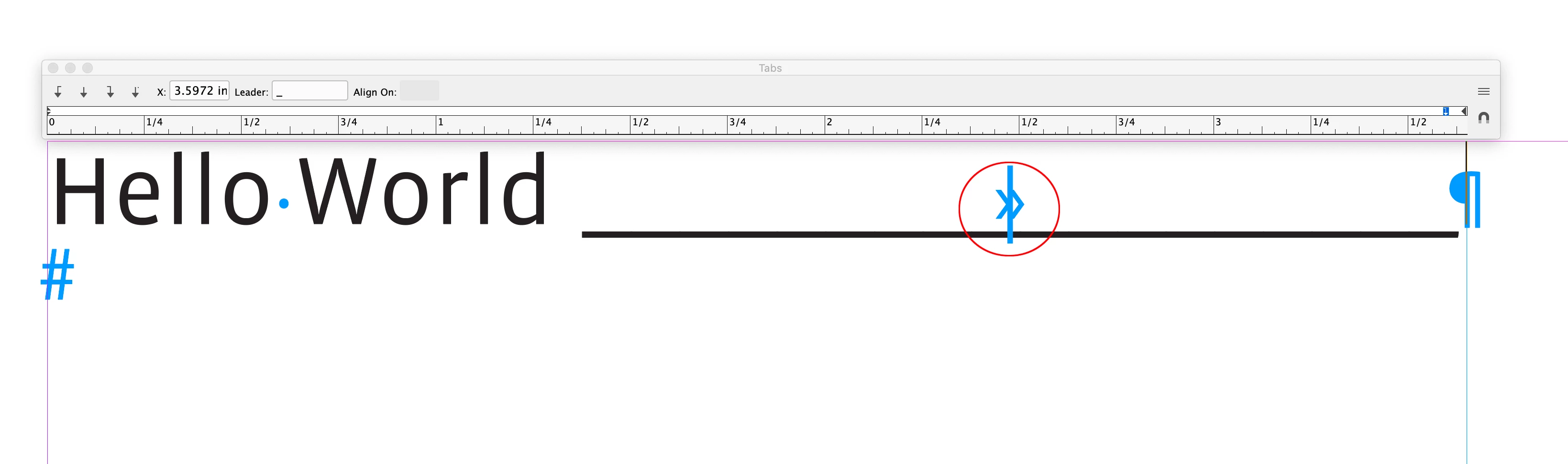
Why does the UNDERLINE LEADER applied to a tab, not go completely to the tab? In the proofing process of a form, it always gets flagged as an error. It's very annoying and hard to explain to editors and requires timely workarounds. 
This topic has been closed for replies.
Correct answer rob day

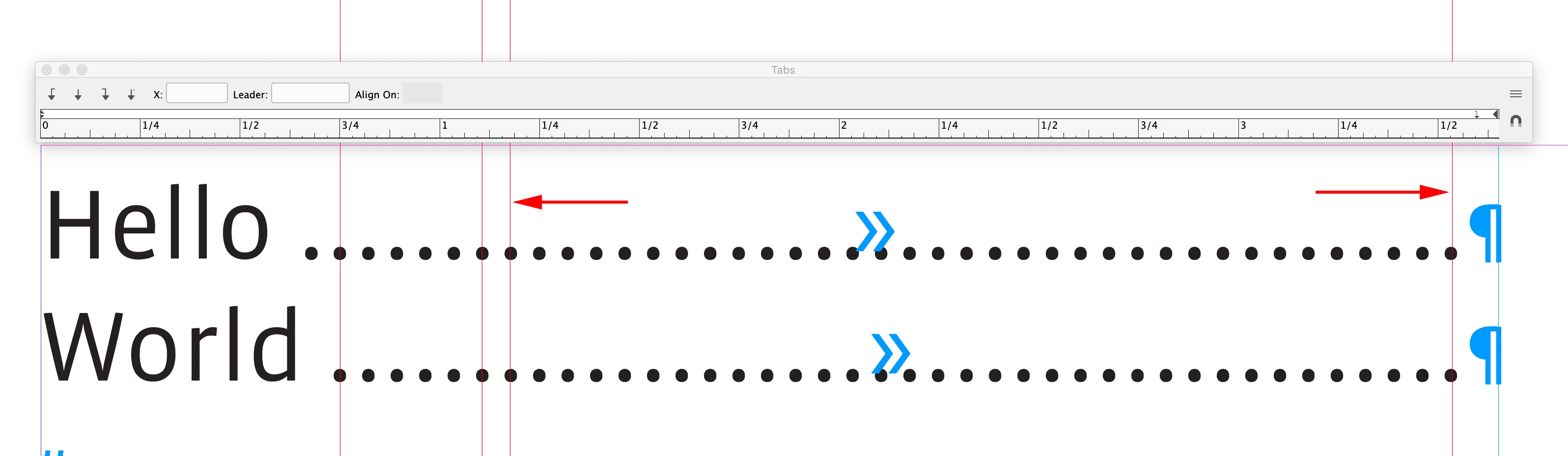
Hi @VBL2 , You might get a better alignment if the final tab is set as a Right Indent Tab:


Leader glyphs are designed to line up vertically, which is more obvious when you use a dot character—Leaders always create some variable spacing before and after the Tab.


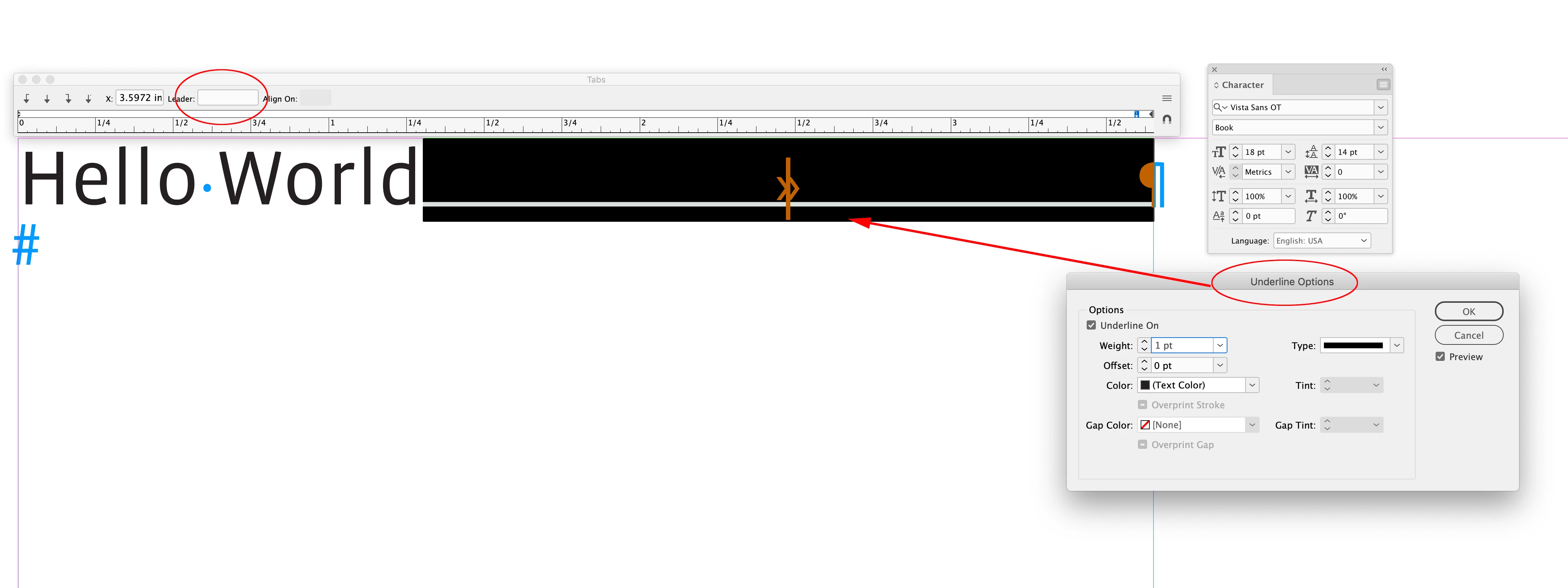
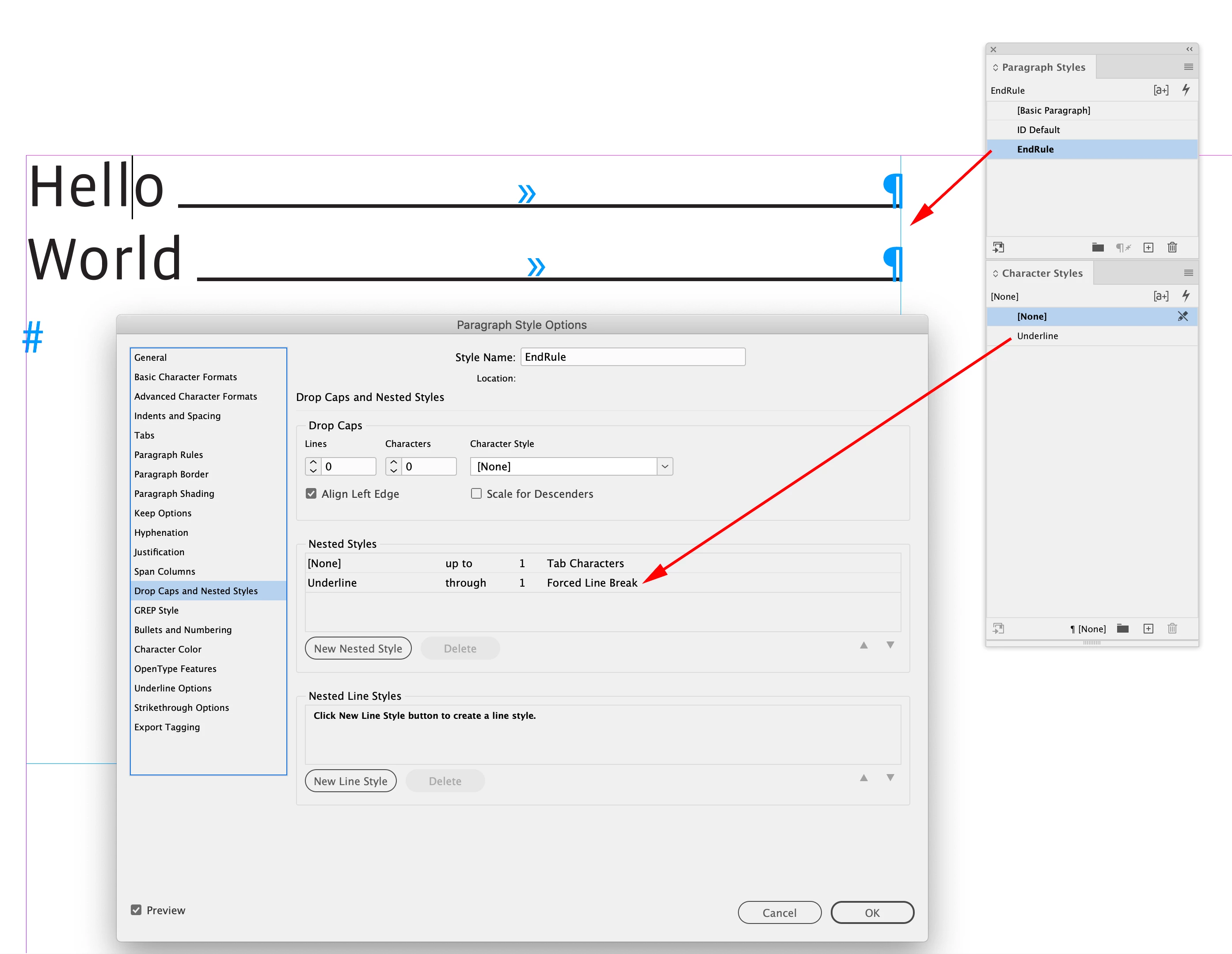
If you don‘t care about the vertical alignment of Leader glyphs, use an Underline applied to the tab. Something like this:


An underlined tab character could be handled with a Nested Paragraph Style:


2 replies

rob day
Community Expert
rob dayCommunity ExpertCorrect answer
Community Expert
January 10, 2024

Hi @VBL2 , You might get a better alignment if the final tab is set as a Right Indent Tab:


Leader glyphs are designed to line up vertically, which is more obvious when you use a dot character—Leaders always create some variable spacing before and after the Tab.


If you don‘t care about the vertical alignment of Leader glyphs, use an Underline applied to the tab. Something like this:


An underlined tab character could be handled with a Nested Paragraph Style:


VBL2Author
Known Participant
April 17, 2024

thanks, Rob, I appreciate your insight. I'll give this method a try.

Inspiring
January 10, 2024

The length of the leader is multiple of the Underline character in your case.

You can create adjust the length by adjusting the horizontal scale of the Tab character.

You could then create a character style with the horizontal scale. In your paragraph style, add a GREP Style to apply that character style to the Tab character.