
revathiv80720177
Known Participant
August 22, 2018
Answered

Get the Frame Placed only on the InDesign Page

  • August 22, 2018
  • 1 reply
  • 566 views

Hi ,

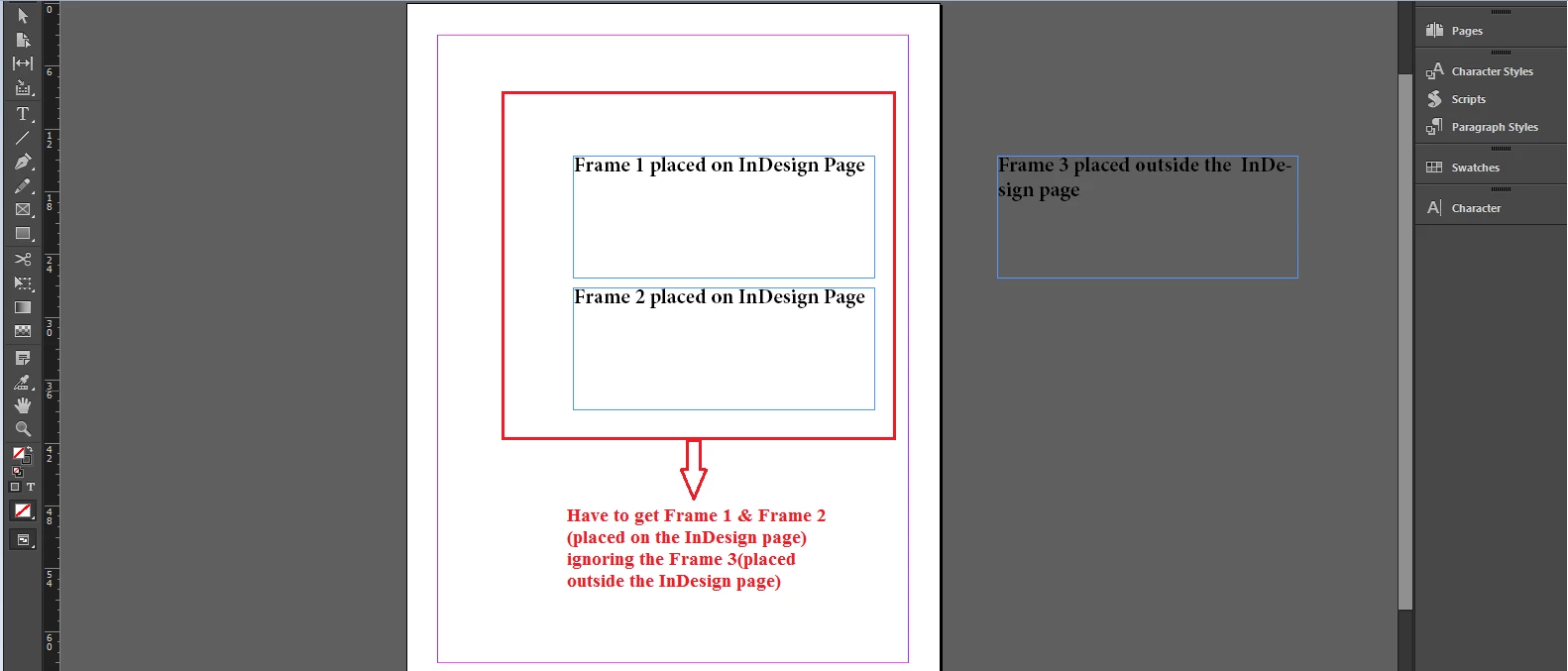
I tried to get the frames placed on the InDesign Page ignoring frames placed outside the page as show in the attached image.

app.activeDocument.activeLayer.textFrames.length

This returns all the frame placed in a document(both in and outside the page).

It is possible to get only the frame placed on the InDesign Page?Please do guide me on this..
Regards,

Revathi V

This topic has been closed for replies.
Correct answer Manan Joshi

If you want to find text frames present on a page you can use the text frames collection of Pages like below

app.activeDocument.pages[0].textFrames.length

Also if you have a reference to a textframe and need to identify if it is on a page or not, you can check the parentPage property

//Suppose you want to check if the current selected text frame is present on a page or not

if(app.selection[0].parentPage == null)

     alert("Selection is not present on a page")

else

     alert("Selection is present on a page")

So either you can use the collection that i mentioned or else you can keep using your code and isolate the text frames on page using the parentPage property.

-Manan

1 reply

Manan JoshiCommunity ExpertCorrect answer
Community Expert
August 22, 2018

If you want to find text frames present on a page you can use the text frames collection of Pages like below

app.activeDocument.pages[0].textFrames.length

Also if you have a reference to a textframe and need to identify if it is on a page or not, you can check the parentPage property

//Suppose you want to check if the current selected text frame is present on a page or not

if(app.selection[0].parentPage == null)

     alert("Selection is not present on a page")

else

     alert("Selection is present on a page")

So either you can use the collection that i mentioned or else you can keep using your code and isolate the text frames on page using the parentPage property.

-Manan

-Manan
revathiv80720177
Known Participant
August 23, 2018

Hi Manan,

Thanks for your guidance..This works fine..

Regards,

Revathi V