
Known Participant
September 22, 2023
Answered

Getting different fontStyles in the document for the same font

  • September 22, 2023
  • 4 replies
  • 1542 views

Hi Everyone,


I am trying to get fontStyle for the characters through scripting by the below code,


app.findGrepPreferences = changeGrepPreferences = NothingEnum.nothing;
app.findChangeGrepOptions.includeFootnotes = true;
app.findChangeGrepOptions.includeLockedLayersForFind = true;
app.findChangeGrepOptions.includeMasterPages = false;
app.findGrepPreferences.findWhat = ".";
var findss = app.activeDocument.findGrep();
for(j=0;j<findss.length;j++){
$.writeln(findss[j].characters[0].fontStyle)
}


but i am getting both 'book' fontStyle and 'Regular' for the different contents. I am using 'adobe caslon pro-regular' font.
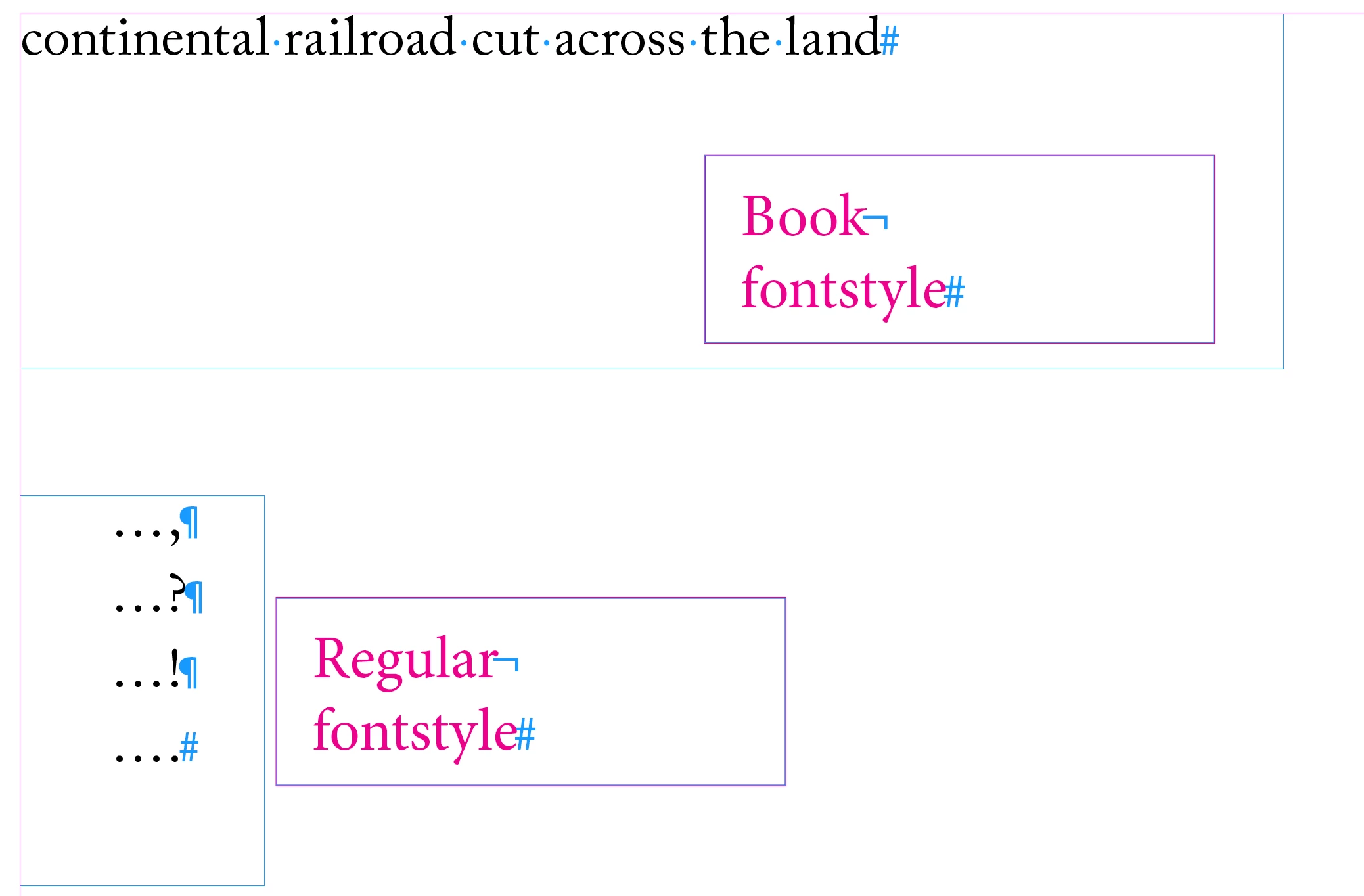
 

I don't know what is wrong with the code or the font, file. Attached files for your reference.

Please help me to sort this issue.


Thanks,

SathishS

This topic has been closed for replies.
Correct answer Peter Kahrel

How bizarre. When you select the paragraph 'continental railroad . . . land' it shows as Regular.


The Find/Replace Font window doesn't see Caslon Book (it should be listed there in brackets to show it's there but doesn't exist -- existentially challenging but there you are.


And it should show up in the Find/Change dialog (again, in brackets), but it doesn't. But it's there in the document:


ranges = ...

for (i = 0; i < ranges.length; i++) {
  $.writeln (ranges[i].appliedFont.name);
}


And you can select it (or one of the instances) as follows, if only to show that your eyes don't deceive you:


ranges = ...

for (i = 0; i < ranges.length; i++) {
  if (ranges[i].appliedFont.name === 'Adobe Caslon Pro\tBook') {
    ranges[i].select();
    exit();
  }
}


And you can change it as follows:


ranges = ...
for (i = 0; i < ranges.length; i++) {
  if (ranges[i].appliedFont.name === 'Adobe Caslon Pro\tBook') {
    ranges[i].appliedFont = 'Adobe Caslon Pro\tRegular'
  }
}


Maybe some mild corruption. I'd be careful with that document. Perhars it's a good idea to do an IDML roundtrip.


(Edit: Some duplication here, hadn't seen your and Robert's replies when I answered.)

4 replies

Peter Kahrel
Community Expert
Peter KahrelCommunity ExpertCorrect answer
Community Expert
September 25, 2023

How bizarre. When you select the paragraph 'continental railroad . . . land' it shows as Regular.


The Find/Replace Font window doesn't see Caslon Book (it should be listed there in brackets to show it's there but doesn't exist -- existentially challenging but there you are.


And it should show up in the Find/Change dialog (again, in brackets), but it doesn't. But it's there in the document:


ranges = ...

for (i = 0; i < ranges.length; i++) {
  $.writeln (ranges[i].appliedFont.name);
}


And you can select it (or one of the instances) as follows, if only to show that your eyes don't deceive you:


ranges = ...

for (i = 0; i < ranges.length; i++) {
  if (ranges[i].appliedFont.name === 'Adobe Caslon Pro\tBook') {
    ranges[i].select();
    exit();
  }
}


And you can change it as follows:


ranges = ...
for (i = 0; i < ranges.length; i++) {
  if (ranges[i].appliedFont.name === 'Adobe Caslon Pro\tBook') {
    ranges[i].appliedFont = 'Adobe Caslon Pro\tRegular'
  }
}


Maybe some mild corruption. I'd be careful with that document. Perhars it's a good idea to do an IDML roundtrip.


(Edit: Some duplication here, hadn't seen your and Robert's replies when I answered.)

Known Participant
September 25, 2023

Thanks @Peter Kahrel,


But XMP cleanup and idml didn't helped. Still getting the same issue.

-Sathish

Known Participant
September 25, 2023

But after change everything that finds 'Book' to 'Regular', now it all returns as 'Regular' font style. But don't have any clue why it behaves like that.

Peter Kahrel
Community Expert
Community Expert
September 25, 2023

You'd do something like this:

ranges = app.activeDocument
  .stories.everyItem()
  .textStyleRanges.everyItem().getElements();

for (i = 0; i < ranges.length; i++) {
  if (ranges[i].appliedFont.name === 'Adobe Caslon Pro\tRegular') {
    // Do something;
  }
}
Robert at ID-Tasker
Legend
September 25, 2023

Great piece of code - as always. 


But OP needs to remember about one thing - if consecutive pieces of text have the same font, but differ in something else - point size, color, etc. - each piece will be returned as a separate result - which may be a problem, when whole block of text should be processed. 


Peter Kahrel
Community Expert
Community Expert
September 25, 2023

True. But you'd have the same problem when looking for .+ and the font name+style.

Peter Kahrel
Community Expert
Community Expert
September 22, 2023

It's true that "." finds any single character -- but it's also true that it finds all characters, so your script writes every single character (apart from the paragraph break).


Better to use styleRanges, then write those font style of those ranges.

Known Participant
September 25, 2023

Hi @Peter Kahrel,

Thanks for responding... I am new to the scripting. Could you help me where to implement 'styleRanges' in above code.


-Sathish

Robert at ID-Tasker
Legend
September 22, 2023

FindWhat = '.' will return whole texts and GREP is rather overkill?


If you want to find texts with specific formatting - you can use Text find but you still need to define what formatting you want to find.


I'm not JS guy so can't give you exact code. 


Known Participant
September 22, 2023

FindWhat = '.' will return any single character.

Robert at ID-Tasker
Legend
September 22, 2023

Not exactly, without anything else - it will return all texts - not single characters - so it would be quicker to just iterate all Stories.