Known Participant
March 1, 2023
Question

Getting SH Regular missing font error while opening pagemaker file in Indesign

  • March 1, 2023
  • 3 replies
  • 707 views

Hi Everyone

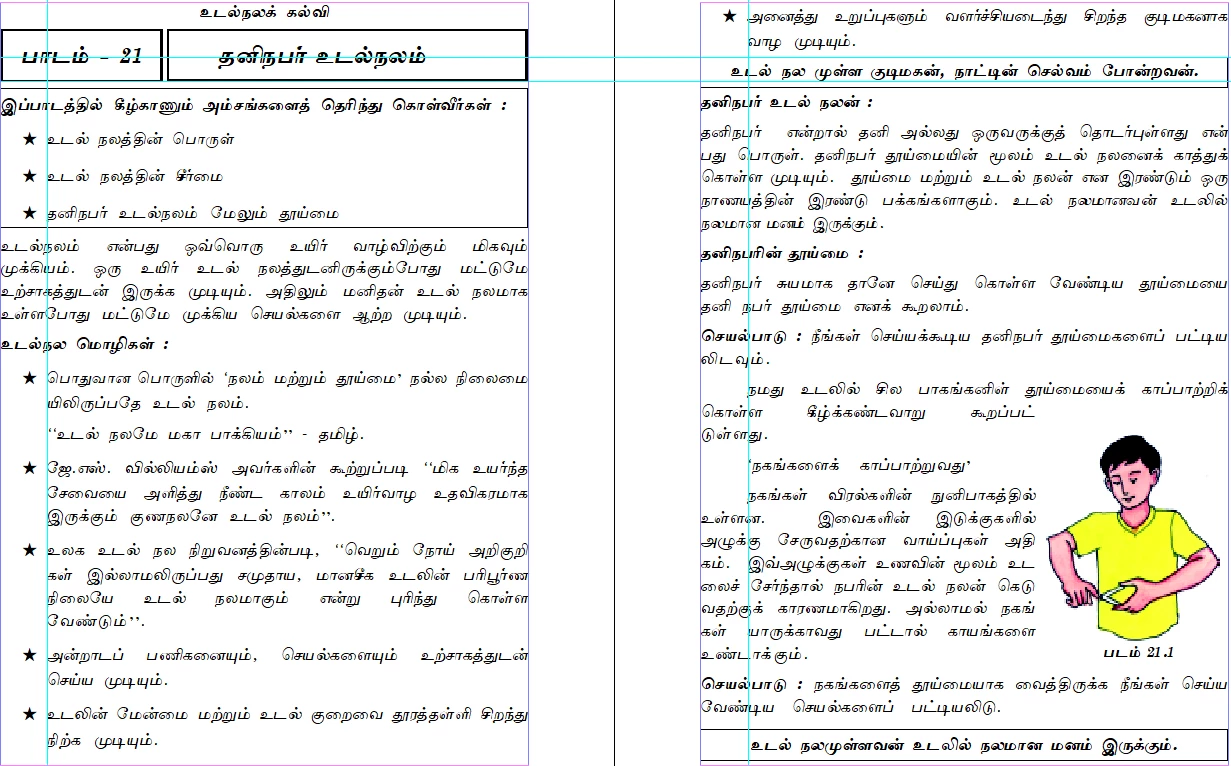
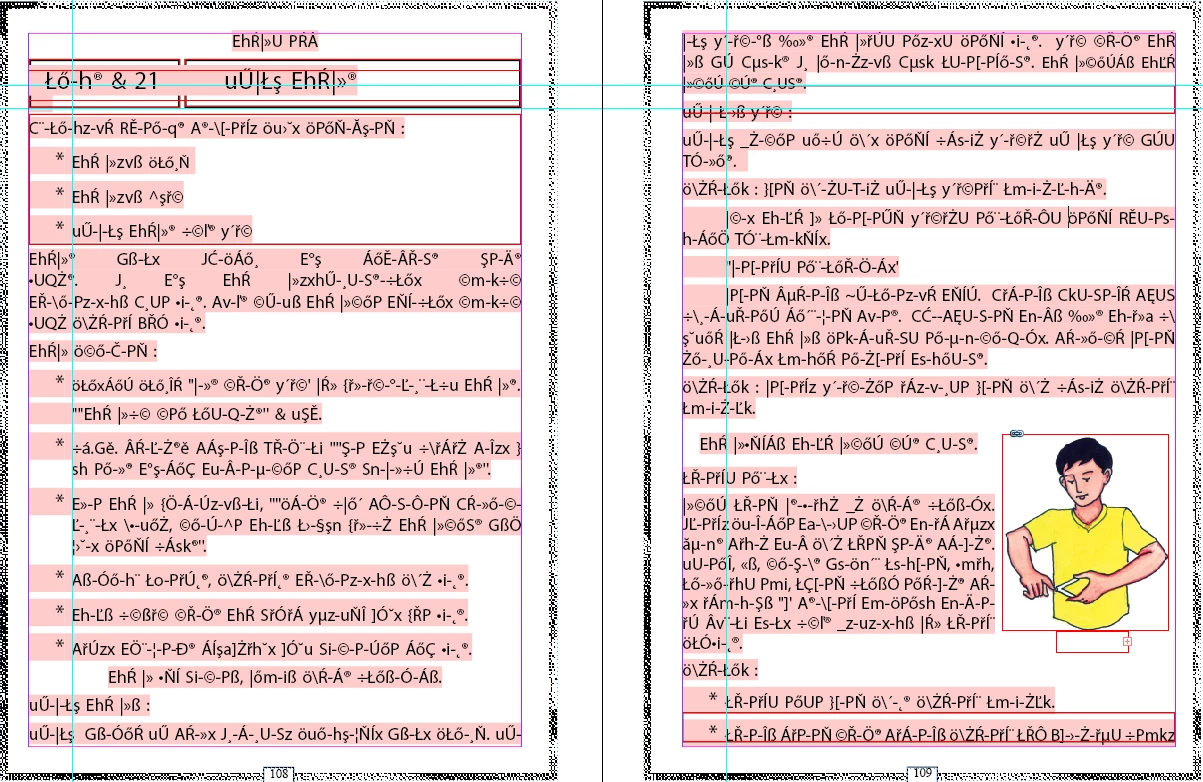
I have few pagemaker files and they are opening correctly while i open them in pagemaker, but when i try to open same file in indesign cs6 (thats the last indesign version which support PMD file) i am getting missing font error (SH Regular), and it is happening in all different indian language PMD file, i have tried with hindi, tamil and kannada. meanwhile i also want to state that SH is not a font,. i would appreciate if someone can help me here, i have attached screenshot of same page 1st one is pagemaker while secong one with errors is of indesign
This topic has been closed for replies.

3 replies

Brad @ Roaring Mouse
Community Expert
Community Expert
March 1, 2023

I recently I did a conversion for someone who had an old PM doc in Vietnamese. I found online resources to convert the old encoding to Unicode so modern fonts can be used. It was a bit clunky as the text had to be exported first (e.g to a Word file) or copied and pasted into to a browser-based tool, then reimported into a new ID doc to which the new OTF font would be applied, but it worked! I assume there will be similar resources for Indian/Tamil/Hindi fonts.

BobLevine
Community Expert
Community Expert
March 1, 2023

In addition to what Brad has said, you can try putting the font into a document fonts folder and save the INDD file into the folder containg that. You'll need to close it and re-open it for InDesign to see it.

Brad @ Roaring Mouse
Community Expert
Community Expert
March 1, 2023

What is the font supposed to be? (i.e. what is assigned in PageMaker?). If it's currently loaded on your system, can you successfully assign it to a brand new paragraph in an ID doc?

If was pretty common to assign styles to a font (like Bold or Italic) to a single style font and PM would "fake" the bold or italic, but ID does not recognize that old school approach, so it will state the font is missing, and indicate it in pink in the default font (looks like Myriad Pro here, and because of different encodings, it's gibberish).

You are going to have an uphill climb here. Even if you have a new and fancy OTF to replace whatever your font was before, the differences in encoding will still mess you up going forward

If you like, send me a sample file and I will scope it out and advise. (Use PM's Save for Service Provider so you can collect the current fonts along with it). Send me a direct message if interested.