Question
Getting text to start at the leftmost position of an upward-slanded text box?
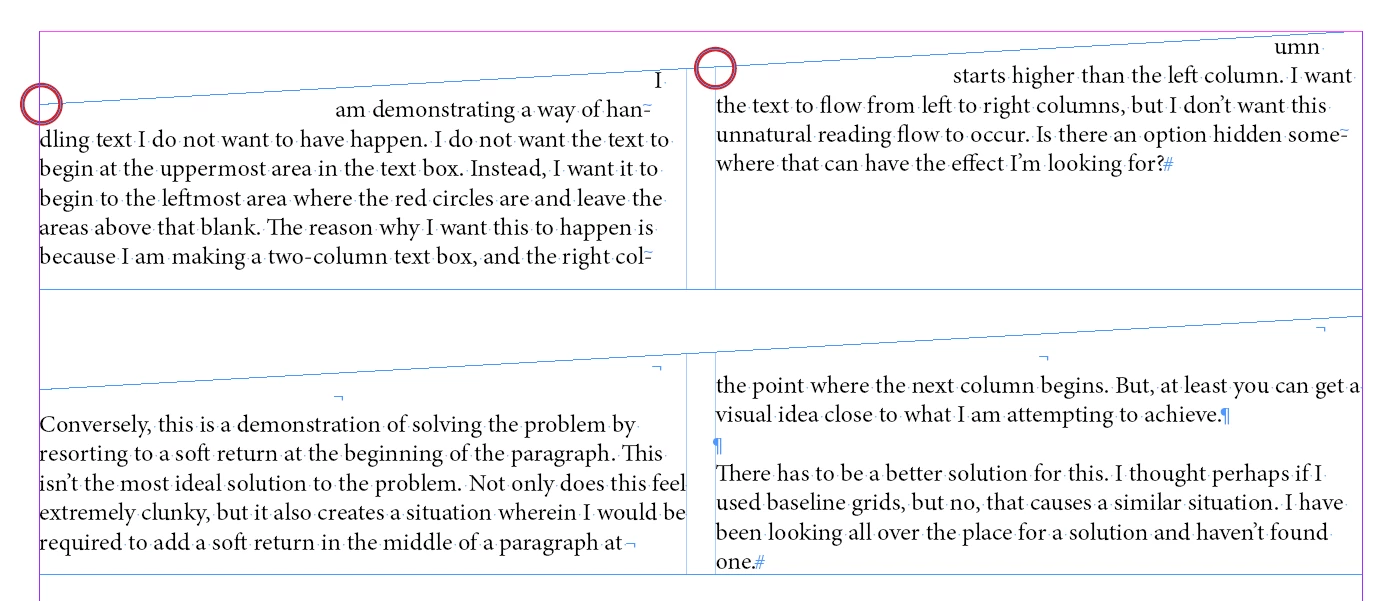
How can I get the first line of a column to begin at the leftmost area of a text box rather than what is being shown in my demonstration? I am creating a multi-column text box whose right corner is higher than the left, but want text to begin from the leftmost area where the red circles are. The areas above that would remain empty.
Underneath that, I'm showing a clunky solution I found. It's not desirable. Not only would I have special characters inserted into the middle of the paragraph where they don't belong, but if any of the text changes, I would have to reset those characters into the proper places.
 AdChoices