
'Ghosted Image' – Transparency Preview is gone
Hi there,
I just tried to ask the Adobe Support about this, but they sent me here, since they "will not help with how-to-instructions". okay.
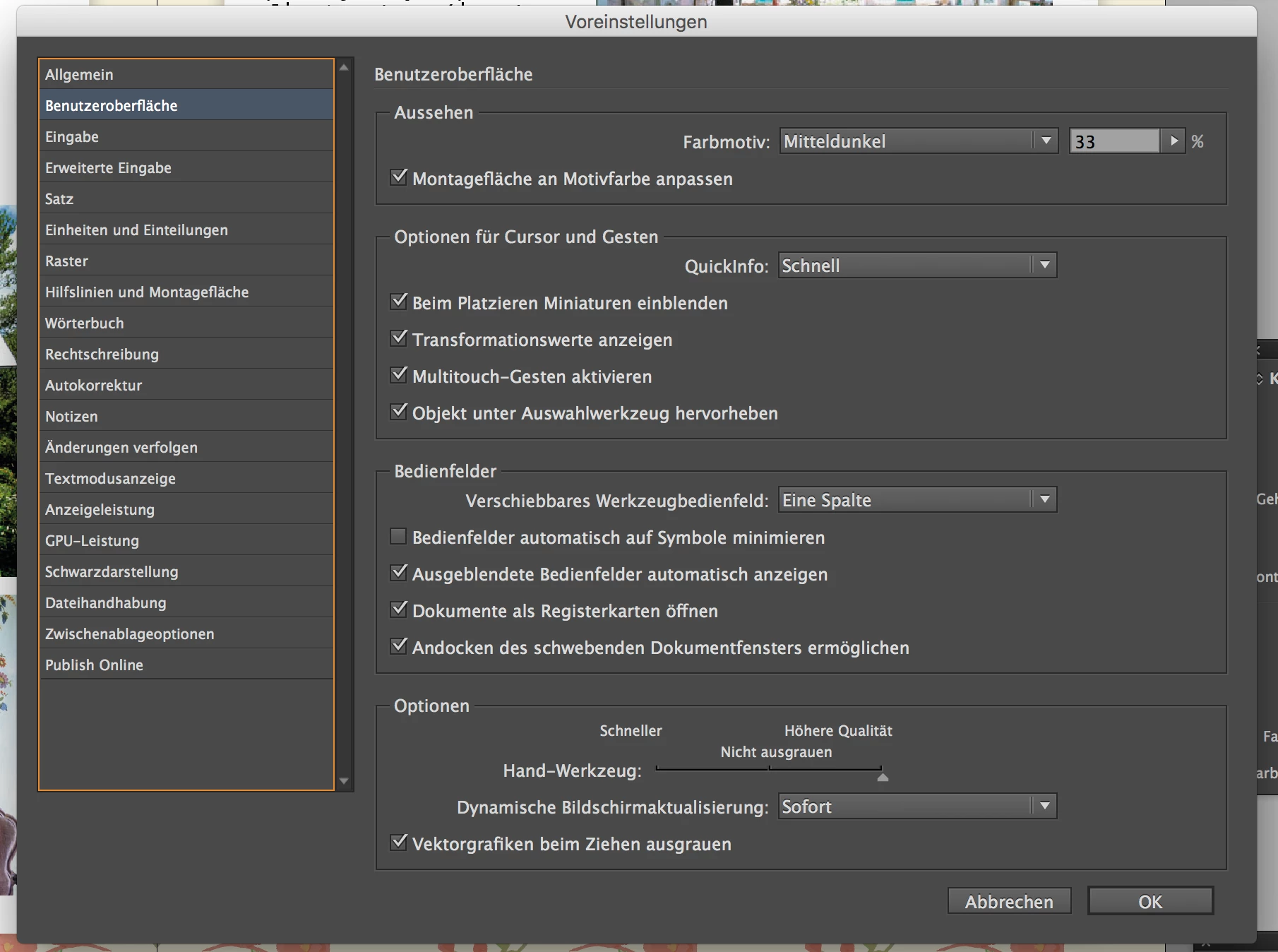
So, I'm having a problem with the live screen drawing in InDesign. Usually, when I moved a placed image inside of a frame, the area of the image that's outside of this frame is set in 50% transparency. Since a reinstall of the whole cloud system, InDesign shows the whole image in 100% Opacity and blends out my frame.
Example: I Placed a Portrait inside of a circle and want to move the image slightly to the right. As soon as i move the image, the circle-frame is gone and the image is shown in full opacity. After placing the Photo, the frame comes back and shows me the final result. My desired workflow would be to touch the image, as soon as I move it, the image parts outside of my frame are grayed out and after placing, my mood is fine 
I added a screenshot of my (german) preferences, but as far as I know, these are the optimal settings – hopefully you guys know better!
Thanks for your help
Christin
 AdChoices